
Parent teacher chat for schools: one to one and group messaging
A parent teacher communication app should give parents easy access without handing out personal phone numbers. Klassy chat does exactly that: staff start conversations, parents reply.
Step by step
Open Chat
There are two types: Personal and Groups.
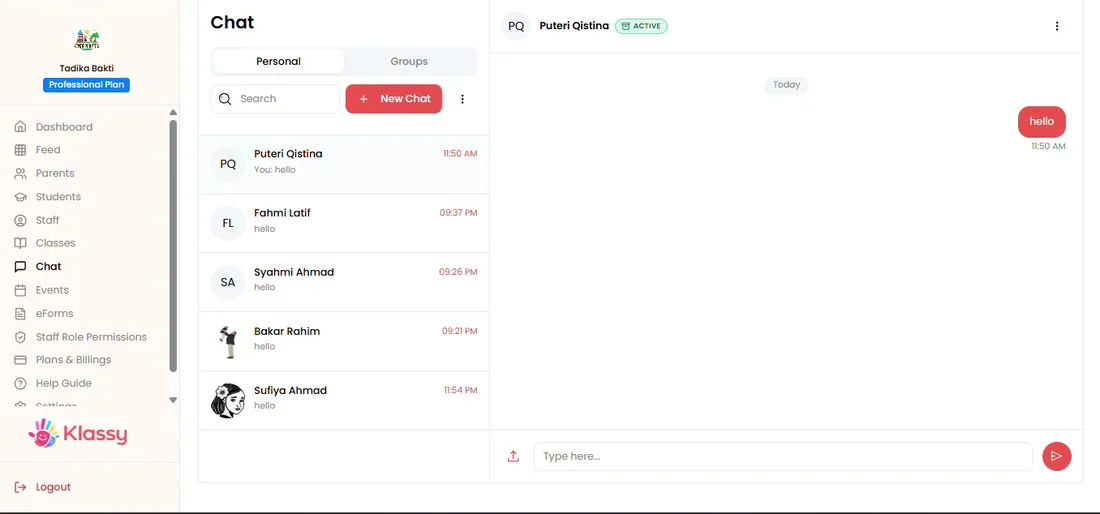
Step 1: Open Chat (admin panel) Create a group
Open the three-dot menu and choose Create Group.
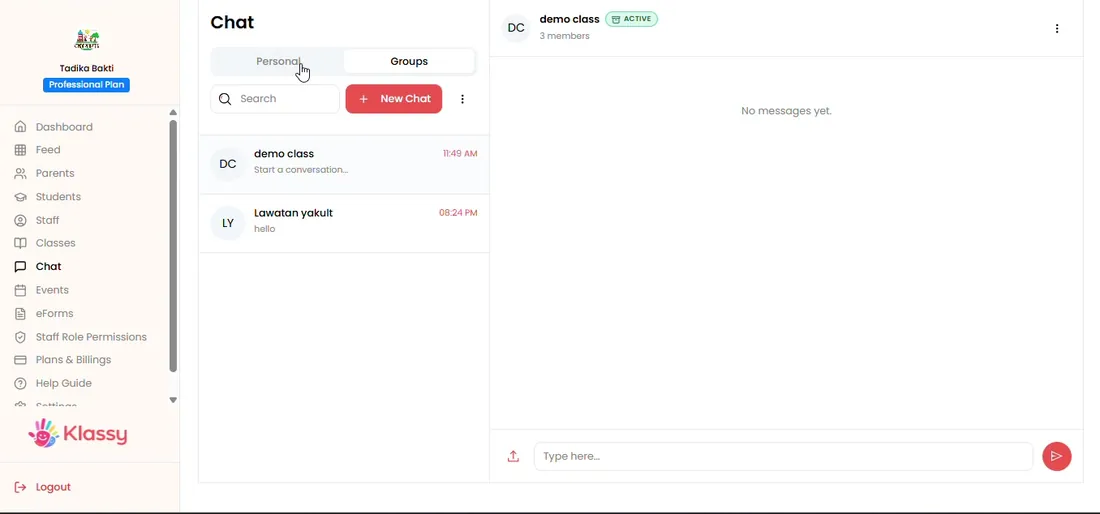
Step 2: Create a group (admin panel) Name the group and filter by student
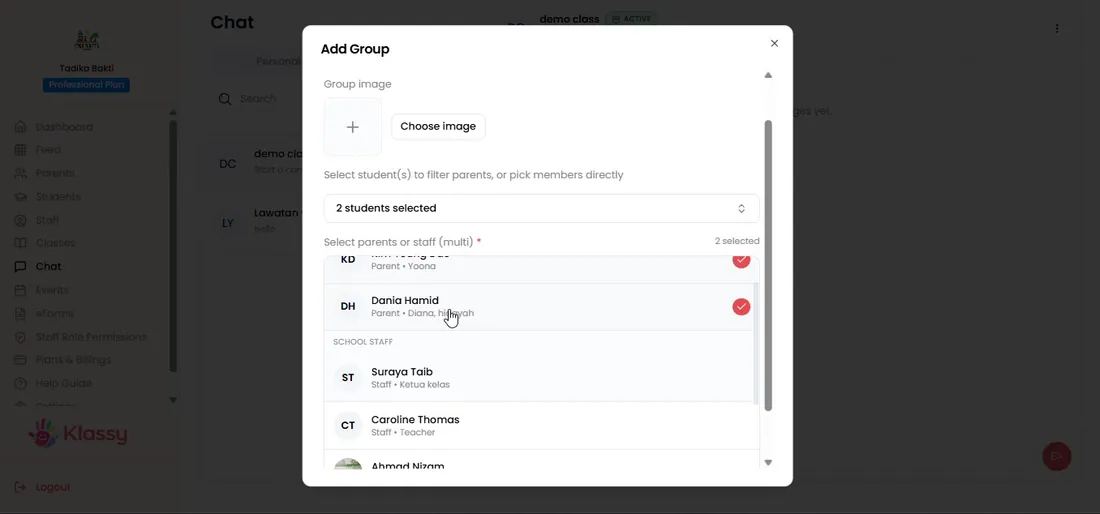
Filter by student to find the right parents quickly.
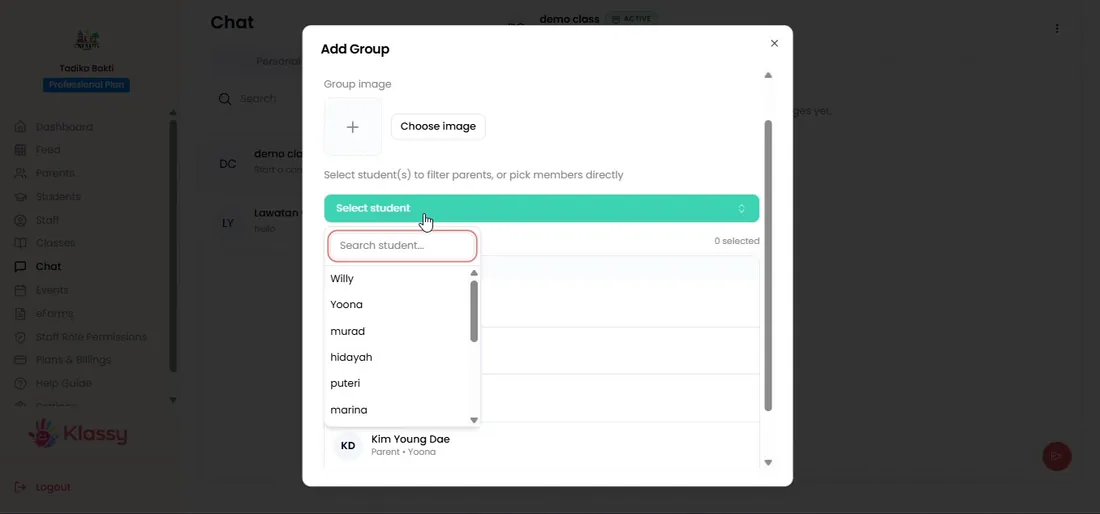
Step 3: Name the group and filter by student (admin panel) Add parents and staff
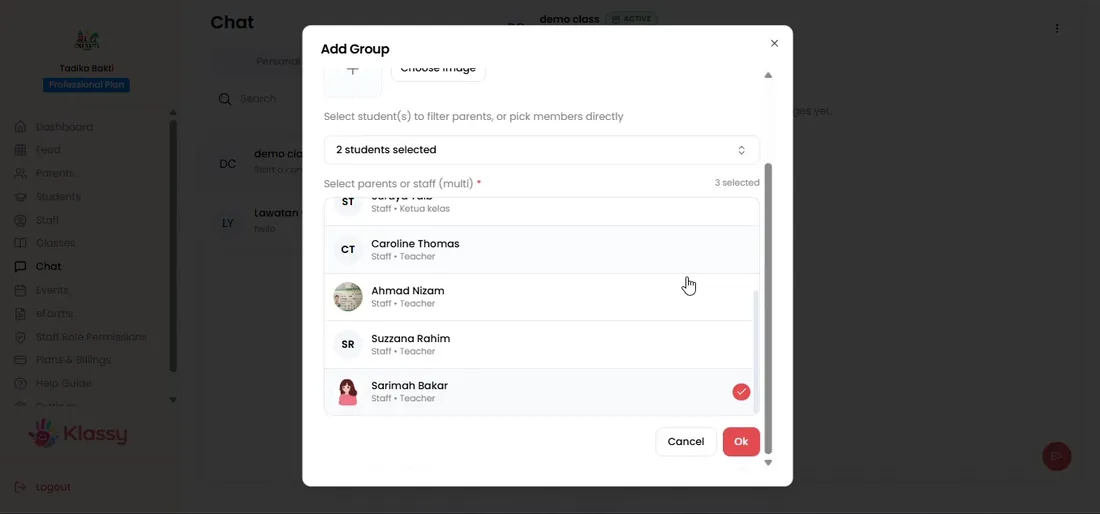
The count shows how many are selected.
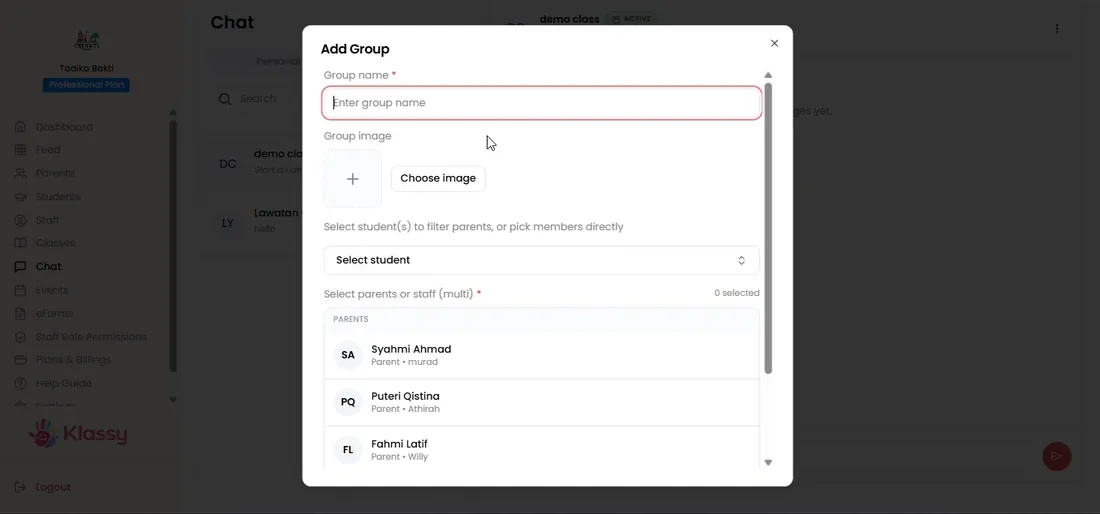
Step 4: Add parents and staff (admin panel) Create the group and send
Klassy confirms the group is created.
Step 5: Create the group and send (admin panel) Manage members
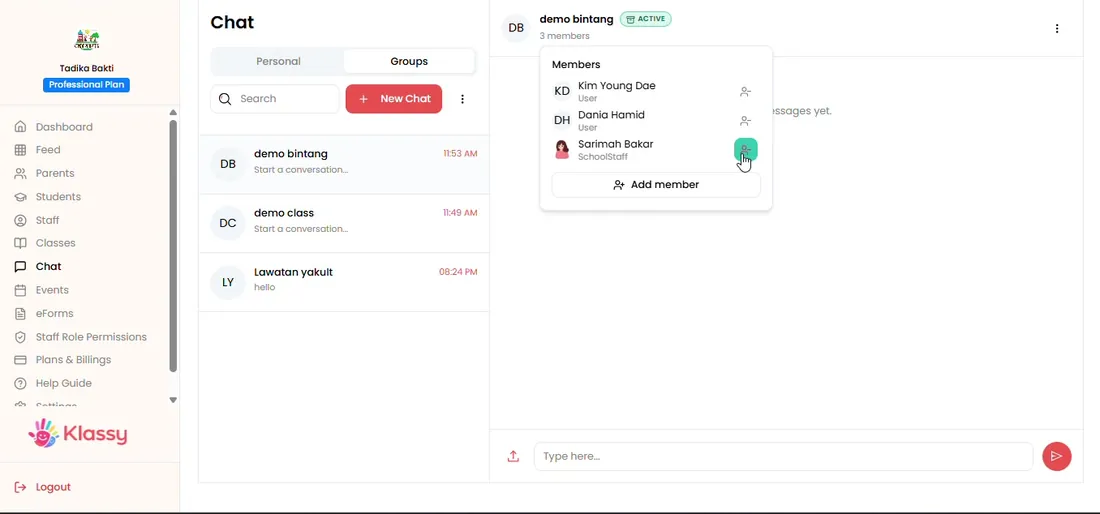
Add or remove members, archive or delete a group from its menu.
Step 6: Manage members (admin panel) Start a personal chat
Choose New chat, pick the person and send a message.
Step 7: Start a personal chat (admin panel)
Keep school communication professional
When teachers use personal WhatsApp, boundaries blur and messages go missing. Klassy chat keeps everything in one organised place the school controls.
Because parents cannot start new chats, your team sets the pace of communication.
What you get with Klassy
- One to one and group chat
- Filter by student to find parents
- Parents reply but cannot start chats
- Archive to tidy the list
- Notifications for every message
Klassy is used by childcare centres, early learning centres, kindergartens, preschools and private schools. It is built in Malaysia and also available for Malaysia, Thailand, Indonesia and Vietnam. See pricing.
Common questions
Can parents start a chat?
No. Parents can reply but cannot start a conversation.
Can I message a whole class?
Yes. Create a group and add the parents of that class.
Can I archive old chats?
Yes. Archive clears the list and you can review under Archive.
Want this for your school?
Klassy is AI-powered school management software for childcare centres, early learning centres, kindergartens, preschools and private schools. Message the team and we will show you how it fits your school.
Also available for Malaysia, Thailand, Indonesia and Vietnam.
Related guides
Browse the Help Centre: For schools For teachers For parents All guides