Sarimah Bakar - Tadika BaktiEveryone • Announcements
EveryoneJust now

The AI-powered school management platform built for Malaysian kindergartens, tadika, preschools and private schools. Take attendance by QR, send parent updates and run eForms from one place.
Present this QR code for attendance verification
Trusted by schools and learning centres






No long brochures. Watch each part of Klassy work for your admins, teachers and parents, then open the matching Help Centre guide to see the exact steps.
Parents show a QR code, teachers scan it, and the parent is notified instantly. Late arrivals, absences with reasons and clock-out are recorded without paper.
Present this QR code for attendance verification
Type a few words and Klassy AI drafts a clear, school-safe message. Your team reviews and edits it before anything reaches parents.
Tadika BaktiHi parents, please remember to check and submit the excursion permission form by this Friday.
Post what happened in class and Klassy recognises each child's face to suggest the right tag. Parents see updates about their own child, nobody else's.
Tadika BaktiHi parents, please remember to check and submit the excursion permission form by this Friday.
Teachers record what matters in seconds and parents are notified. Every record is saved against the child so the whole team can find it later.
View your child's health info, incident reports, and statistics.
cannot eat strawberries
Logged by teacherCreate an event once and tag the classes that should see it. Parents RSVP in the app, the count updates live, and the event lands in their phone calendar.
Build registration forms, permission slips and trip consent in minutes. Parents fill them in on their phone and you approve or reject with a reason.
Yakult Factory trip
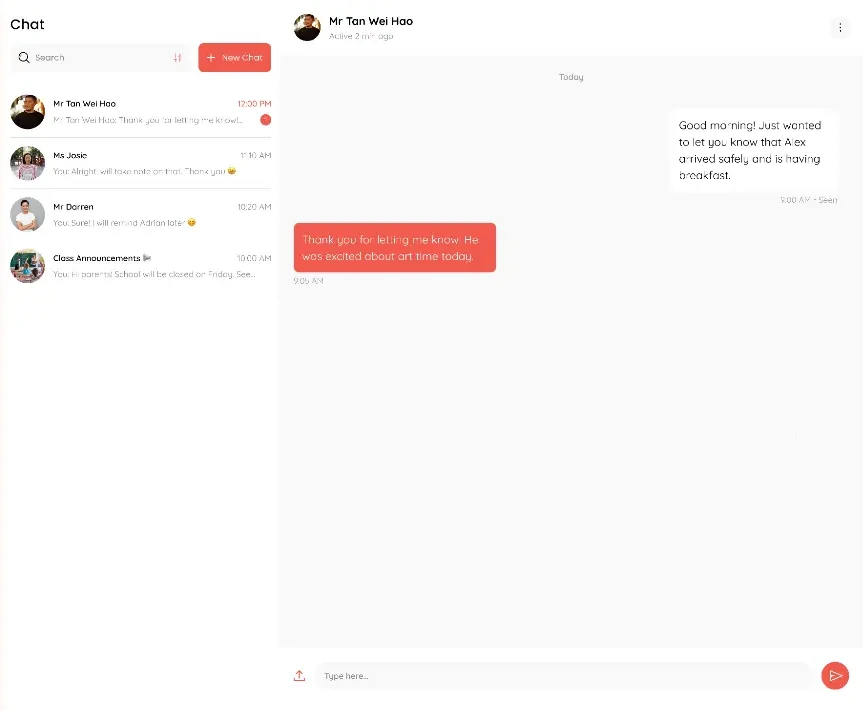
Admins and teachers message parents one to one or in groups. Parents can reply but cannot start a chat, so your team stays in control of the conversation.
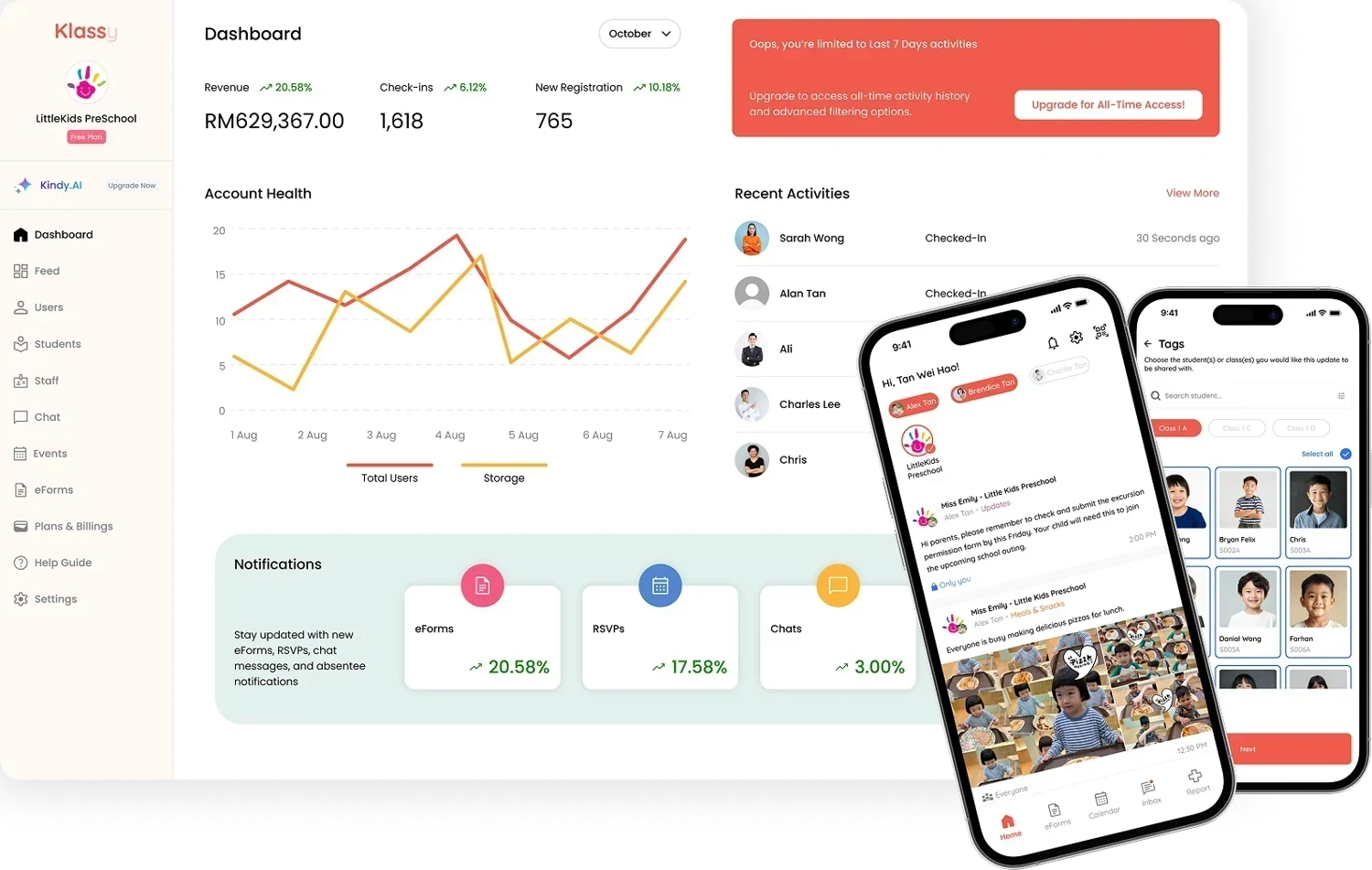
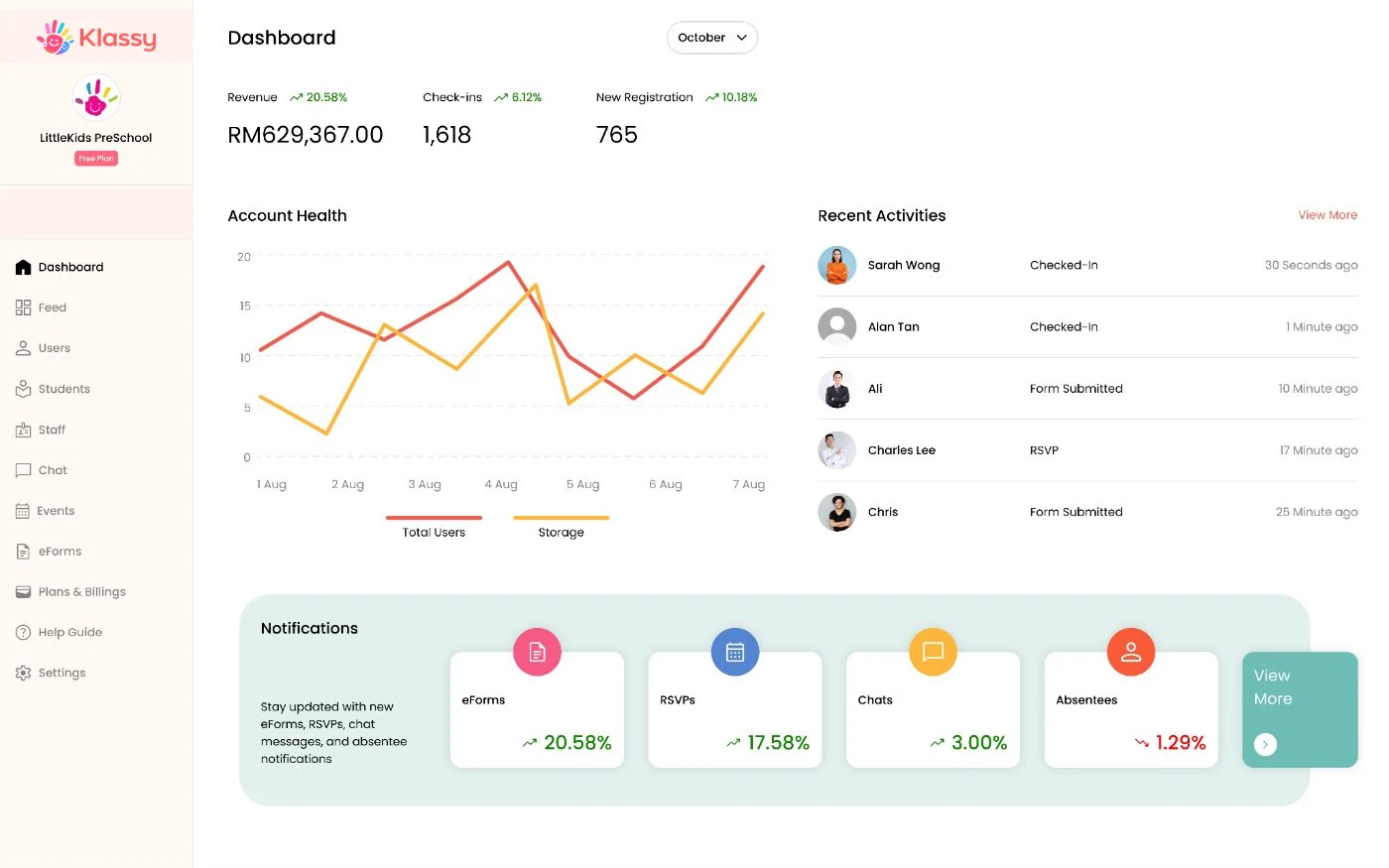
See check-ins, new registrations, account health and recent activity on one screen. Every tile links straight to the work behind it.
A noise meter, a timer and a game room sit right inside the teacher app, so teachers do not need another tool to run a lively class.
Monitor noise level
Create a role, add staff, then create classes. Add students and parents and you are live. The Klassy team helps with onboarding and training.
Each step has its own page with the exact clicks, what you need before you start, and answers to common questions.
Open the full setup section or browse the Help Centre.
From dashboards and attendance to chat, calendar and eForms, Klassy keeps everything connected in one place. These are real screens from the app.
Give admins a clear view of key numbers, recent activities and school-wide notifications from one dashboard.
Use classroom feeds and chat to keep parents updated with notices, meals and school moments.
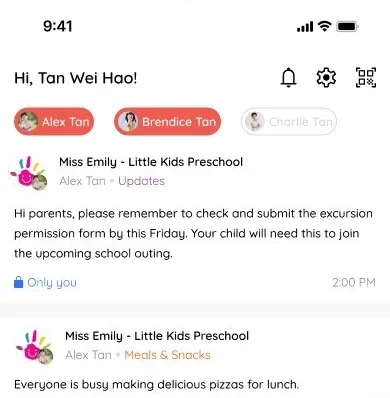
Announcements, meals and moments in one feed.
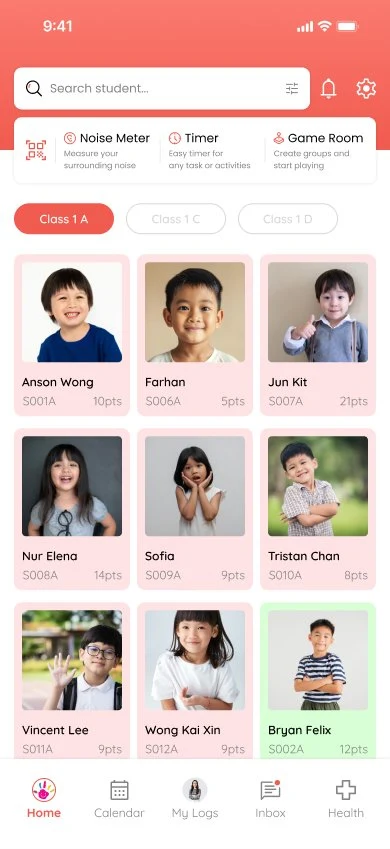
See every child in the class at a glance.
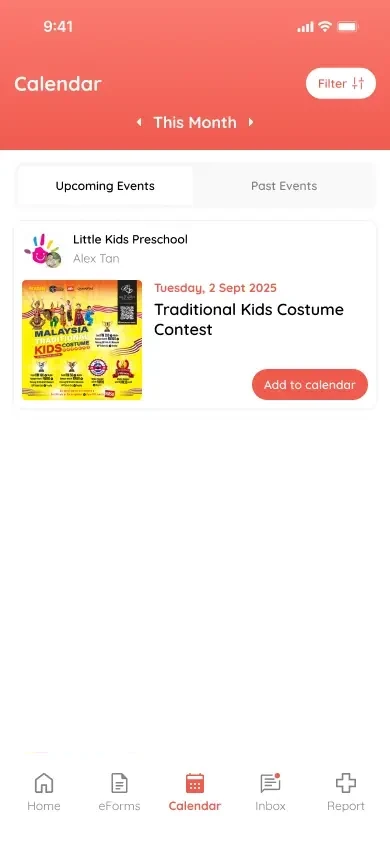
Parents see upcoming events and add them to their calendar.
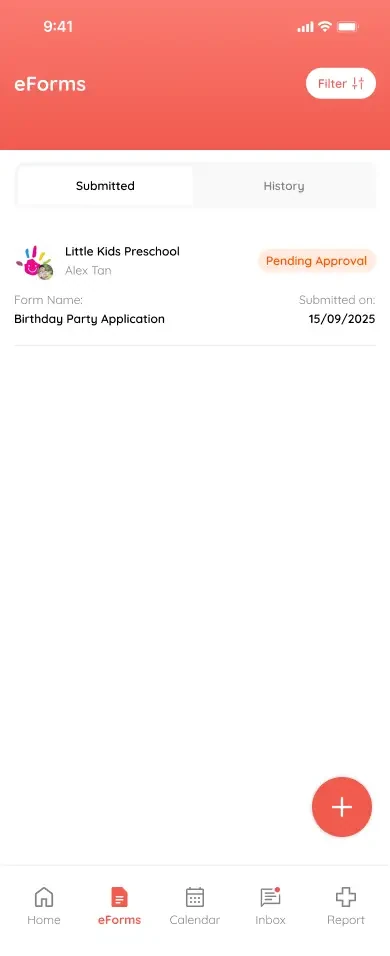
Track forms waiting for approval in one list.
Klassy gives each person exactly what they need, controlled by role based permissions.
Run the school with the full picture.
Manage the people and paperwork.
Spend time with children, not forms.
Parents get a companion app for updates, RSVPs, eForms and chat. It is free for them to use.
Most schools start with a mix of tools. Here is what changes when everything lives in one place.
| Task | Paper and chat groups | With Klassy |
|---|---|---|
| Taking attendance | Paper lists, then retyped | Scan a QR code, parent notified instantly |
| Telling parents about absences | Phone calls and messages | Automatic notification with the reason |
| Sharing photos and updates | Mixed into group chats | Tagged to the right child by face recognition |
| Permission slips and registration | Paper, chased by hand | eForms with approve or reject |
| Writing notices | Rewritten every time | Klassy AI drafts it in seconds |
| Event RSVPs | Counting replies in a chat | RSVP with pax limits and calendar sync |
| Staff access | Everyone sees everything | Role based permissions |
| Reporting | Manual spreadsheets | Dashboard and one-click export |
Plans are based on your number of enrolled students. Staff accounts are unlimited and parents always use the app for free. Prices are in RM. Switch country from the menu at the top to see local pricing.
Try Klassy with your school. No trial clock, no card.
For schools that want face recognition included, not as an extra.
For growing schools that want AI help and WhatsApp support.
For school groups and large providers.
Collect school fees through Klassy with invoices and online payments through Stripe. Add it to any paid plan and we will set it up for your school.
Klassy is AI-powered school management software for kindergartens, tadika, preschools, tuition centres and private schools. It covers QR attendance, parent chat, daily logs, events with RSVP, eForms, health records, reports and Klassy AI in one platform.
Klassy is built for school owners, principals, administrators and teachers at kindergartens, tadika, preschools, tuition centres and private schools. Parents use a free companion app to receive updates, RSVP and submit forms.
Parents show a QR code for their child in the Klassy app. The teacher scans it from the teacher app, the student's card turns green and the parent is notified. Teachers can also check students in manually, mark late or absent with a reason, and clock students out.
Klassy AI drafts attendance notices, event announcements, school notices and parent reminders in a clear, school-safe tone. Your team reviews and edits every draft before it is sent.
Yes. Admins and teachers can message parents one to one or in groups. Parents can reply but cannot start a chat, which keeps school communication professional.
Klassy replaces registration forms, permission slips and trip consent with eForms that parents submit in the app and admins approve or reject. Notices, photos and chat move into one organised platform.
Most schools are set up in less than a day. You create roles, add staff, create classes, then add students and parents. The Klassy team helps with onboarding and training.
Klassy plans are based on your number of enrolled students. The Free plan costs RM0 and supports up to 10 students, with no time limit, so you can try Klassy with your own school first. Lite is RM299 per month and includes everything in the Free plan plus up to 100 students, 128 GB storage, unlimited eForms and face recognition. Professional is RM999 per month and includes everything in Lite plus up to 200 students, 250 GB storage, Klassy AI and email and WhatsApp support. Annual billing is cheaper: RM2,990 per year for Lite and RM9,590 per year for Professional. Enterprise includes everything in Professional plus unlimited students and custom storage, and is priced to fit your school group. Staff accounts are unlimited on every plan. Fee invoicing and online payments are an optional add-on. Payments run through Stripe, with a small flat fee per transaction from Klassy on top of Stripe's processing fees. Parents can use the app at no cost.
Face recognition photo tagging starts from the Lite plan. Klassy AI starts from the Professional plan. Professional and Enterprise include both. The Free plan includes neither.
Data is stored on Malaysian servers and handled in line with PDPA. Access is controlled by role, so each staff member only sees the modules you allow.
Yes. Teachers and parents use the Klassy mobile app. School admins use a mobile-responsive web dashboard.
Available in English and Bahasa Malaysia. Each user can change the app language in settings.
Message the Klassy team on WhatsApp and they will arrange a walkthrough for your school.
Step by step guides with real screenshots for school owners, teachers and parents. Share them with your team and families.
Message the team on WhatsApp. We will walk you through Klassy and show you how it fits your school.