
School attendance software: how QR check-in works for teachers
Paper registers are slow and easy to lose. With Klassy, attendance takes seconds: parents show a QR code, you scan it, and the check-in is recorded with the time. It works as a check-in system at the school gate and as a sign-in app for any class.
Step by step
Open your class
Log in to the teacher app. The home screen shows your class with every child's photo.
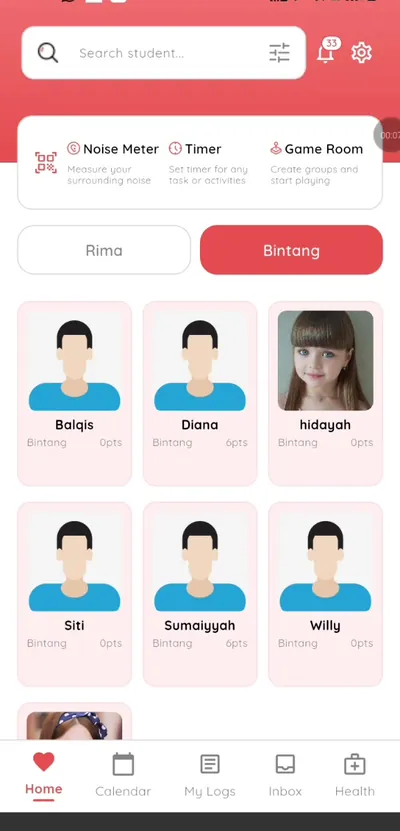
Step 1: Open your class (teacher app) Tap the QR scanner
The scanner button is at the top of the class screen.
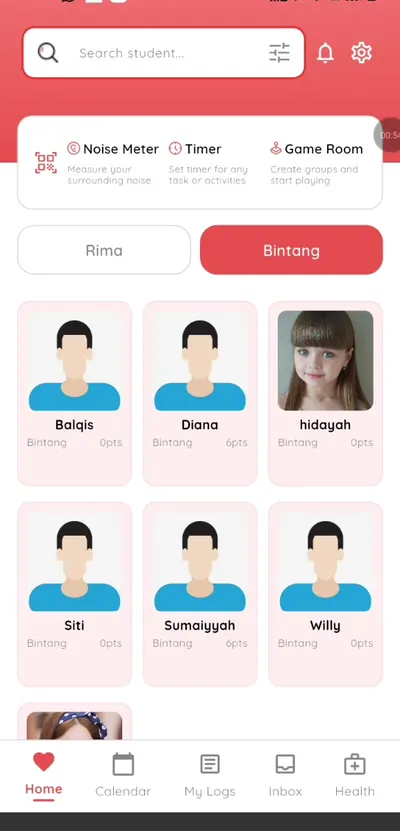
Step 2: Tap the QR scanner (teacher app) Ask the parent to show the QR code
The parent opens the Klassy parent app and shows their child's QR code.
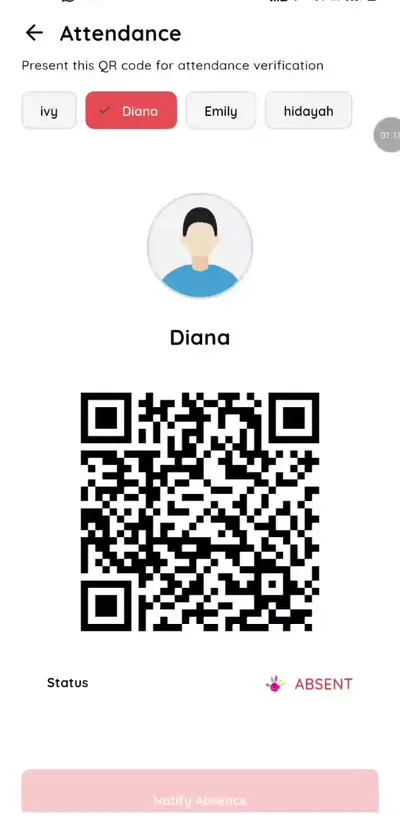
Step 3: Ask the parent to show the QR code (parent app) Scan the code
Hold the camera over the code. Klassy recognises the child and confirms the check-in.
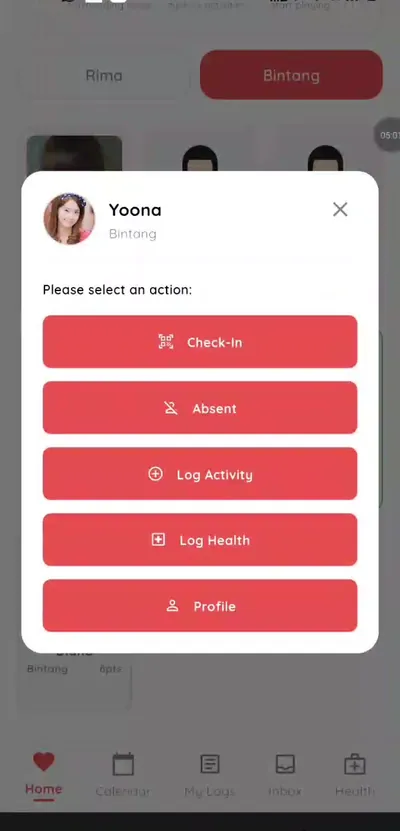
Step 4: Scan the code (teacher app) See the card turn green
The child's card changes to green and shows the check-in time. The parent is notified.
Step 5: See the card turn green (teacher app) No QR code? Check in manually
Tap the child's card and choose Check in.
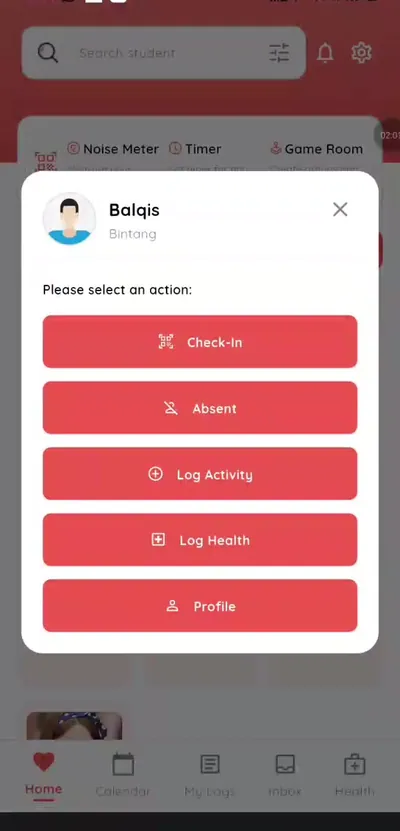
Step 6: No QR code? Check in manually (teacher app) Clock out at pick-up
Scan the QR code again or tap Clock out when the child leaves.
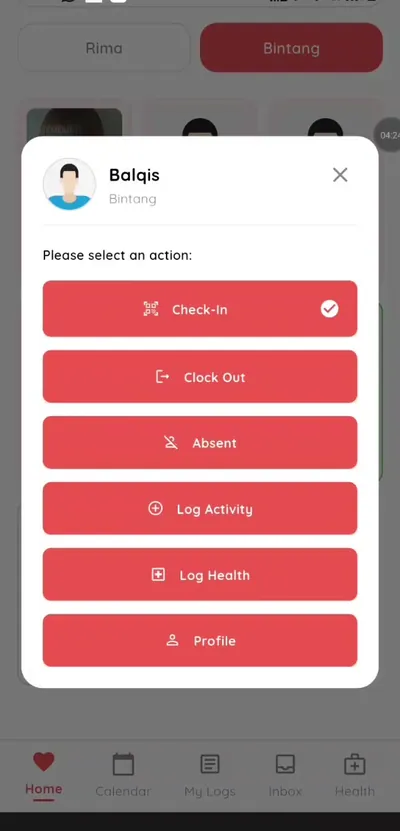
Step 7: Clock out at pick-up (teacher app)
Why schools replace paper registers with QR attendance
QR attendance saves time at the busiest part of the day, removes retyping and gives parents instant reassurance that their child has arrived. Because every check-in has a time, you also get an accurate record of lateness and pick-up.
Admins see live present, late and absent numbers on the dashboard, so the whole school has one source of truth.
What you get with Klassy
- QR scan check-in in seconds
- Manual check-in for lost codes
- Late and absent marking with reasons
- Clock-out at pick-up
- Instant parent notifications
Klassy is used by kindergartens, tadika, preschools, childcare centres, tuition centres and private schools. It is built in Malaysia and also available for Australia, Thailand, Indonesia and Vietnam. See pricing.
Common questions
Do parents need the Klassy app for QR check-in?
Yes. Parents show the child's QR code from the free Klassy parent app.
What if a parent forgets their phone?
Tap the child's card and choose Check in to record attendance manually.
Is attendance visible to admins?
Yes. Check-ins show live on the admin dashboard with status and times.
Want this for your school?
Klassy is AI-powered school management software for kindergartens, tadika, preschools, childcare centres, tuition centres and private schools. Message the team and we will show you how it fits your school.
Also available for Australia, Thailand, Indonesia and Vietnam.
Related guides
More in Attendance and check-in
Browse the Help Centre: For schools For teachers For parents All guides