
How to add students with photos for face recognition
Students are the heart of Klassy. Add each child with a clear photo and Klassy can later recognise their face and suggest the right tag when staff post pictures. Face recognition is available from the Lite plan and above.
Step by step
Open Students
The cards at the top show total, active and inactive students. The list shows class, date of birth, joining date, attendance, gender and status.
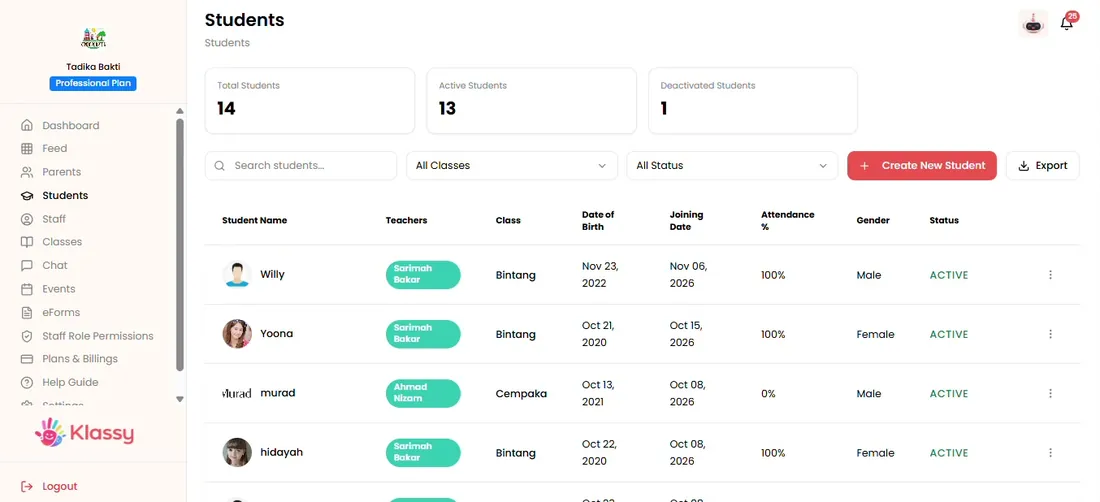
Step 1: Open Students (admin panel) Select Create New Student
A form opens. Fill in every required field.
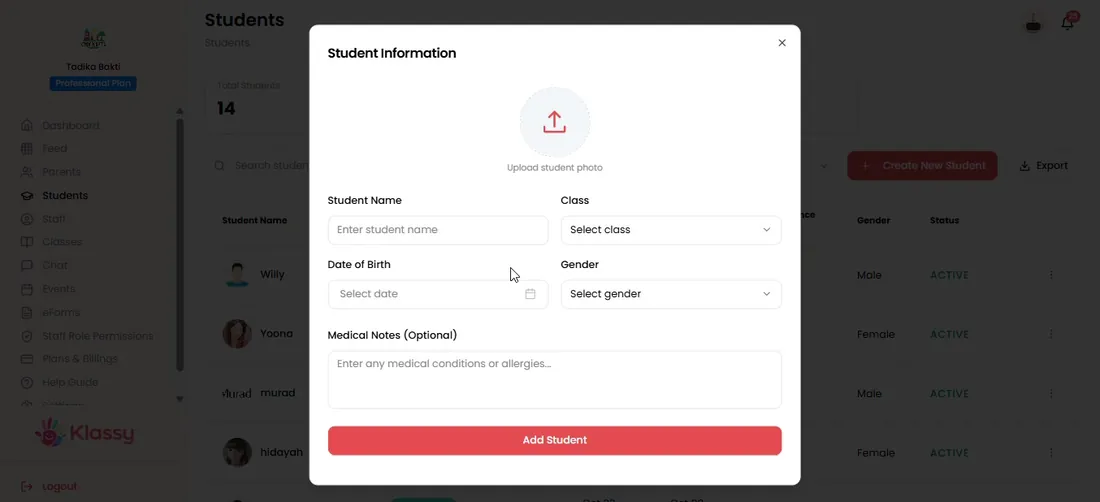
Step 2: Select Create New Student (admin panel) Upload a photo of one child only
Use a clear, well lit photo of the child facing the camera. Group photos and images without a human face are rejected.
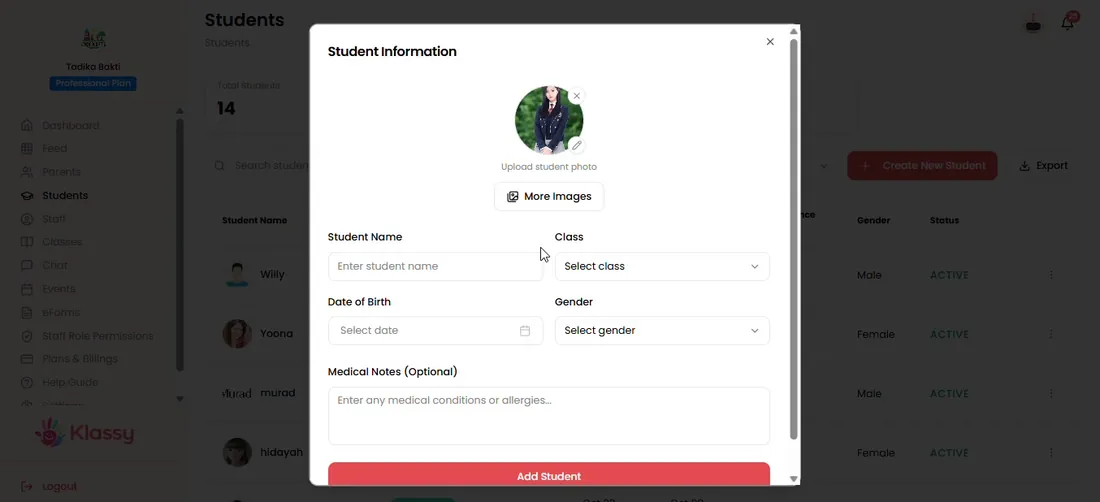
Step 3: Upload a photo of one child only (admin panel) Fix photo errors
If Klassy rejects a photo it explains why. Replace it with a clear single-child photo.
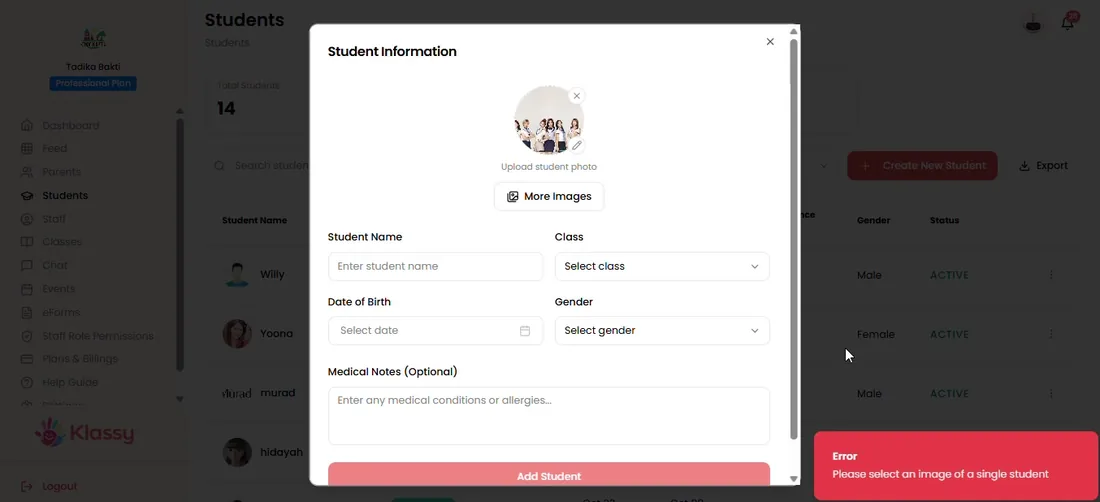
Step 4: Fix photo errors (admin panel) Add more photos
Several photos of the same child improve tag accuracy.
Step 5: Add more photos (admin panel) Save and review details
Save the student, then open View from the three-dot menu to check their details.
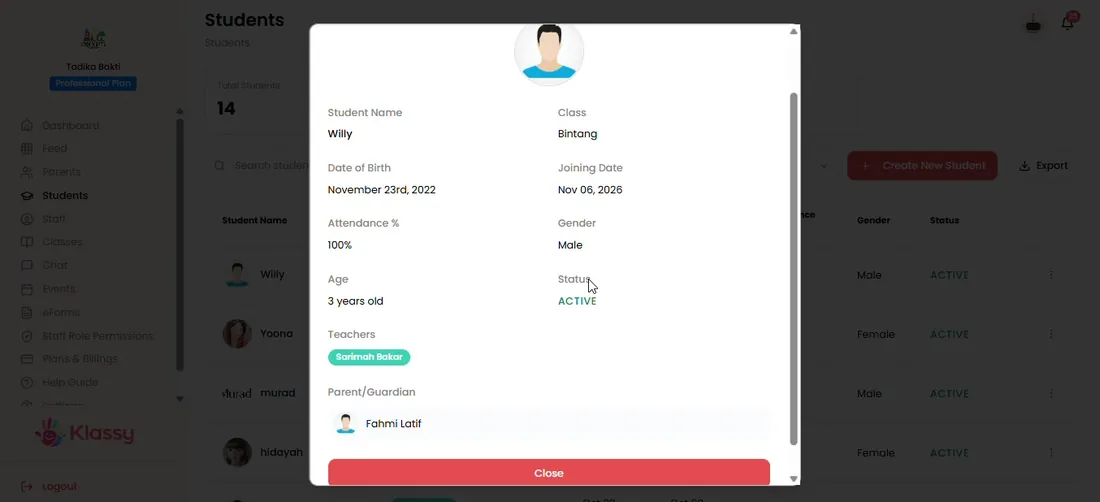
Step 6: Save and review details (admin panel)
Student management software with face recognition
Tagging photos by hand takes time and mistakes upset parents. With face recognition, Klassy suggests the right child when staff post a photo, so updates reach the right family.
Face recognition photo tagging is included from the Lite plan. The Free plan lets you add students and photos but does not include recognition.
What you get with Klassy
- Add children with a profile photo
- Face recognition tag suggestions on Lite and above
- Photos of one child at a time for accuracy
- Active, inactive and removed states
Klassy is used by kindergartens, tadika, preschools, childcare centres, tuition centres and private schools. It is built in Malaysia and also available for Australia, Thailand, Indonesia and Vietnam. See pricing.
Common questions
Which photos work best for face recognition?
A clear, well lit photo of one child alone. Group photos and images without a human face are rejected. Add several photos of the same child to improve accuracy.
Is face recognition on the Free plan?
No. Face recognition starts from the Lite plan and Klassy AI starts from the Professional plan. You can still add students and photos on the Free plan.
Should I remove or deactivate a student who leaves?
Deactivate if you may need the record later. Remove deletes the student permanently.
Want this for your school?
Klassy is AI-powered school management software for kindergartens, tadika, preschools, childcare centres, tuition centres and private schools. Message the team and we will show you how it fits your school.
Also available for Australia, Thailand, Indonesia and Vietnam.
Related guides
More in Set up your school
Browse the Help Centre: For schools For teachers For parents All guides