
How to create classes and assign teachers in Klassy
Classes organise your students and decide which teachers see which children. Create each class, assign its teachers, and Klassy handles the rest: teachers see only their own classes, and events, forms and posts can be tagged by class.
Step by step
Open Classes
Choose Classes in the admin panel. The list shows each class with its teachers and status.
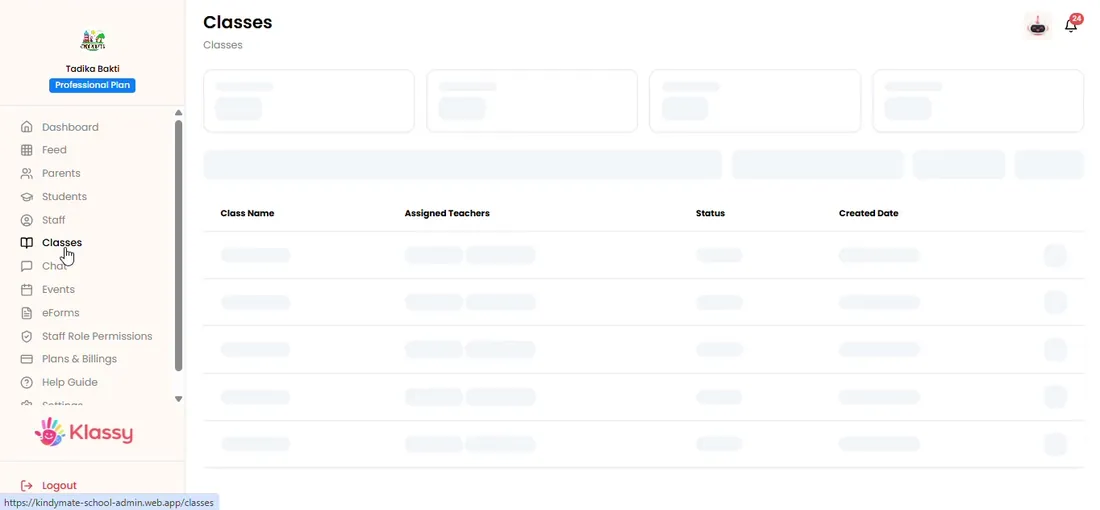
Step 1: Open Classes (admin panel) Select Add Class
A pop-up opens for the class details.
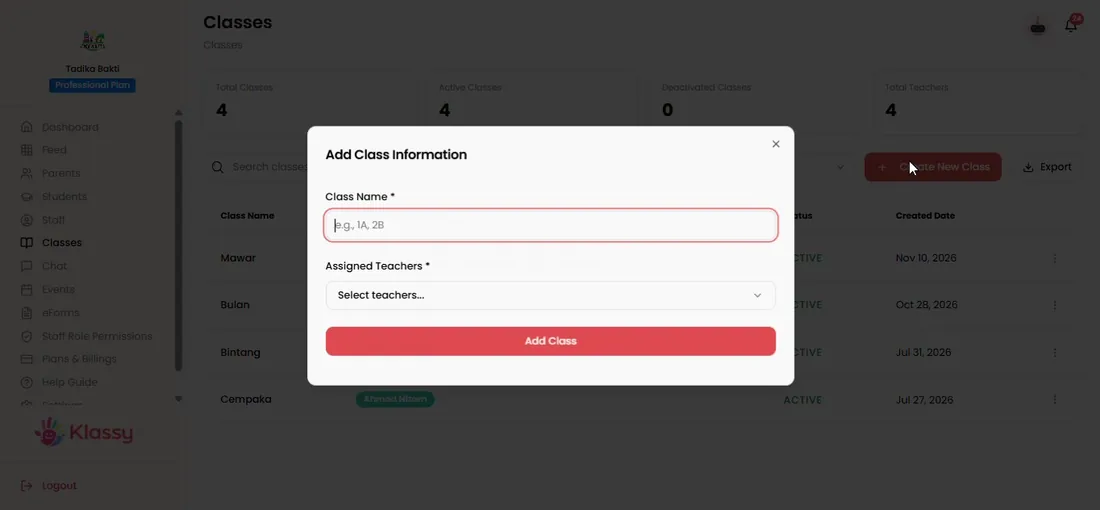
Step 2: Select Add Class (admin panel) Name the class
Use the name your school uses, for example Bintang or Rima.
Step 3: Name the class (admin panel) Assign one to three teachers
Pick teachers from your staff list. A teacher must already have a staff account.
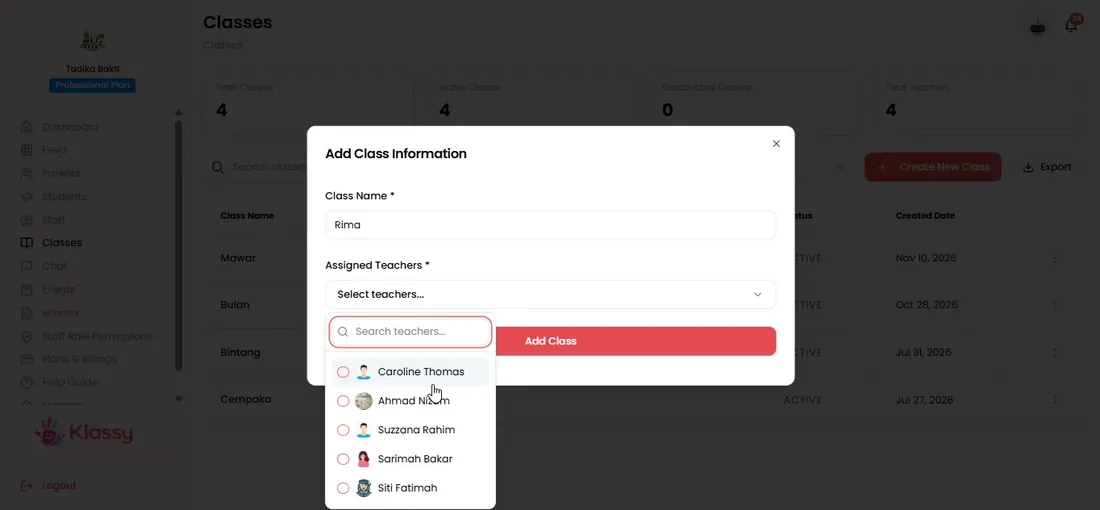
Step 4: Assign one to three teachers (admin panel) Save the class
Klassy confirms the class was created and it appears in the list.
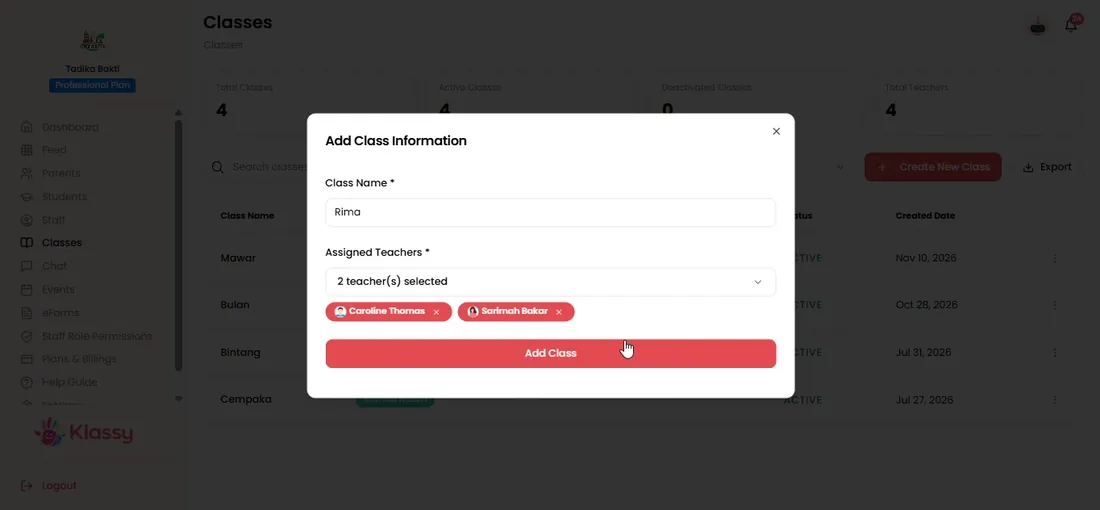
Step 5: Save the class (admin panel) Set the status
Mark a class active or deactivated as needed, and export the class list if you need a copy.
Step 6: Set the status (admin panel)
Class management for kindergartens and preschools
Class lists are the backbone of attendance, logs and parent communication. Klassy ties each student to a class and each class to its teachers, so the right people see the right children.
What you get with Klassy
- One to three teachers per class
- Teachers see only their own classes
- Tag events, forms and posts by class
- Active and deactivated class status
Klassy is used by kindergartens, tadika, preschools, childcare centres, tuition centres and private schools. It is built in Malaysia and also available for Australia, Thailand, Indonesia and Vietnam. See pricing.
Common questions
How many teachers can I assign to one class?
One to three teachers per class.
Can a teacher have more than one class?
Yes. In the teacher app they switch between their classes from the home screen.
Do teachers see every class?
No. Teachers only see the classes they are assigned to.
Want this for your school?
Klassy is AI-powered school management software for kindergartens, tadika, preschools, childcare centres, tuition centres and private schools. Message the team and we will show you how it fits your school.
Also available for Australia, Thailand, Indonesia and Vietnam.
Related guides
More in Set up your school
Browse the Help Centre: For schools For teachers For parents All guides