
School photo sharing app: how to post updates to parents
A good school photo sharing app shows parents what their child did, without exposing other children. In Klassy, admins post logs to the feed, tag the right child (or a whole class) and parents see it in their own app.
Step by step
Open Feed and select Add Log
The feed lists recent posts with an activity summary at the top.
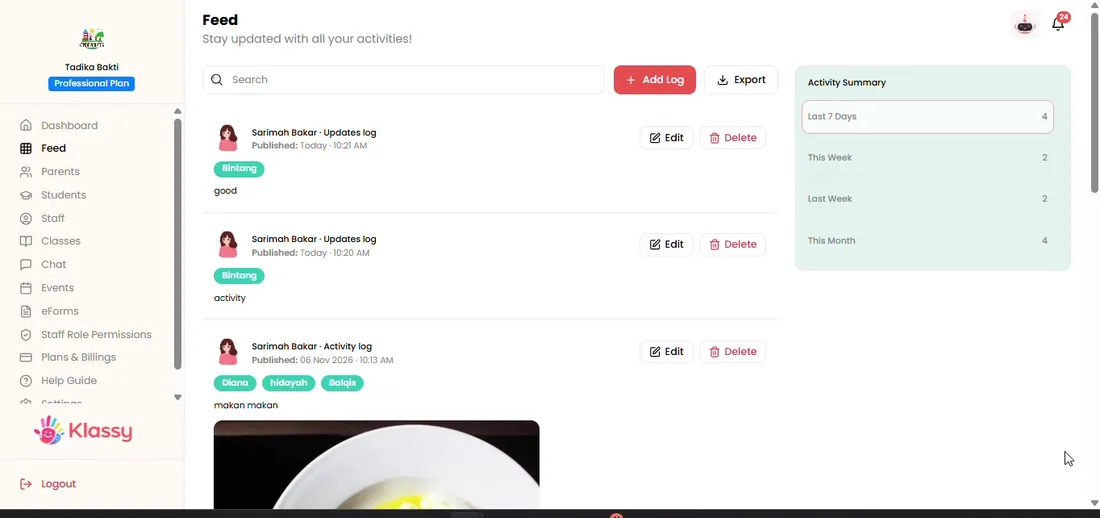
Step 1: Open Feed and select Add Log (admin panel) Choose the category and upload an image
Pick a log category and add the photo.
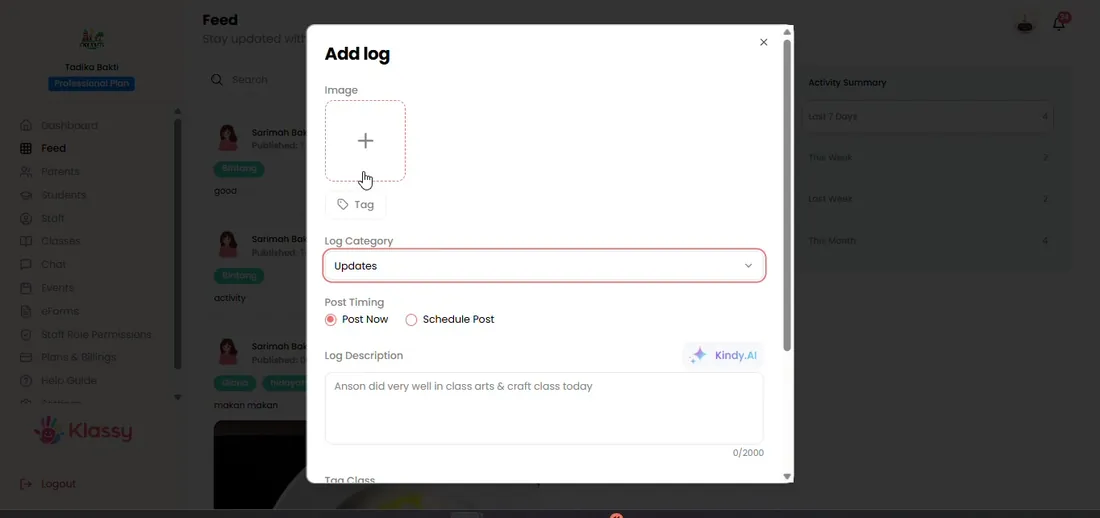
Step 2: Choose the category and upload an image (admin panel) Tag the student
Klassy recognises faces and suggests the child. A general image cannot be tagged to a student.
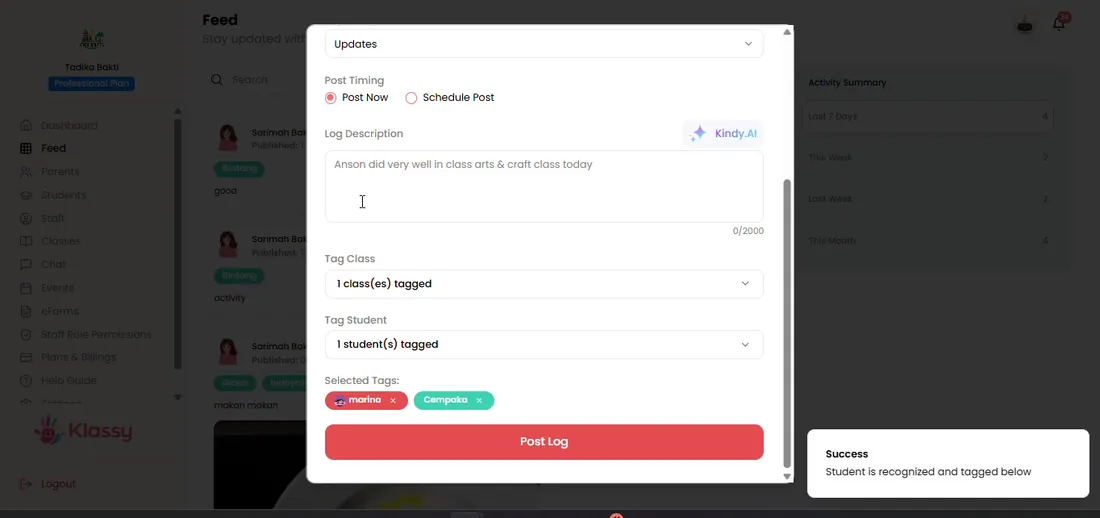
Step 3: Tag the student (admin panel) Write the description
Type the update, or use the AI button to draft it.
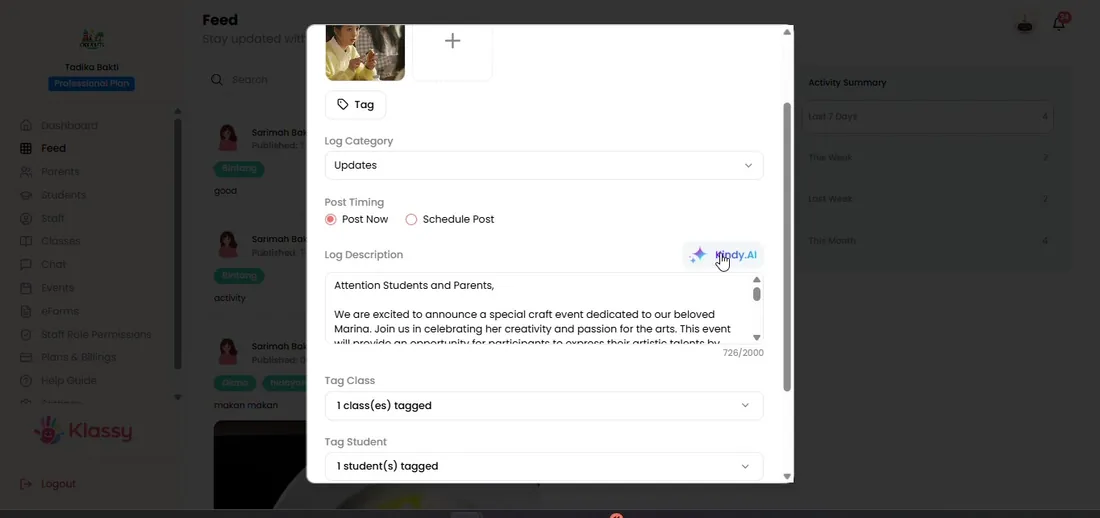
Step 4: Write the description (admin panel) Post now or schedule
Choose Post now or Schedule post and pick a date and time.
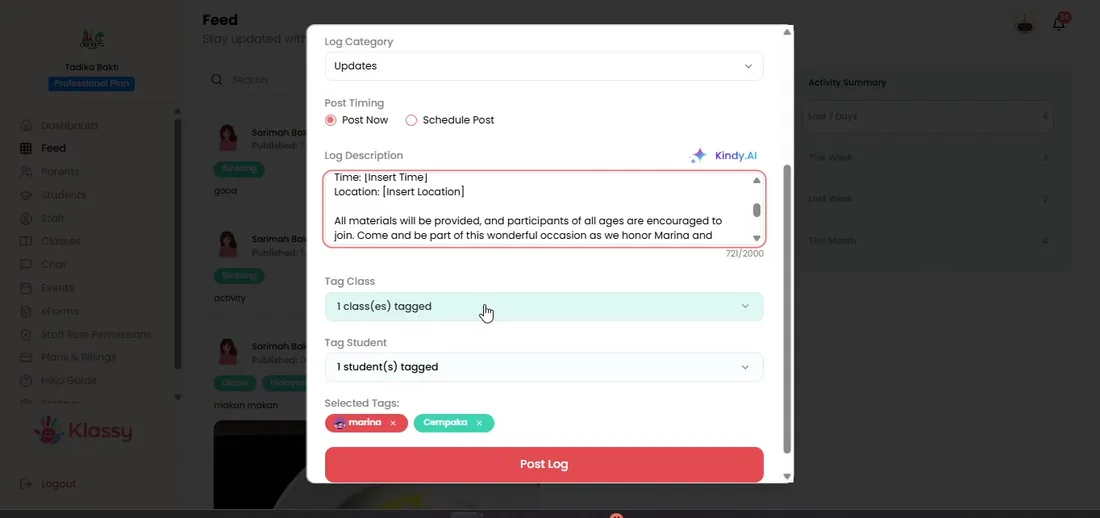
Step 5: Post now or schedule (admin panel) Check the post
The new post appears in the feed. Edit or delete it later if needed.
Step 6: Check the post (admin panel)
Why schools use a private feed instead of group chats
Group chats mix photos of many children and are hard to manage. A private feed sends each post only to the parents of the tagged child or class.
Klassy also saves every post against the child, so the whole team can find it later.
What you get with Klassy
- Photo and text posts by category
- Face recognition tag suggestions
- Post to one child or a whole class
- Schedule, edit and delete
- Klassy AI writing help
Klassy is used by kindergartens, tadika, preschools, childcare centres, tuition centres and private schools. It is built in Malaysia and also available for Australia, Thailand, Indonesia and Vietnam. See pricing.
Common questions
Can parents see other children's photos?
No. Parents only see posts about their own child or their own class.
Can I schedule a post?
Yes. Choose Schedule post and pick the date and time.
Do I need the AI to write posts?
No. AI is optional and available on the Professional plan and above.
Want this for your school?
Klassy is AI-powered school management software for kindergartens, tadika, preschools, childcare centres, tuition centres and private schools. Message the team and we will show you how it fits your school.
Also available for Australia, Thailand, Indonesia and Vietnam.
Related guides
More in Photo feed and daily logs
Browse the Help Centre: For schools For teachers For parents All guides