
Daily log app for teachers: how to post photos and updates
A daily log tells parents what their child did today. Teachers create logs from their phone in a minute, and parents see them in their own feed.
Step by step
Open the log screen
It shows today's logs by default.
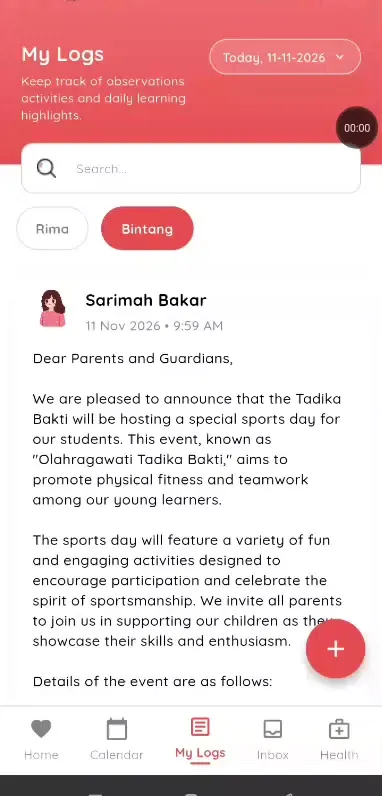
Step 1: Open the log screen (teacher app) Change the date or search
Find earlier logs by date or with the search bar.
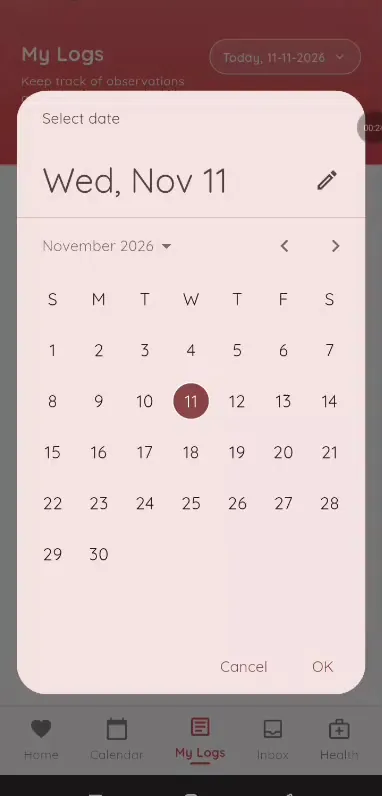
Step 2: Change the date or search (teacher app) Tap create
Choose a class or specific students.
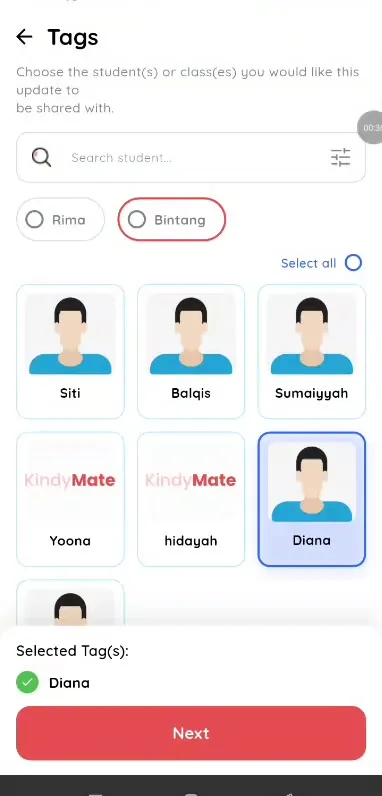
Step 3: Tap create (teacher app) Add details and a photo
Fill in the log details and upload a photo if you have one.
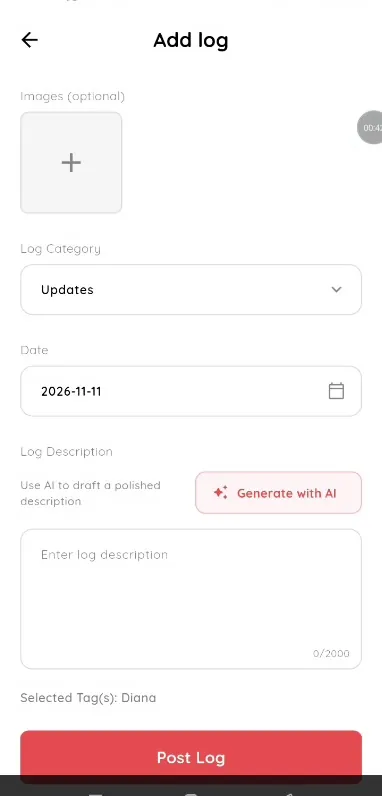
Step 4: Add details and a photo (teacher app) Write the description
Type it, or use the AI button for help.
Step 5: Write the description (teacher app) Post
Parents see the log in their app.
Step 6: Post (teacher app)
A daily report app for kindergarten and preschool teachers
Parents love seeing the day in photos, and teachers love not writing the same report twice. Klassy logs go to the right parents, with AI help for the wording.
What you get with Klassy
- Log to a class or specific children
- Photos with AI tag suggestions
- Search and date filters
- Klassy AI writing help
Klassy is used by kindergartens, tadika, preschools, childcare centres, tuition centres and private schools. It is built in Malaysia and also available for Australia, Thailand, Indonesia and Vietnam. See pricing.
Common questions
Who sees my log?
Parents of the tagged child or class.
Can I find old logs?
Yes. Change the date or search.
Do I need AI to write logs?
No. AI is optional and available on the Professional plan and above.
Want this for your school?
Klassy is AI-powered school management software for kindergartens, tadika, preschools, childcare centres, tuition centres and private schools. Message the team and we will show you how it fits your school.
Also available for Australia, Thailand, Indonesia and Vietnam.
Related guides
More in Photo feed and daily logs
Browse the Help Centre: For schools For teachers For parents All guides