
Digital forms for schools: create registration and permission slip eForms
Paper slips get lost and need chasing. Klassy eForms replace registration forms, permission slips and trip consent with a digital form parents complete in the app.
Step by step
Open eForms
Cards show total forms, total submissions and pending approvals.
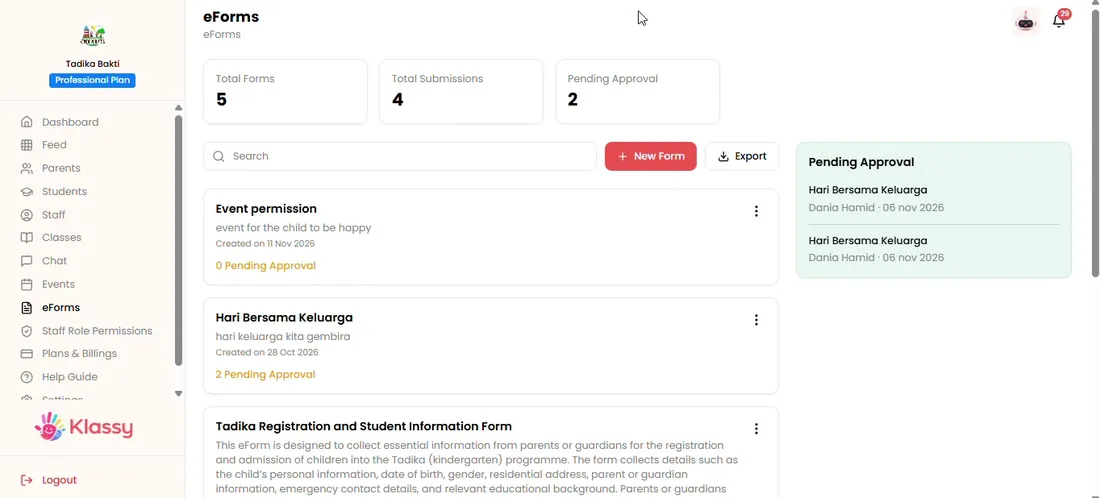
Step 1: Open eForms (admin panel) Select New Form
Name the form clearly, for example Excursion Permission.
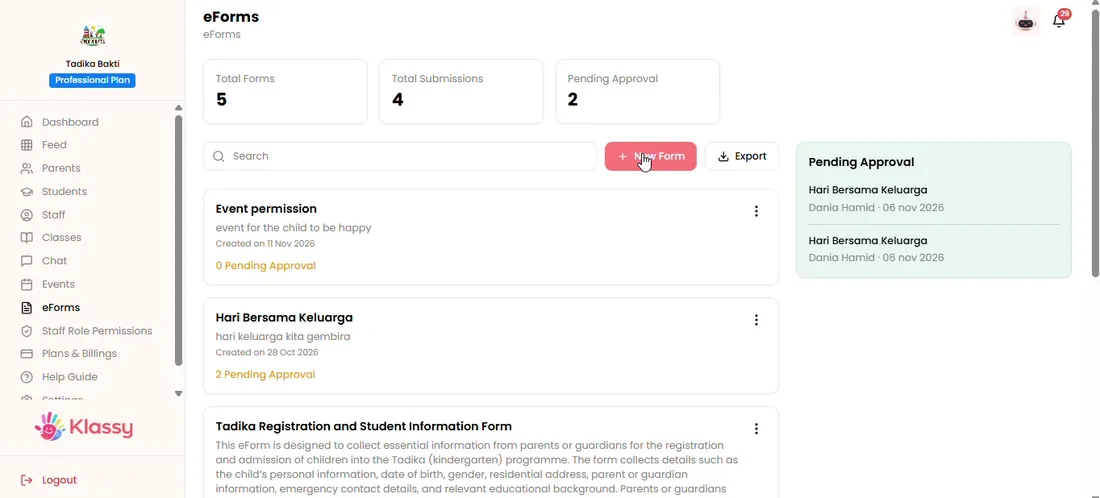
Step 2: Select New Form (admin panel) Tag the classes
Choose one class or all classes.
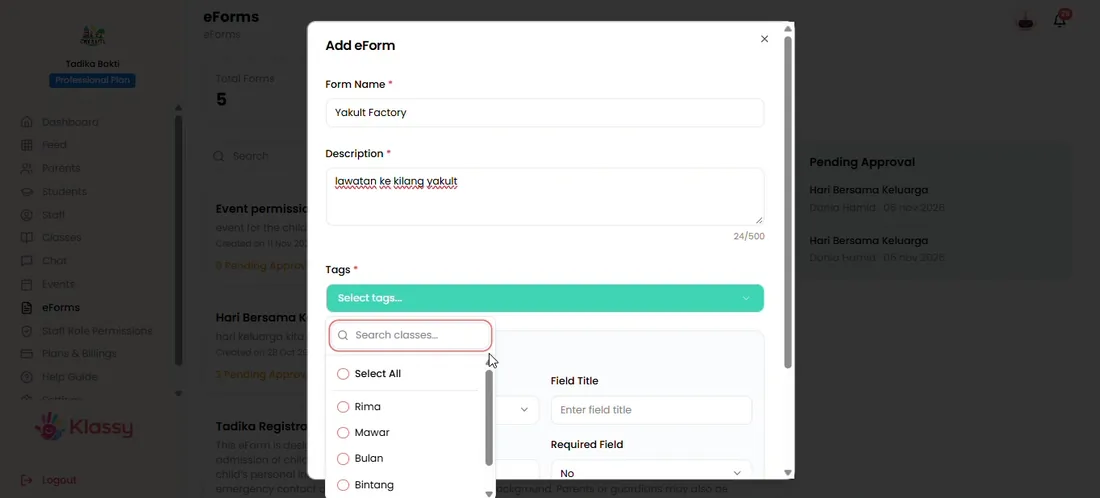
Step 3: Tag the classes (admin panel) Add fields
Add fields such as name and phone number, and choose each field type.
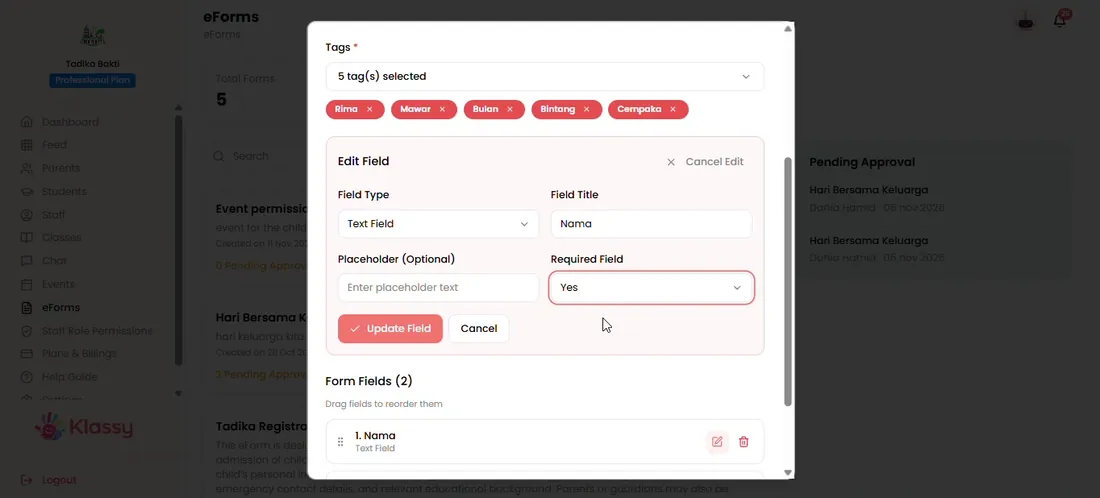
Step 4: Add fields (admin panel) Choose the field type
Pick the type that suits each field, then save it.
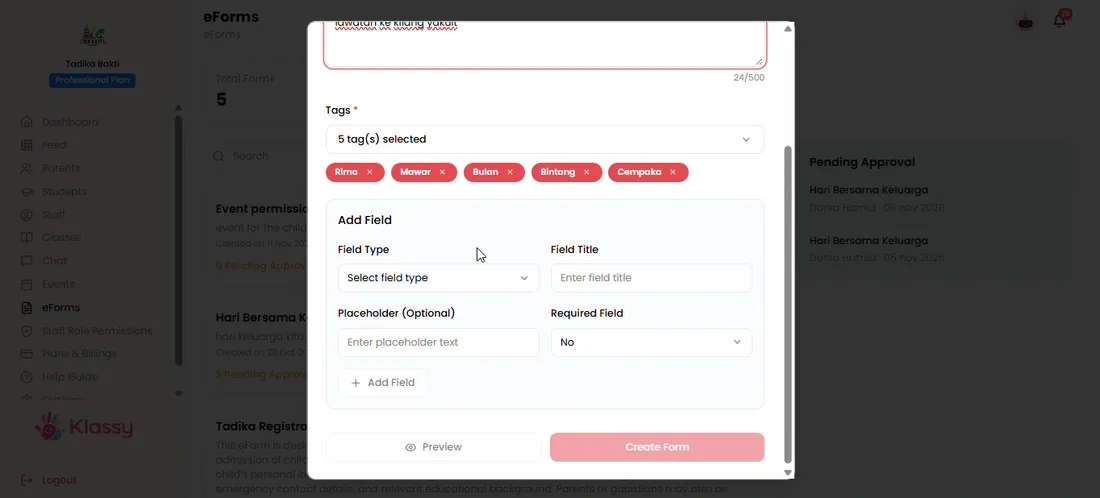
Step 5: Choose the field type (admin panel) Preview the form
Preview shows how it will look in the parent app.
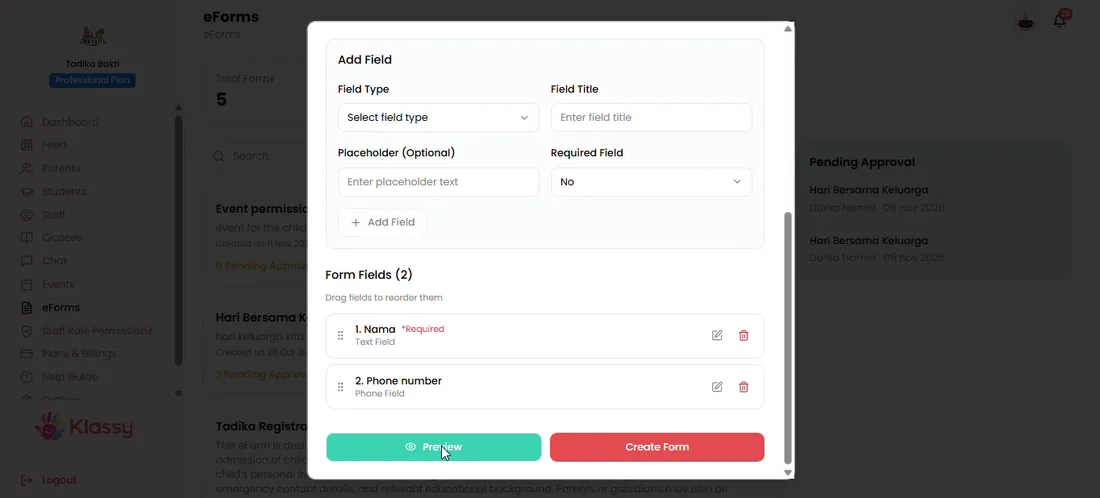
Step 6: Preview the form (admin panel) Create the form
Create it and parents can fill it in straight away.
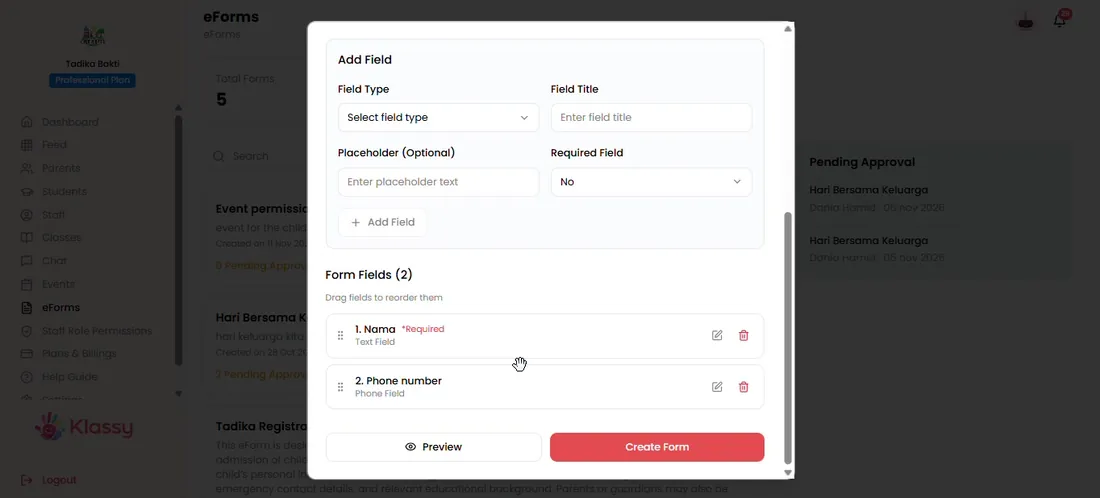
Step 7: Create the form (admin panel) Manage forms
From the three-dot menu you can edit, review approvals, print a hard copy or remove.
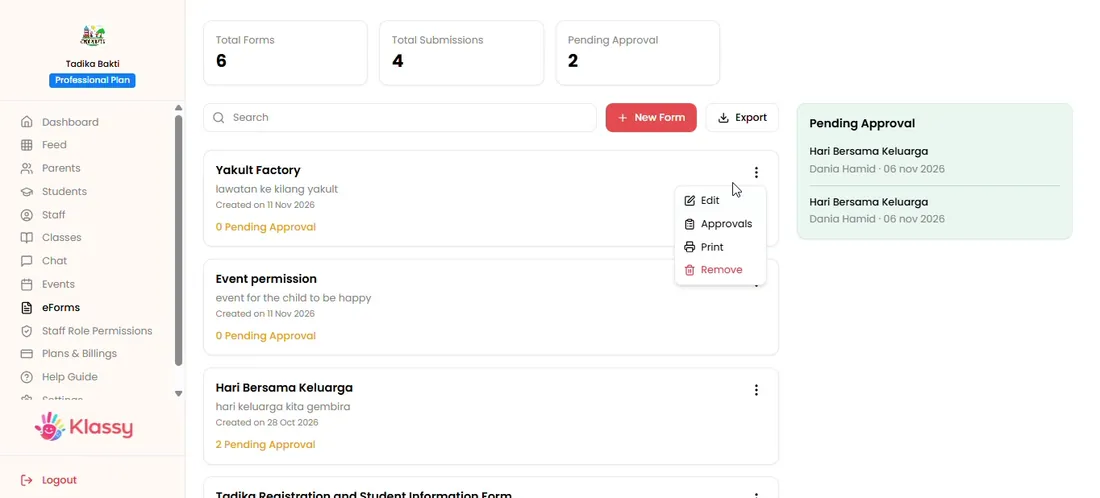
Step 8: Manage forms (admin panel)
Why schools are going paperless with eForms
Digital forms save printing, reduce lost slips and give you a live count of who has replied. Because every submission is tied to a child, you always know who is still outstanding.
Klassy eForms support approvals, so your team can check each response before it is accepted.
What you get with Klassy
- Form builder with field types
- Preview before publishing
- Tag by class
- Approve or reject submissions
- Print a hard copy when needed
Klassy is used by kindergartens, tadika, preschools, childcare centres, tuition centres and private schools. It is built in Malaysia and also available for Australia, Thailand, Indonesia and Vietnam. See pricing.
Common questions
What can I use eForms for?
Registration forms, permission slips, trip consent and any form you used to print.
Can I print a form?
Yes. Use the three-dot menu to print a hard copy.
Are eForms limited on the Free plan?
The Free plan includes 5 eForms. Lite, Professional and Enterprise include unlimited eForms.
Want this for your school?
Klassy is AI-powered school management software for kindergartens, tadika, preschools, childcare centres, tuition centres and private schools. Message the team and we will show you how it fits your school.
Also available for Australia, Thailand, Indonesia and Vietnam.
Related guides
Browse the Help Centre: For schools For teachers For parents All guides