
Klassy AI: an AI writing assistant for school notices and events
Writing the same notices every week takes time. Klassy AI drafts attendance notices, event announcements, school notices and parent reminders in a clear, school-safe tone. You always review before sending.
Step by step
Find the AI button
It appears in places you write, such as feed logs and event descriptions.
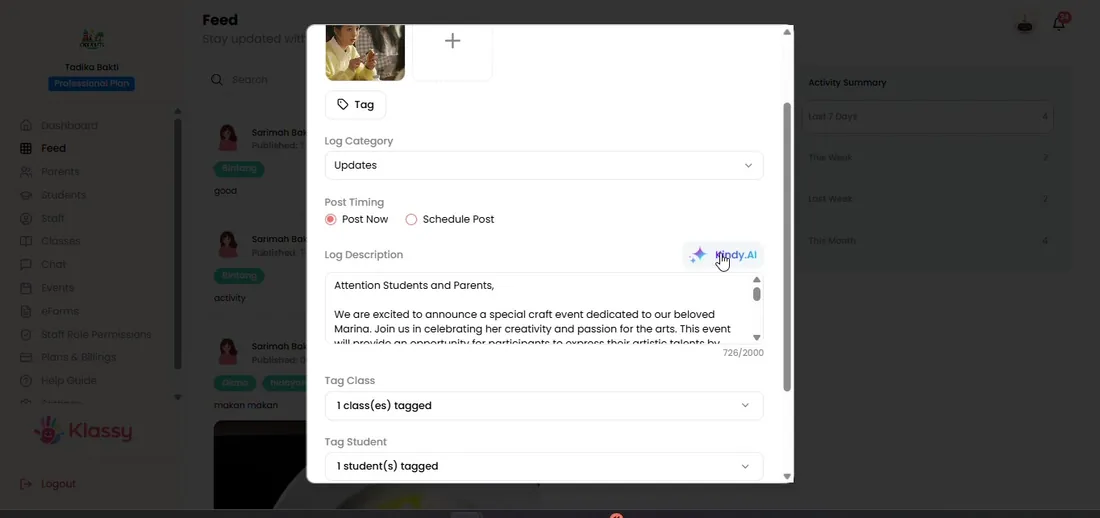
Step 1: Find the AI button (admin panel) Type a short prompt
For example: Sports day, Friday 8am, bring water bottle.
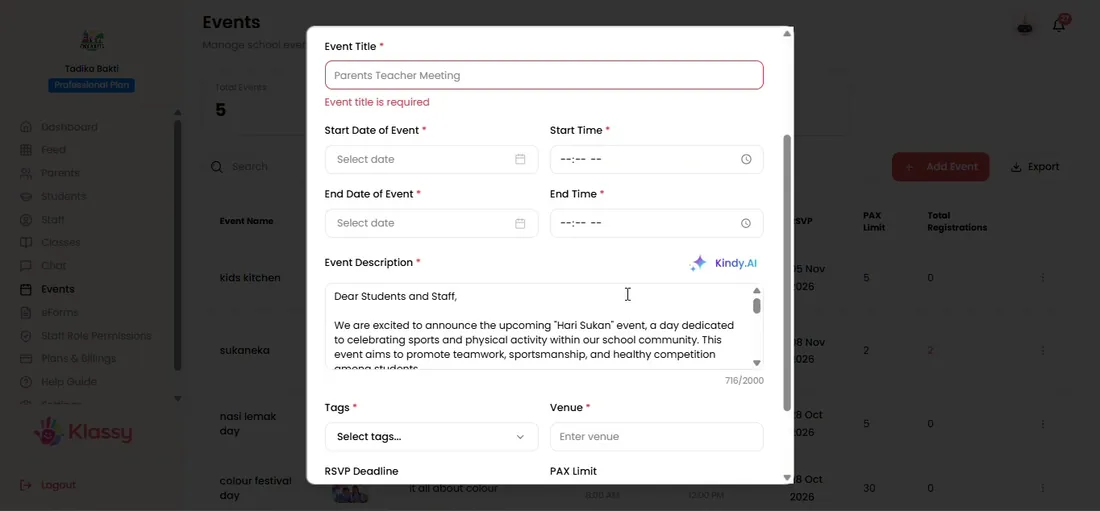
Step 2: Type a short prompt (admin panel) Let Klassy AI draft
The draft appears in the text box.
Step 3: Let Klassy AI draft (admin panel) Edit the draft
Change anything you like. You stay in control.
Step 4: Edit the draft (admin panel) Post or send
Post to the feed or create the event.
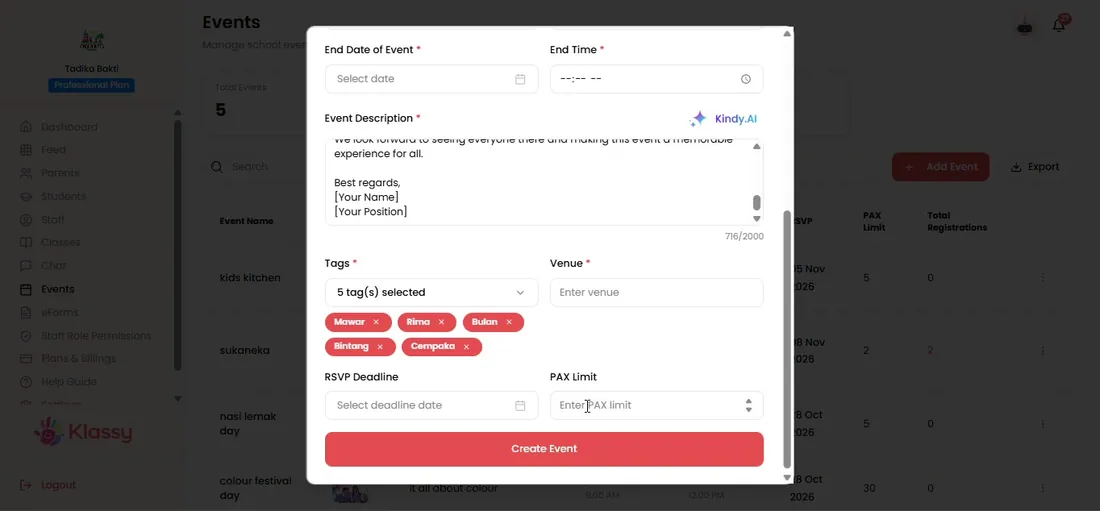
Step 5: Post or send (admin panel)
Why schools use AI for parent communication
Clear, polite notices take time, especially in more than one language. Klassy AI gets you to a good first draft in seconds.
Because staff review every draft, quality and tone stay in your hands.
What you get with Klassy
- Drafts notices, events, reminders and logs
- Clear, school-safe tone
- Works where you already write
- You approve every message
Klassy is used by childcare centres, early learning centres, kindergartens, preschools and private schools. It is built in Malaysia and also available for Malaysia, Thailand, Indonesia and Vietnam. See pricing.
Common questions
Is Klassy AI on the Free or Lite plan?
No. Klassy AI starts from the Professional plan. Lite includes face recognition.
Does AI send messages by itself?
No. It only drafts. Your team reviews and sends.
Where can I use Klassy AI?
In the admin panel and the teacher app, inside the places you write.
Want this for your school?
Klassy is AI-powered school management software for childcare centres, early learning centres, kindergartens, preschools and private schools. Message the team and we will show you how it fits your school.
Also available for Malaysia, Thailand, Indonesia and Vietnam.
Related guides
More in Klassy AI
Browse the Help Centre: For schools For teachers For parents All guides