
How to manage parent accounts and deactivate access
Families change over time. Klassy lets admins keep parent accounts accurate and switch access off the moment it is no longer needed.
Step by step
Open Parents
The page lists every parent with their status. Cards at the top show total, active and inactive.
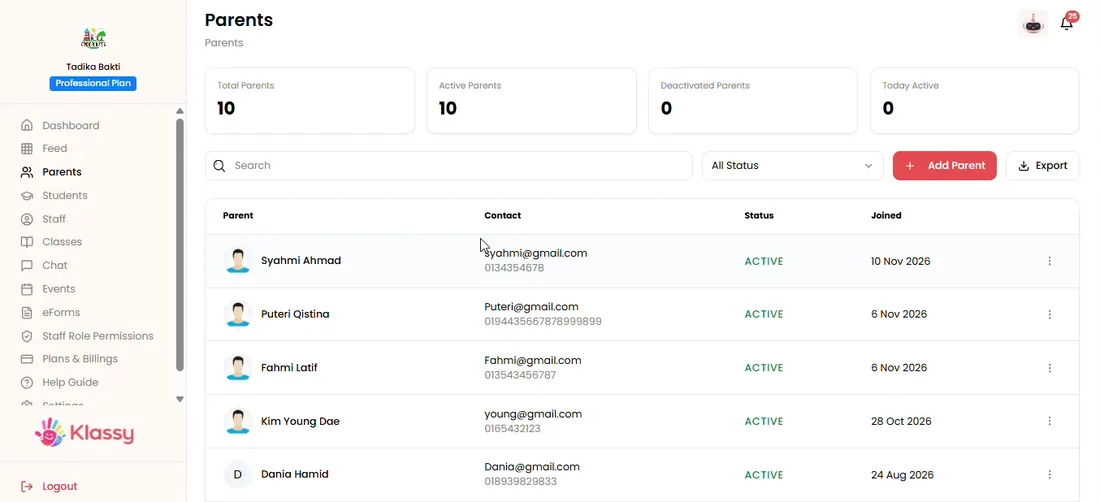
Step 1: Open Parents (admin panel) Open the three-dot menu
Choose View, Edit, Deactivate or Remove.
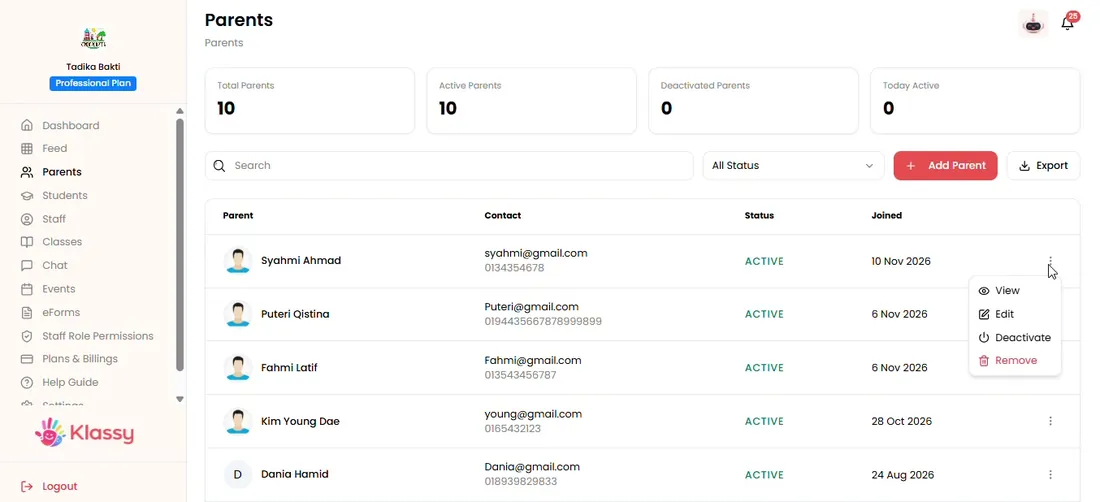
Step 2: Open the three-dot menu (admin panel) Edit a parent
Update contact details or the linked child when something changes.
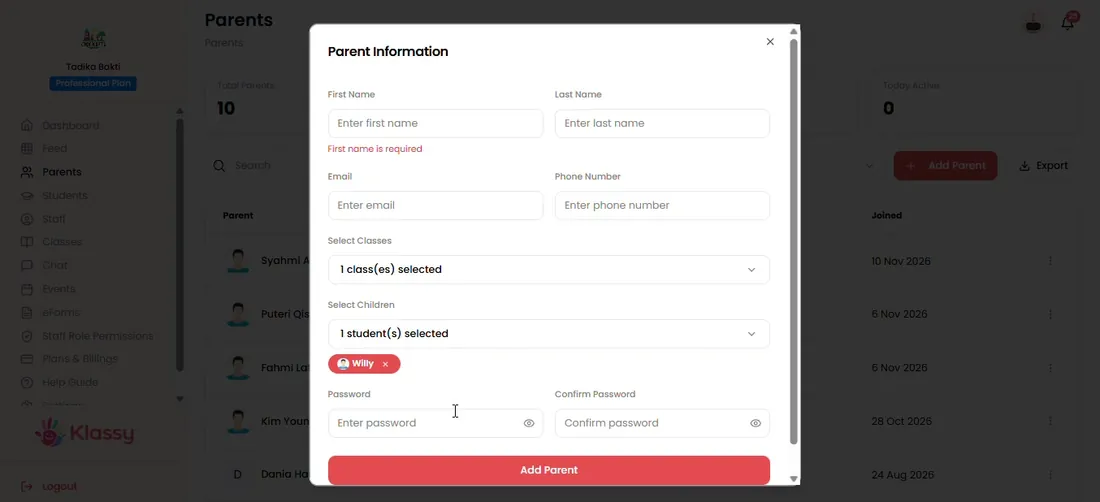
Step 3: Edit a parent (admin panel) Link another child
Select the class and then the student if a family has a second child at school.
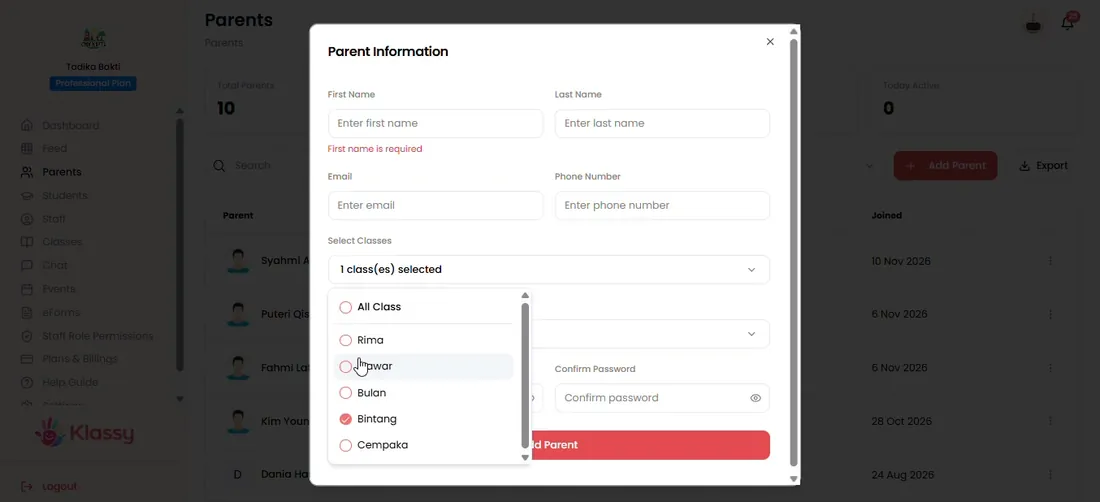
Step 4: Link another child (admin panel) Deactivate access
A deactivated parent cannot log in to the parent app. You keep the record.
Step 5: Deactivate access (admin panel)
Control who can see your students' information
Child safety depends on knowing exactly who has access. Klassy shows each parent's status, and a single change switches access off.
What you get with Klassy
- See active and inactive parents at a glance
- Switch access off in one click
- Edit linked children
- Export the parent list
Klassy is used by kindergartens, tadika, preschools, childcare centres, tuition centres and private schools. It is built in Malaysia and also available for Australia, Thailand, Indonesia and Vietnam. See pricing.
Common questions
Can I stop a parent from logging in?
Yes. Deactivate the parent and they can no longer log in.
Can I link a parent to a second child?
Yes. Edit the parent, select the class and choose the additional student.
Is the parent app free?
Yes. Parents use the app for free.
Want this for your school?
Klassy is AI-powered school management software for kindergartens, tadika, preschools, childcare centres, tuition centres and private schools. Message the team and we will show you how it fits your school.
Also available for Australia, Thailand, Indonesia and Vietnam.
Related guides
More in Students, parents and staff
Browse the Help Centre: For schools For teachers For parents All guides