
How to read the Klassy school admin dashboard
The dashboard is where principals and owners start the day. It shows what happened, what needs attention and how the school account is doing.
Step by step
Log in
What you see depends on your role permissions.
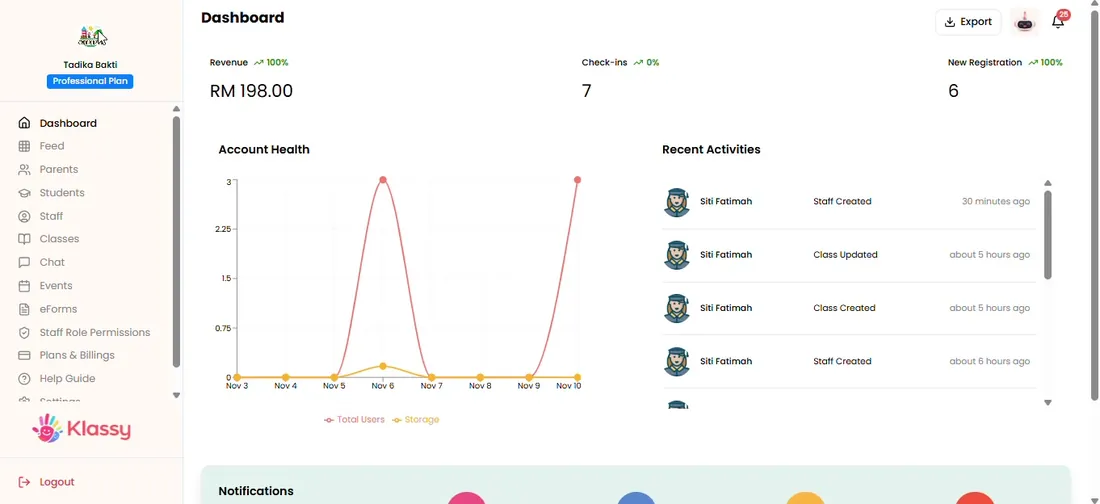
Step 1: Log in (admin panel) Read the key numbers
The top shows check-ins, new registrations and other key metrics.
Step 2: Read the key numbers (admin panel) Open Check-ins
Click Check-ins to see today's list with status and times.
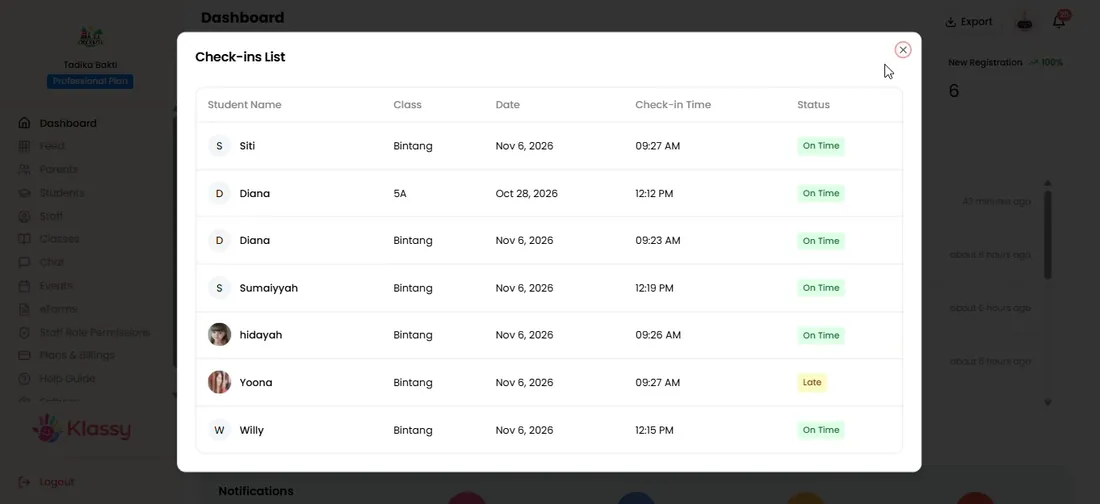
Step 3: Open Check-ins (admin panel) Open New registrations
See new students and parents.
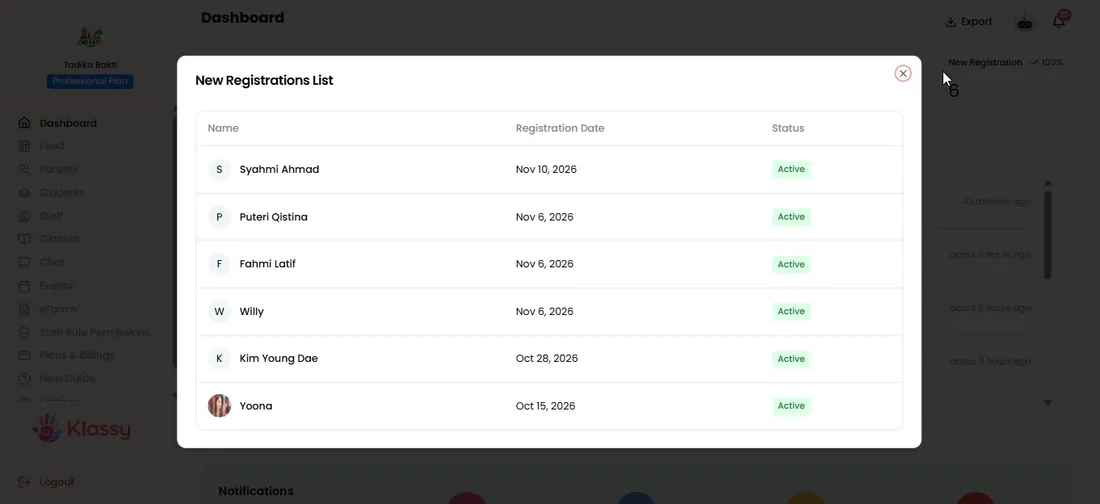
Step 4: Open New registrations (admin panel) Check account health and recent activity
Account health shows total users and storage. Click any activity to jump to that page.
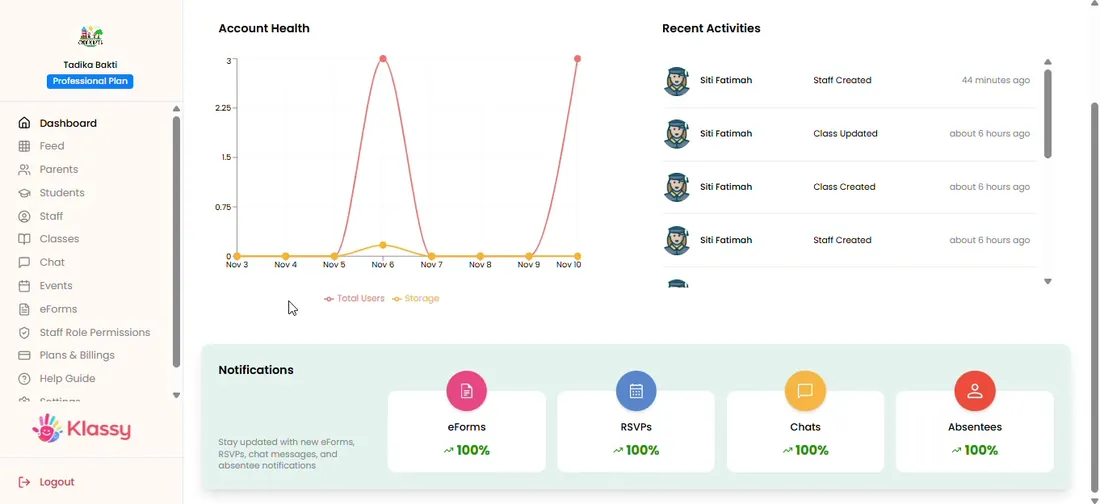
Step 5: Check account health and recent activity (admin panel) Use the notification rings and bell
Four rings show completion for eForms, RSVP, chat and absence. The bell collects alerts.
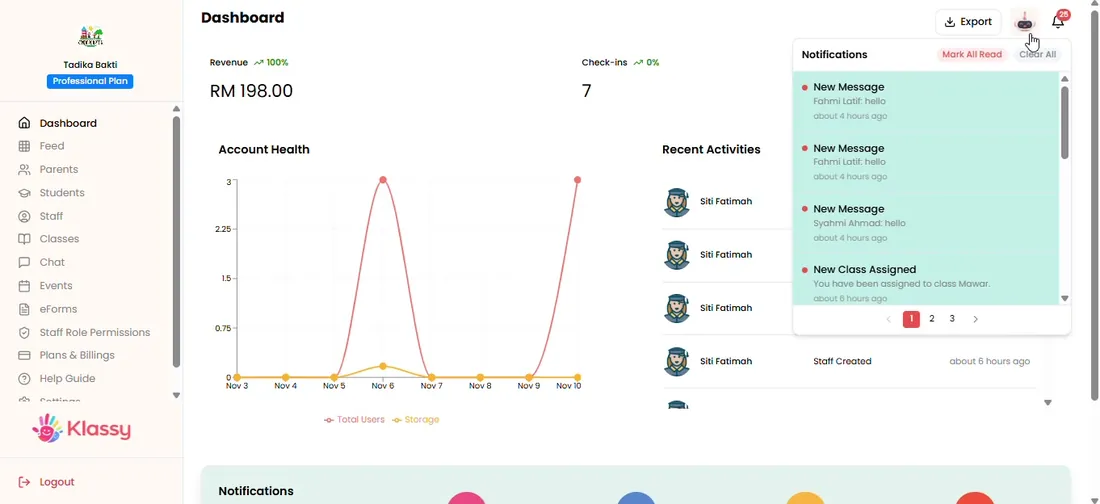
Step 6: Use the notification rings and bell (admin panel)
An admin dashboard for school owners
One screen replaces a dozen spreadsheets. Check-ins, registrations, storage and activity are visible together, and each tile takes you straight to the work behind it.
What you get with Klassy
- Live check-ins
- New registrations
- Account health
- Recent activity feed
- Notification completion rings
Klassy is used by childcare centres, early learning centres, kindergartens, preschools and private schools. It is built in Malaysia and also available for Malaysia, Thailand, Indonesia and Vietnam. See pricing.
Common questions
Who can see the dashboard?
Admins and any role with dashboard access.
Can I click through to the data?
Yes. Every tile and activity row links to the related page.
Is it mobile friendly?
Yes. The admin dashboard is mobile responsive.
Want this for your school?
Klassy is AI-powered school management software for childcare centres, early learning centres, kindergartens, preschools and private schools. Message the team and we will show you how it fits your school.
Also available for Malaysia, Thailand, Indonesia and Vietnam.
Related guides
Browse the Help Centre: For schools For teachers For parents All guides