
How face recognition photo tagging works for school photos
Tagging a class photo by hand is slow and easy to get wrong. Klassy learns each child's face from the photos you upload and suggests the correct tag when staff post to the feed.
Step by step
Add a clear photo to each student
Create or edit the student and upload a photo of that child alone.
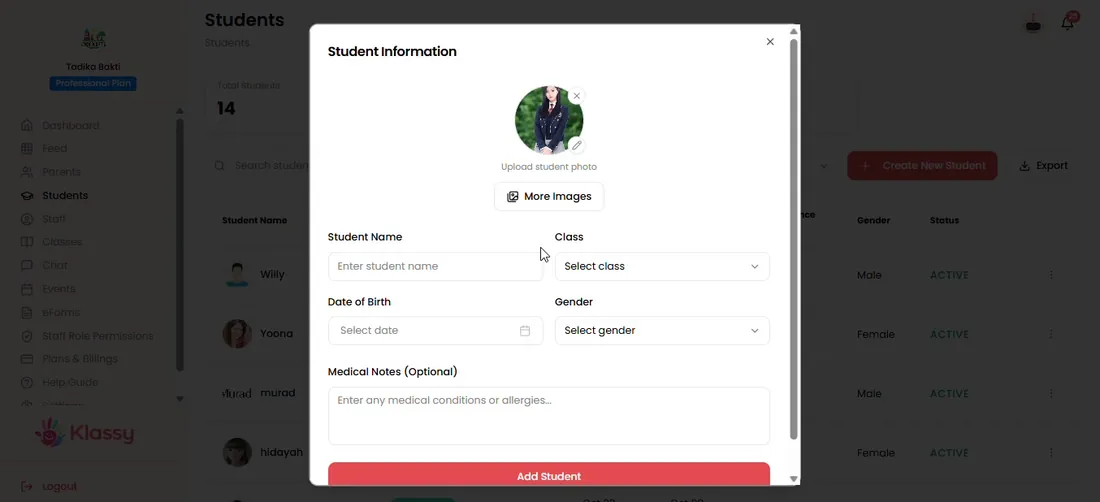
Step 1: Add a clear photo to each student (admin panel) Add several photos
More photos of the same child improve accuracy.
Step 2: Add several photos (admin panel) Understand photo rejections
Group photos and non-human images are rejected with a clear message.
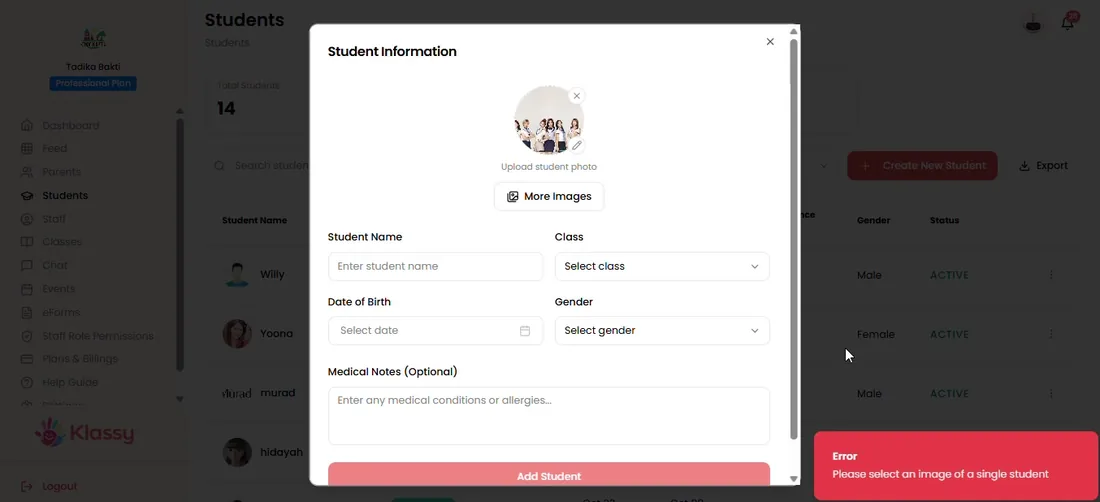
Step 3: Understand photo rejections (admin panel) Post a photo to the feed
Open Feed, select Add Log and upload the image.
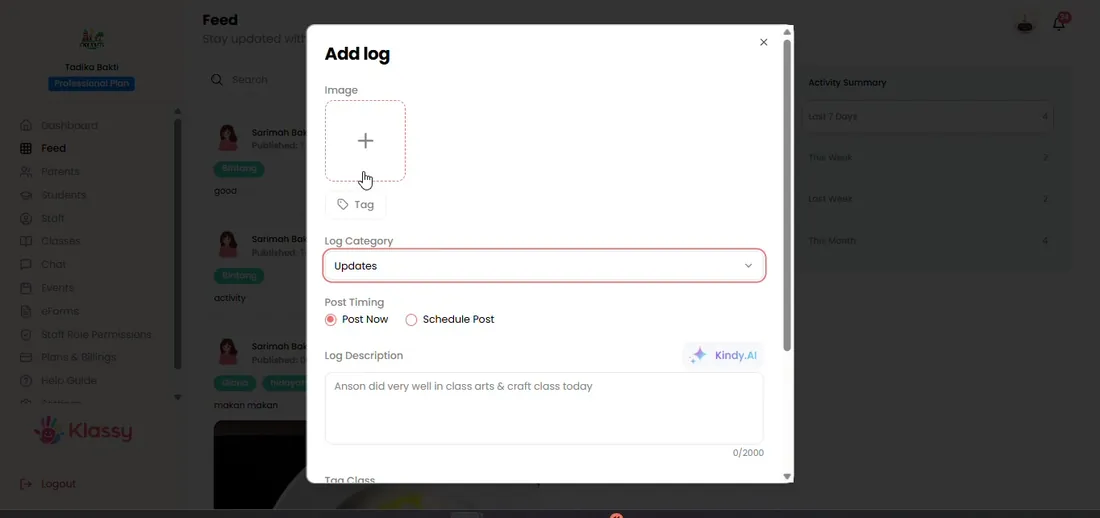
Step 4: Post a photo to the feed (admin panel) Review the suggested tag
Klassy suggests the child. Confirm the tag before posting.
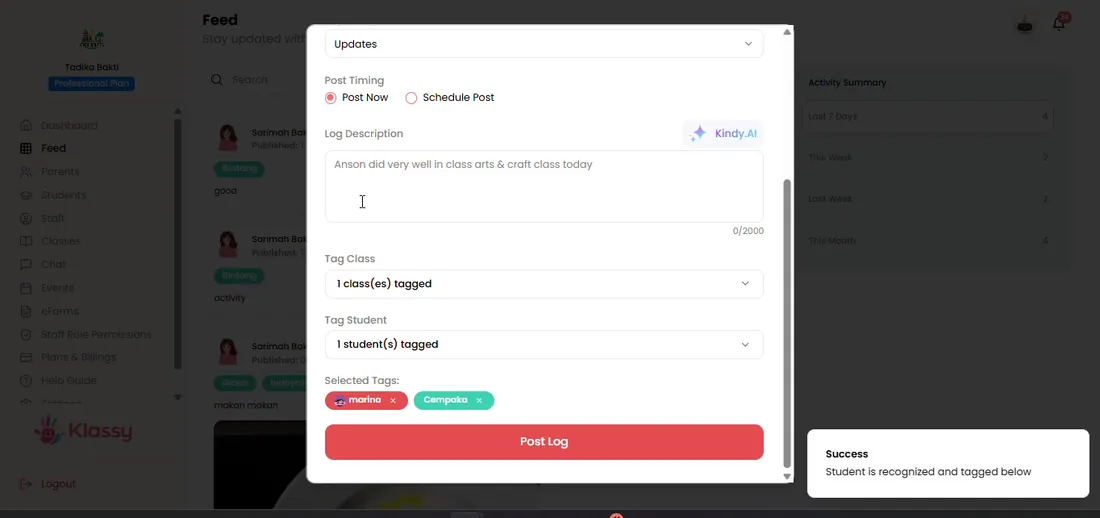
Step 5: Review the suggested tag (admin panel) Teachers tag in the teacher app too
In the teacher app, tags are suggested from the same photos.
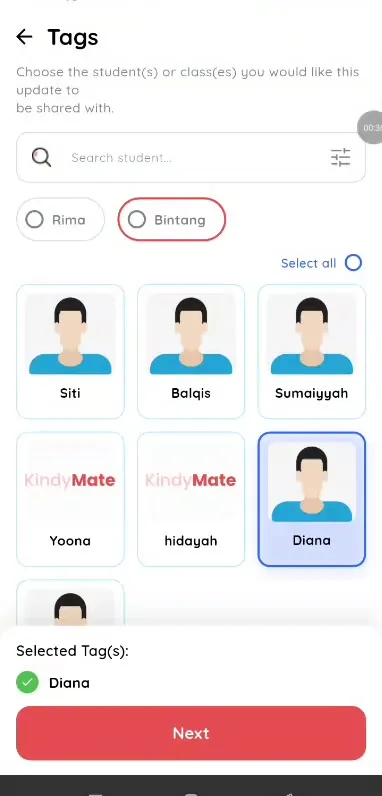
Step 6: Teachers tag in the teacher app too (teacher app)
Automatic tagging that saves staff time
Schools post dozens of photos each week. Automatic tag suggestions save minutes per post and reduce the risk of sending a photo to the wrong family.
What you get with Klassy
- Suggested tags from student photos
- Staff confirm every tag
- Works in admin panel and teacher app
- Lite plan and above
Klassy is used by childcare centres, early learning centres, kindergartens, preschools and private schools. It is built in Malaysia and also available for Malaysia, Thailand, Indonesia and Vietnam. See pricing.
Common questions
Is face recognition on every plan?
No. It starts from the Lite plan and is included in Professional and Enterprise.
What if Klassy suggests the wrong child?
Change the tag before posting. Staff always confirm.
Why was my photo rejected?
Photos must show a single human face. Group photos and non-human images are rejected.
Want this for your school?
Klassy is AI-powered school management software for childcare centres, early learning centres, kindergartens, preschools and private schools. Message the team and we will show you how it fits your school.
Also available for Malaysia, Thailand, Indonesia and Vietnam.
Related guides
More in Photo feed and daily logs
Browse the Help Centre: For schools For teachers For parents All guides