
How to add teachers and staff to your school account
After roles are ready, add the people who will use Klassy every day. Each staff member gets their own login and a role, so you always know who did what and who can see what.
Step by step
Open Staff
Choose Staff in the admin panel to see everyone on your team, with status and role.
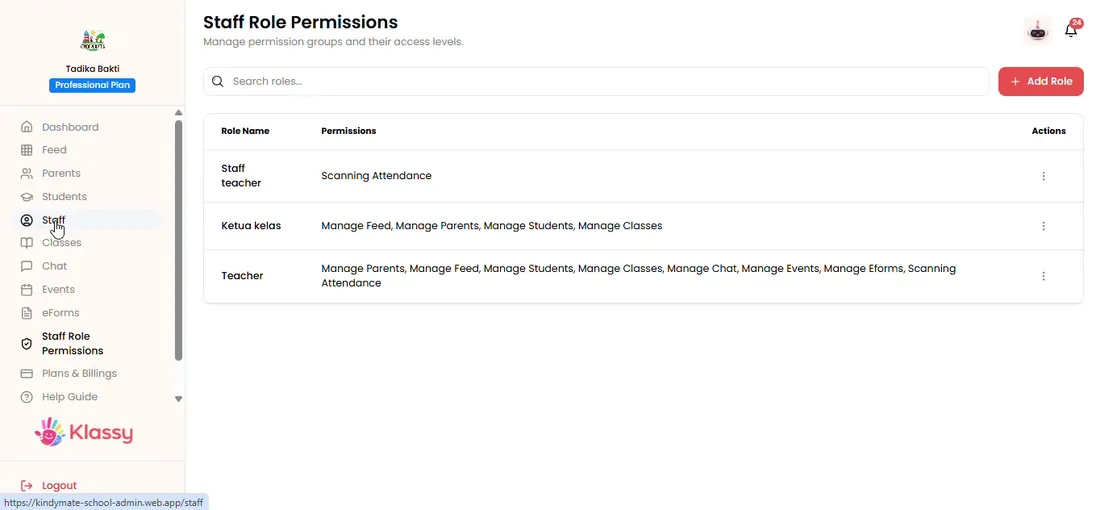
Step 1: Open Staff (admin panel) Select Add Staff
A form opens for the new staff member.
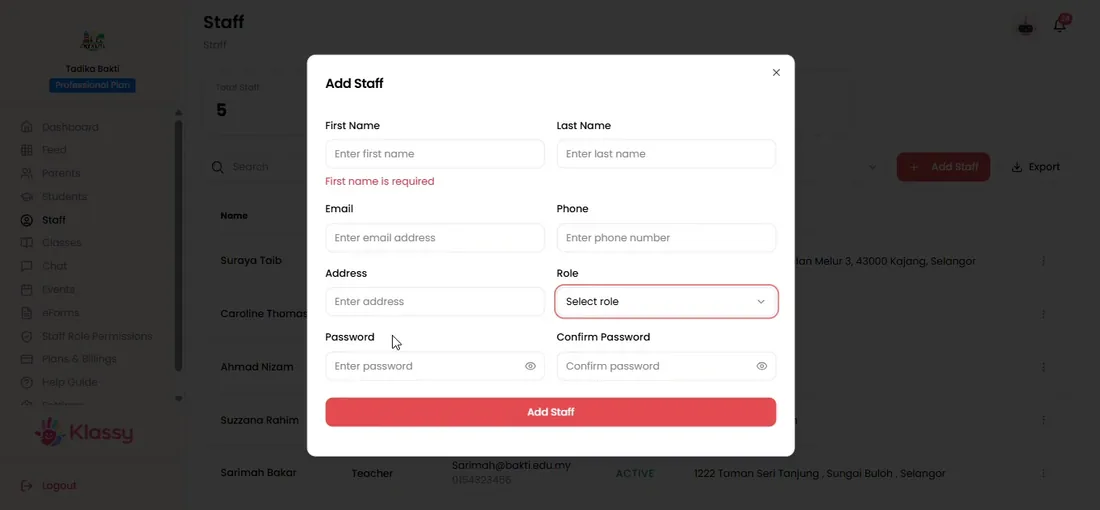
Step 2: Select Add Staff (admin panel) Pick the role
Choose the role from the dropdown. If it is empty, create the role first in Staff Role Permission.
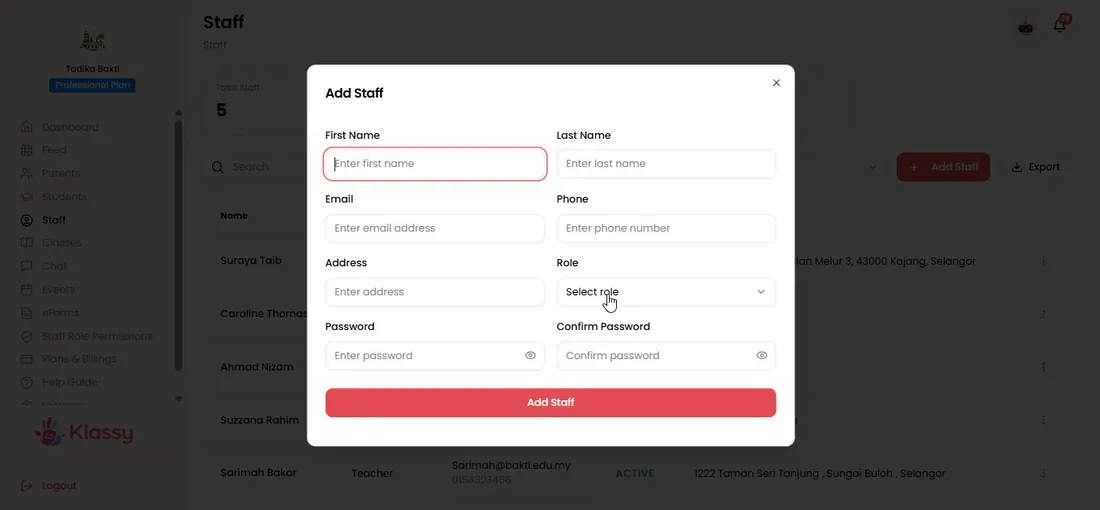
Step 3: Pick the role (admin panel) Fill in the details and set a password
Complete every required field and set a password you will share with the staff member.
Step 4: Fill in the details and set a password (admin panel) Save and share the login
Save. The person can now log in. Ask teachers to install the Klassy teacher app.
Step 5: Save and share the login (admin panel) Filter and export
Use the status filter to see active or deactivated staff, and Export to download the list.
Step 6: Filter and export (admin panel)
Staff management for schools
A clear staff list helps principals manage who has access to children's information. Klassy gives every staff member their own account, role and status.
What you get with Klassy
- Individual logins for every team member
- Active and deactivated status
- Role dropdown linked to permissions
- One click export of the staff list
Klassy is used by childcare centres, early learning centres, kindergartens, preschools and private schools. It is built in Malaysia and also available for Malaysia, Thailand, Indonesia and Vietnam. See pricing.
Common questions
Why does the role dropdown look empty?
The role has not been created yet. Create it in Staff Role Permission first, then add the staff member.
Can I deactivate a staff member who has left?
Yes. Change the status to deactivated. They can no longer sign in, and you keep the record for reference.
Can I download the staff list?
Yes. Use Export on the Staff page to download the list.
Want this for your school?
Klassy is AI-powered school management software for childcare centres, early learning centres, kindergartens, preschools and private schools. Message the team and we will show you how it fits your school.
Also available for Malaysia, Thailand, Indonesia and Vietnam.
Related guides
More in Set up your school
Browse the Help Centre: For schools For teachers For parents All guides