
How to add parents and link them to their children
Parents sign in to the free Klassy parent app with the account you create. Each parent is linked to their child, so they only ever see their own child's feed, forms and health information.
Step by step
Open Parents
The cards show total, active and inactive parents. The list shows each parent with status.
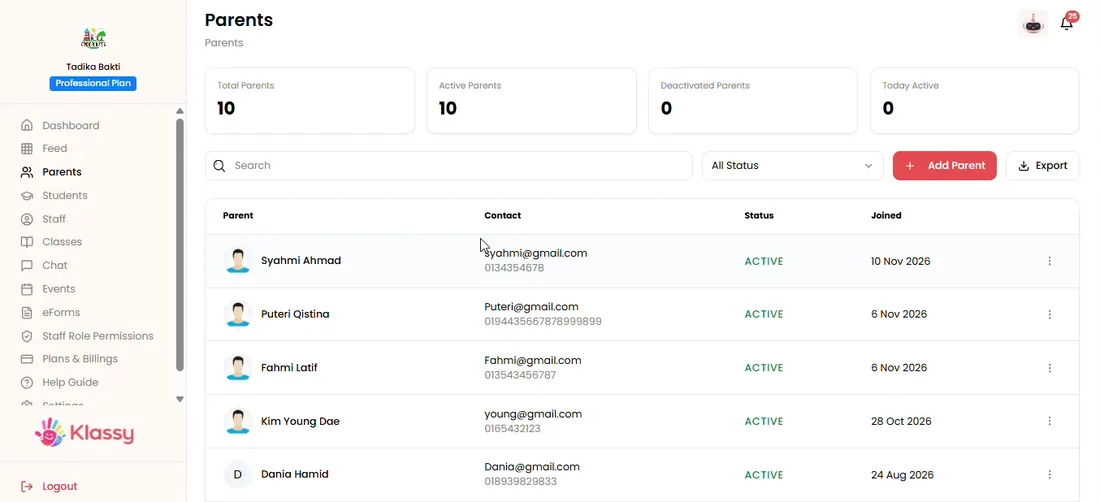
Step 1: Open Parents (admin panel) Select Add Parent
A form opens for the parent's details.
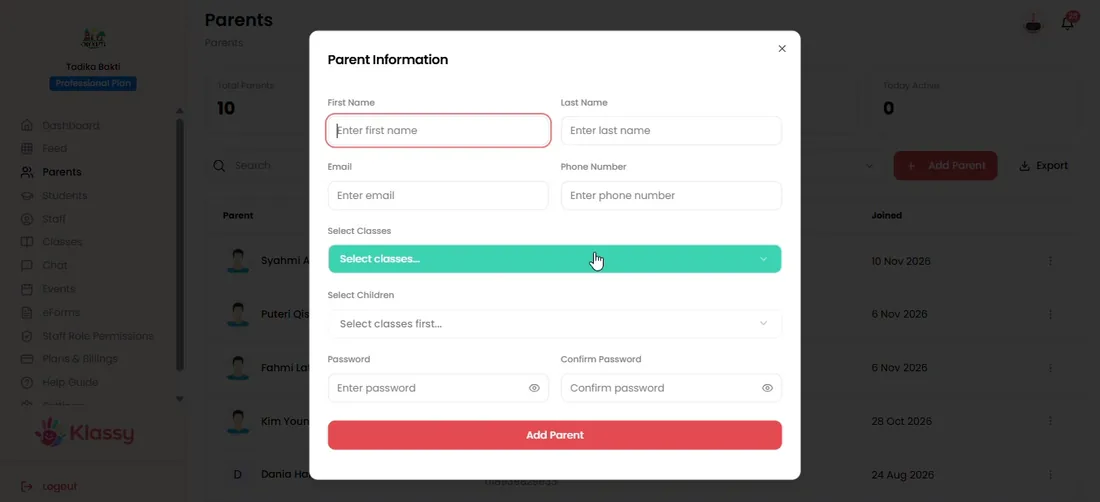
Step 2: Select Add Parent (admin panel) Choose the class first
Pick the class, then the child this parent belongs to.
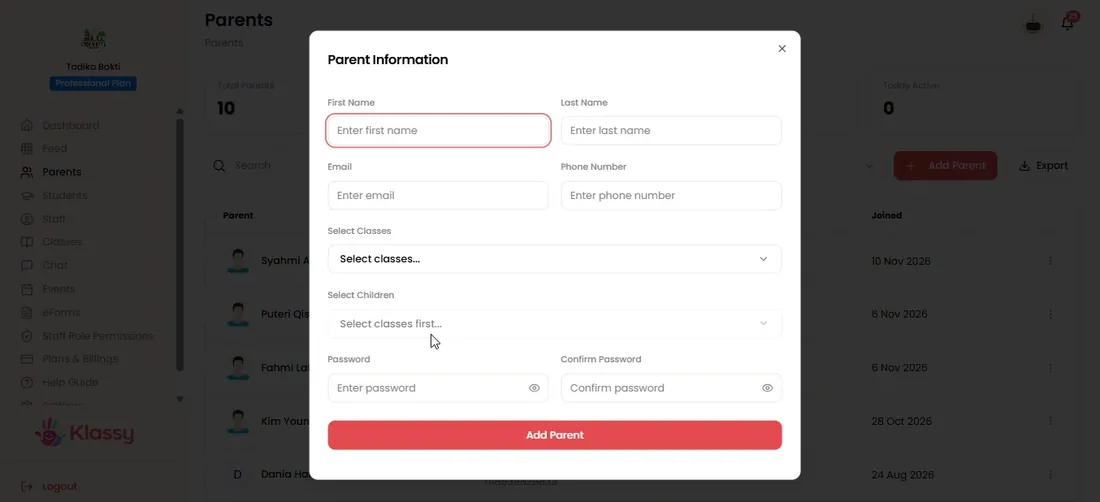
Step 3: Choose the class first (admin panel) Pick the student
Select the child. A parent with children in different classes can be linked to each child.
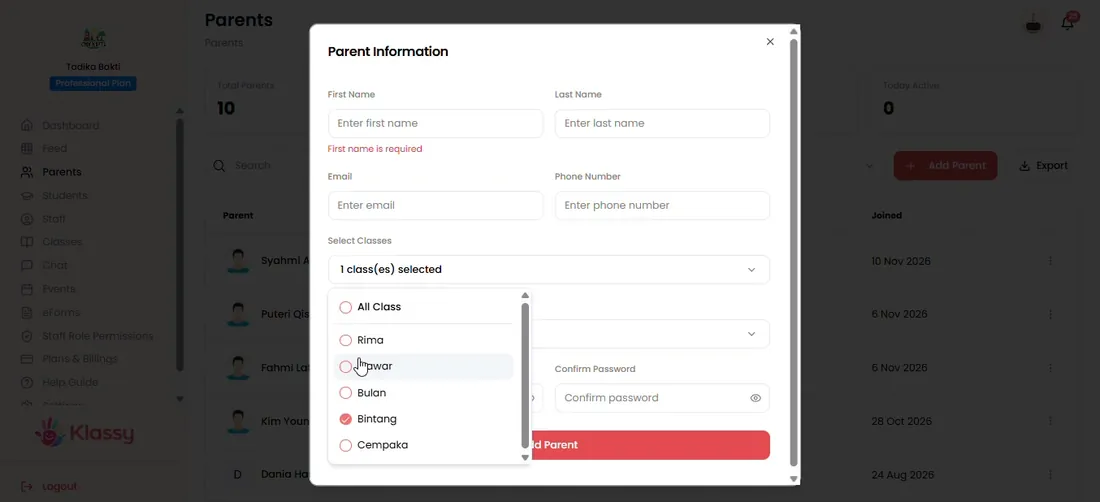
Step 4: Pick the student (admin panel) Fill in details and set a password
Complete the form and set and confirm a password for the parent app.
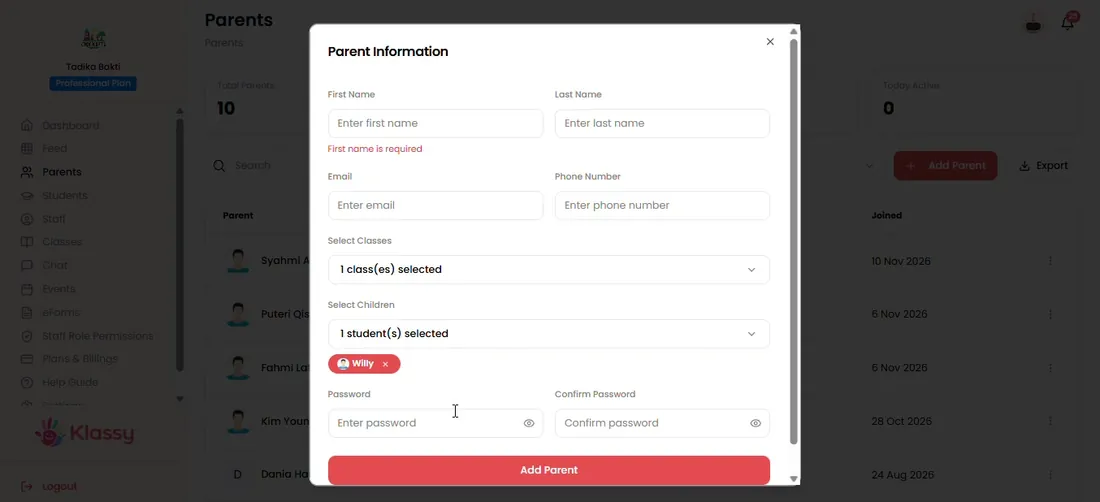
Step 5: Fill in details and set a password (admin panel) Save and manage
Use the three-dot menu to view, edit, deactivate or remove a parent.
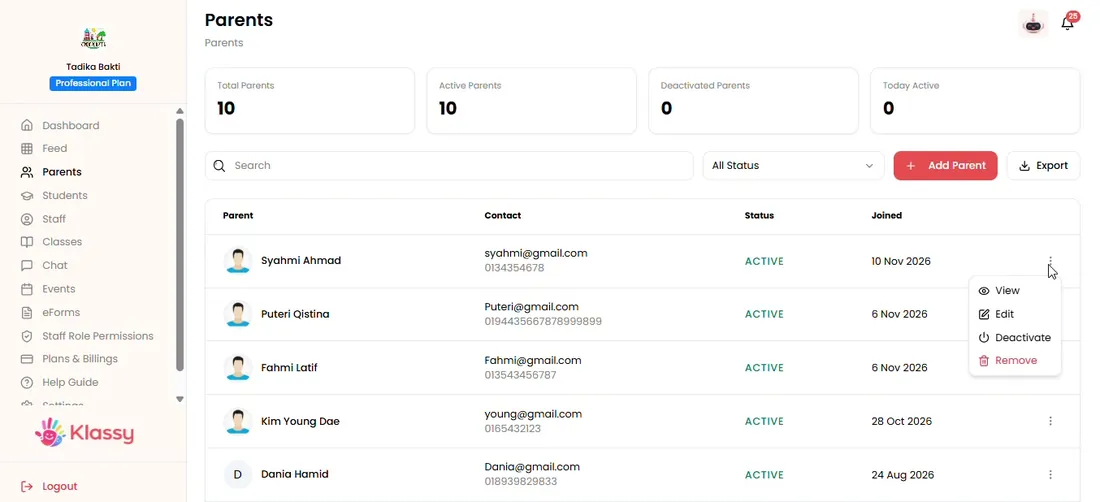
Step 6: Save and manage (admin panel)
Parent account management for schools
A parent app only works when every family can log in easily. Klassy links each parent to their child, so updates, RSVPs, eForms and chat reach the right people.
The parent app is free for families. Your plan is based on your number of enrolled students.
What you get with Klassy
- Free parent app for families
- One parent can be linked to several children
- Status control to deactivate access
- Parents only see their own child
Klassy is used by childcare centres, early learning centres, kindergartens, preschools and private schools. It is built in Malaysia and also available for Malaysia, Thailand, Indonesia and Vietnam. See pricing.
Common questions
Do parents pay to use the app?
No. The parent app is free for parents. Your plan is based on your school's number of enrolled students.
Can one parent be linked to several children?
Yes. Link the parent to each child, even when the children are in different classes.
What if a parent cannot sign in?
Check that the parent's status is active. A deactivated parent cannot log in to the parent app.
Want this for your school?
Klassy is AI-powered school management software for childcare centres, early learning centres, kindergartens, preschools and private schools. Message the team and we will show you how it fits your school.
Also available for Malaysia, Thailand, Indonesia and Vietnam.
Related guides
More in Set up your school
Browse the Help Centre: For schools For teachers For parents All guides