
Klassy parent app guide: home, QR code, calendar, eForms, inbox and report
The Klassy parent app is free and designed to be simple. This is a quick tour of what each tab does.
Step by step
Home
Your child's feed of updates and photos.
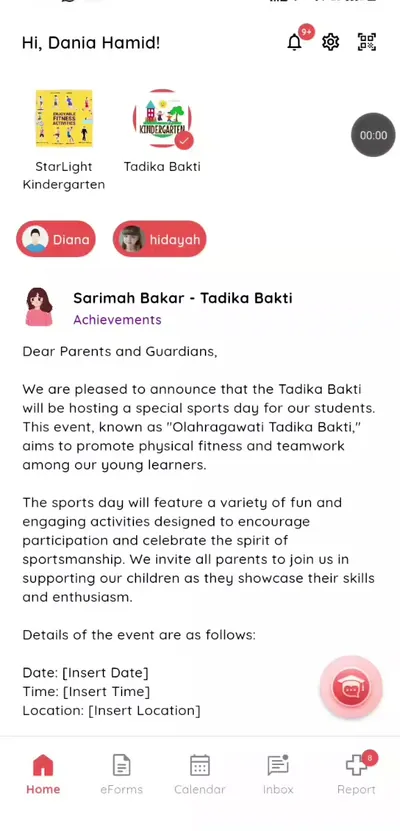
Step 1: Home (parent app) QR code
Show it at drop-off and pick-up.
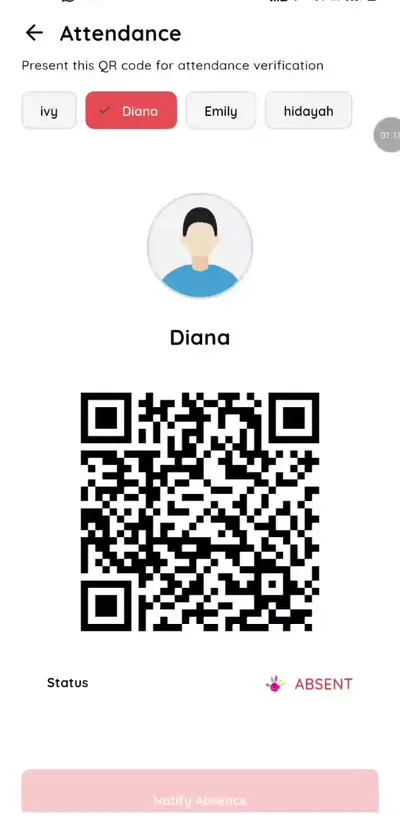
Step 2: QR code (parent app) eForms
Fill in school forms.
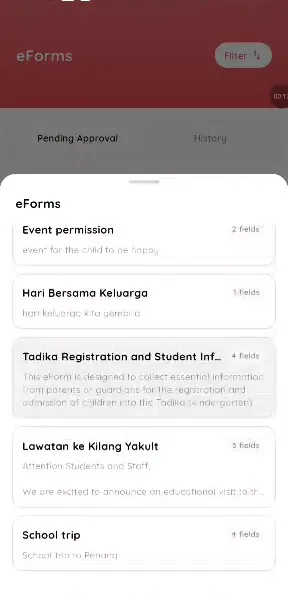
Step 3: eForms (parent app) Calendar
RSVP to events.
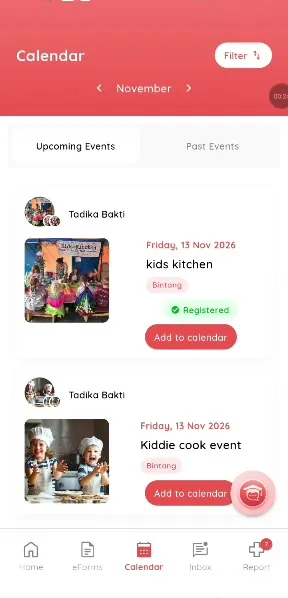
Step 4: Calendar (parent app) Inbox
Messages from school.
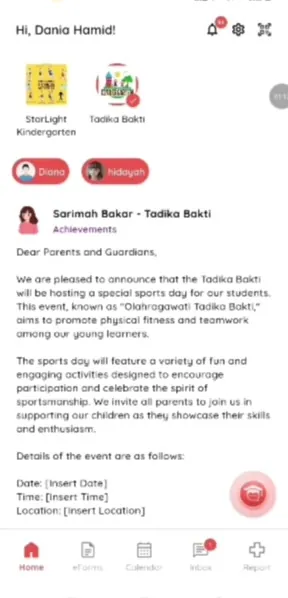
Step 5: Inbox (parent app) Report
Health overview and incident history.
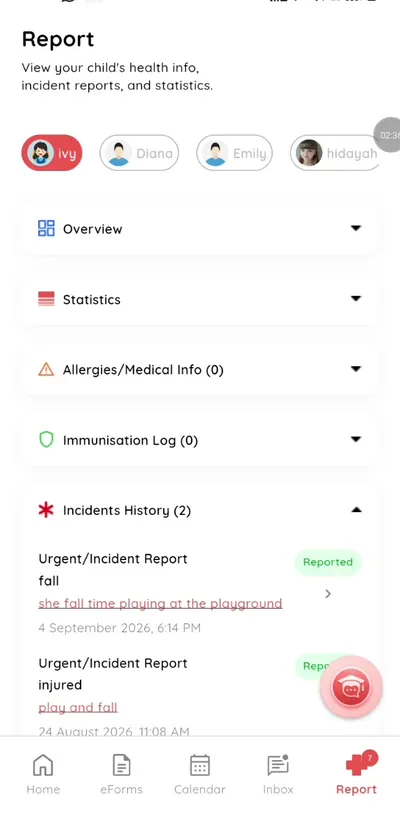
Step 6: Report (parent app)
A free school app for parents
Parents get everything from one app, with nothing to pay.
What you get with Klassy
- Free for parents
- English and Bahasa Malaysia
- One app for feed, forms, events, chat and health
Klassy is used by childcare centres, early learning centres, kindergartens, preschools and private schools. It is built in Malaysia and also available for Malaysia, Thailand, Indonesia and Vietnam. See pricing.
Common questions
Is the app free?
Yes.
How do I get a login?
Your school creates your account.
Which languages?
English and Bahasa Malaysia.
Want this for your school?
Klassy is AI-powered school management software for childcare centres, early learning centres, kindergartens, preschools and private schools. Message the team and we will show you how it fits your school.
Also available for Malaysia, Thailand, Indonesia and Vietnam.
Related guides
More in Parent app
Browse the Help Centre: For schools For teachers For parents All guides