
Teacher app guide: class view, student actions and student profile
The Klassy teacher app is where daily teaching admin happens. This guide shows the class view, the actions on each student and the student profile.
Step by step
Log in and open your class
The home screen shows each child as a card with their photo.
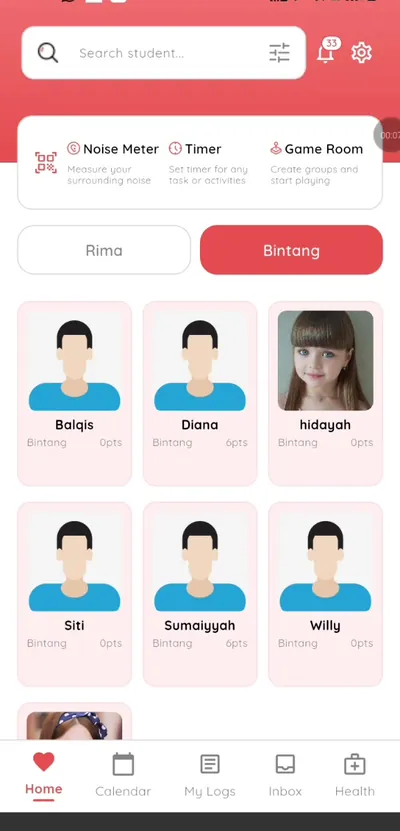
Step 1: Log in and open your class (teacher app) Switch classes
If you teach several classes, switch between them from the home screen.
Step 2: Switch classes (teacher app) See an empty class
If a class has no students yet, the app tells you.
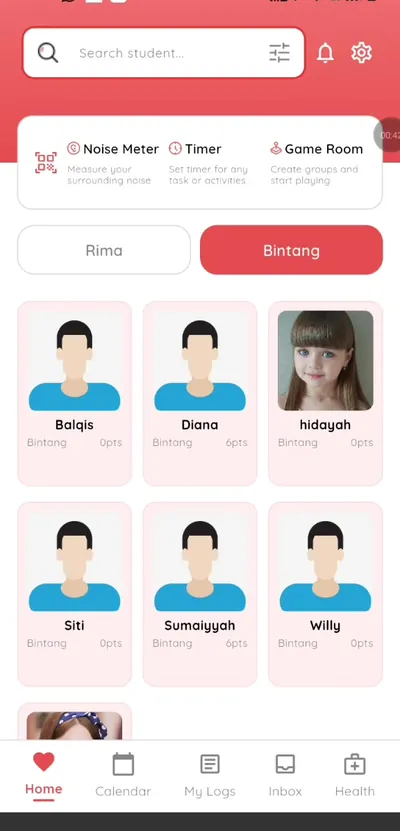
Step 3: See an empty class (teacher app) Tap a student card
Actions include check in, absent, log and health.
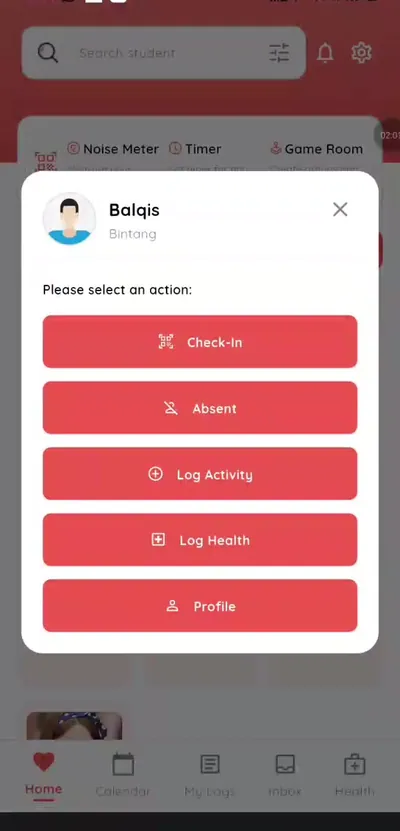
Step 4: Tap a student card (teacher app) Open the student profile
See check-in and clock-out times, attendance and health logs.
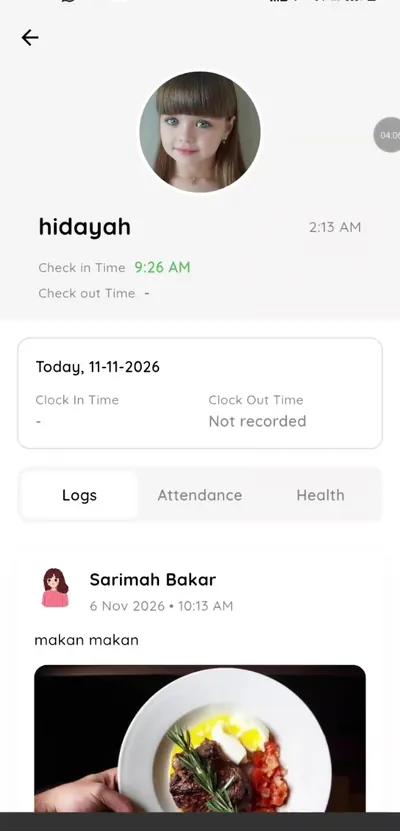
Step 5: Open the student profile (teacher app) Open settings
Change your language and password.
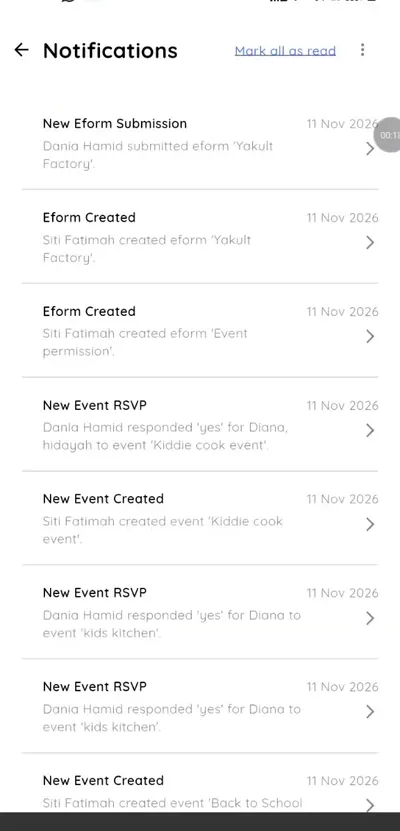
Step 6: Open settings (teacher app)
A teacher app that fits one hand
The teacher app is designed for a busy classroom. Everything starts from the class view and each child's card.
What you get with Klassy
- Class view with photos
- Quick actions per student
- Student profile
- Multiple classes
Klassy is used by childcare centres, early learning centres, kindergartens, preschools and private schools. It is built in Malaysia and also available for Malaysia, Thailand, Indonesia and Vietnam. See pricing.
Common questions
Who sees which class?
Teachers see classes they are assigned to.
Where is the student profile?
Tap the student card and open Profile.
Can I change language?
Yes, in settings.
Want this for your school?
Klassy is AI-powered school management software for childcare centres, early learning centres, kindergartens, preschools and private schools. Message the team and we will show you how it fits your school.
Also available for Malaysia, Thailand, Indonesia and Vietnam.
Related guides
More in Teacher app and classroom tools
Browse the Help Centre: For schools For teachers For parents All guides