
Incident report app for preschools: how to record an urgent incident
When something happens, speed and clarity matter. Klassy lets teachers record an urgent incident in seconds and tell the parent immediately.
Step by step
Open the child's health log
From the class view, open the child and choose Log health.
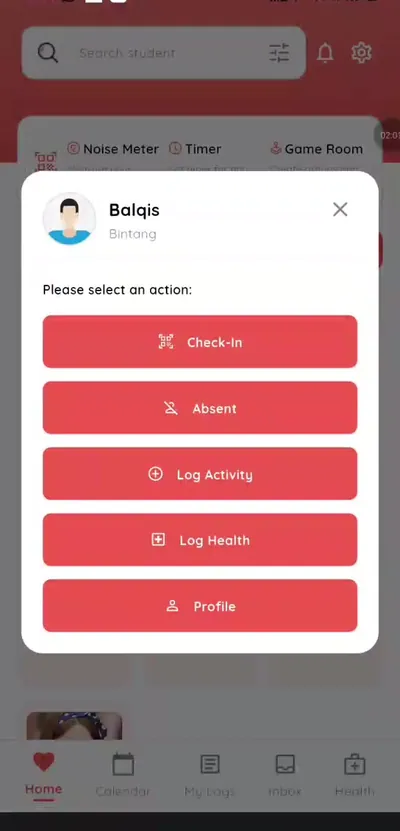
Step 1: Open the child's health log (teacher app) Select Urgent
Choose the Urgent report type for an incident.
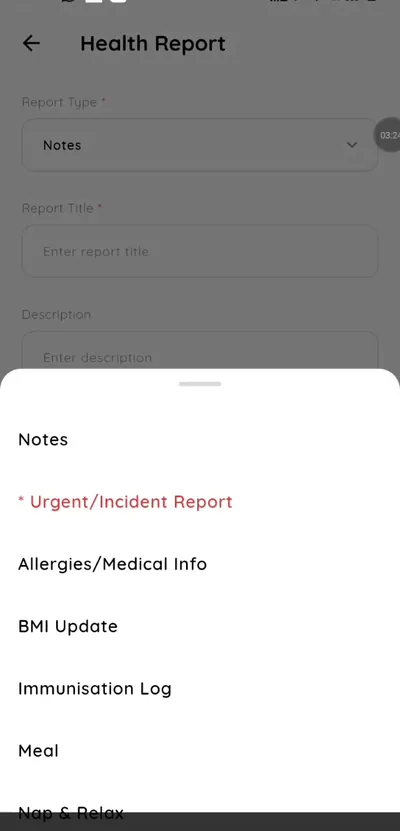
Step 2: Select Urgent (teacher app) Describe what happened
Add clear notes about the incident and the action taken.
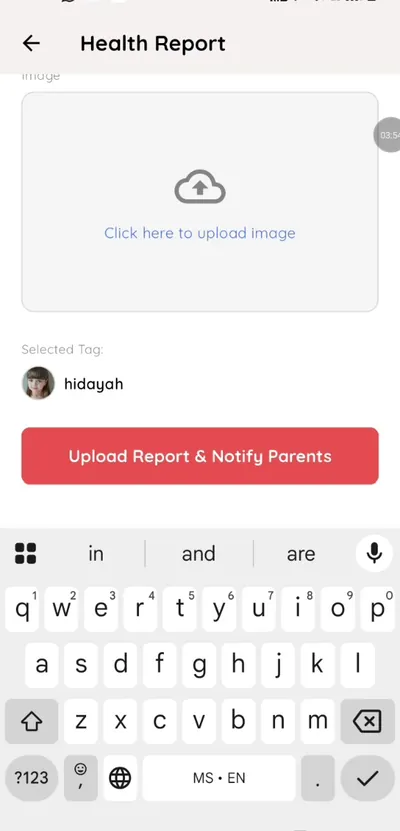
Step 3: Describe what happened (teacher app) Add a photo if useful
Upload an image with the report.
Step 4: Add a photo if useful (teacher app) Submit and notify
The parent is notified and the report is saved.
Step 5: Submit and notify (teacher app) Parents see incident history
Parents can review incidents in their Report tab.
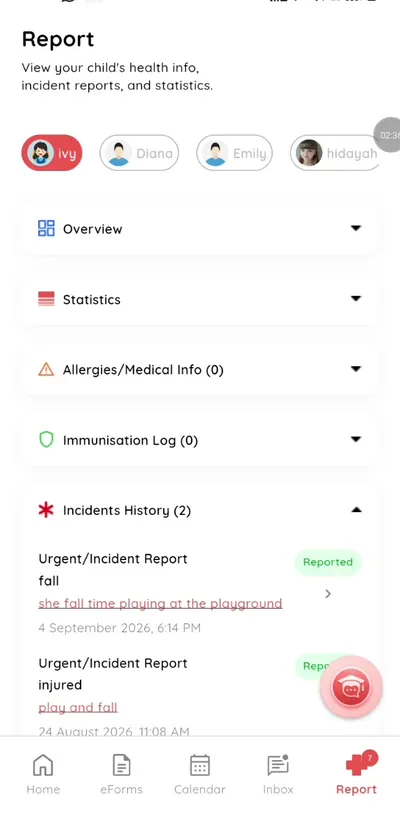
Step 6: Parents see incident history (parent app)
A clear incident record for schools and parents
A written, time-stamped incident record protects the child, the teacher and the school. Klassy keeps it against the child's profile.
What you get with Klassy
- Urgent report type
- Instant parent notification
- Saved incident history
- Photo attachment
Klassy is used by kindergartens, tadika, preschools, childcare centres, tuition centres and private schools. It is built in Malaysia and also available for Australia, Thailand, Indonesia and Vietnam. See pricing.
Common questions
Is the incident saved?
Yes, against the child's health records.
Can other teachers see it?
Staff with access to that class can review saved records.
Can parents see past incidents?
Yes, in the incident history in their app.
Want this for your school?
Klassy is AI-powered school management software for kindergartens, tadika, preschools, childcare centres, tuition centres and private schools. Message the team and we will show you how it fits your school.
Also available for Australia, Thailand, Indonesia and Vietnam.
Related guides
More in Health and incident records
Browse the Help Centre: For schools For teachers For parents All guides