
How to view a student's attendance history
Attendance history shows every day a child was present, late or absent. Admins use it for parent conversations, fee queries and reporting, without digging through paper registers.
Step by step
Open Students and find the child
Search or filter the student list.
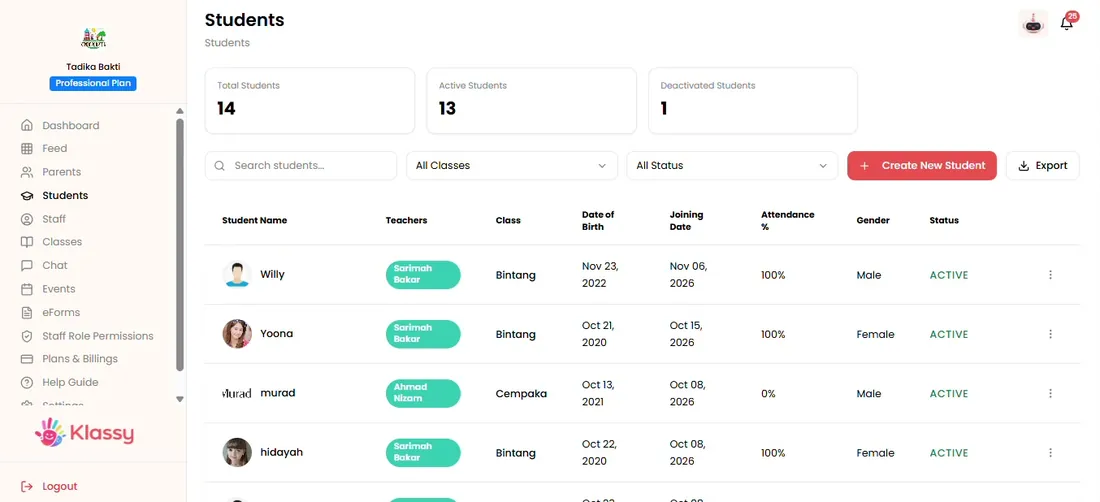
Step 1: Open Students and find the child (admin panel) Open the three-dot menu
Choose View or attendance history.
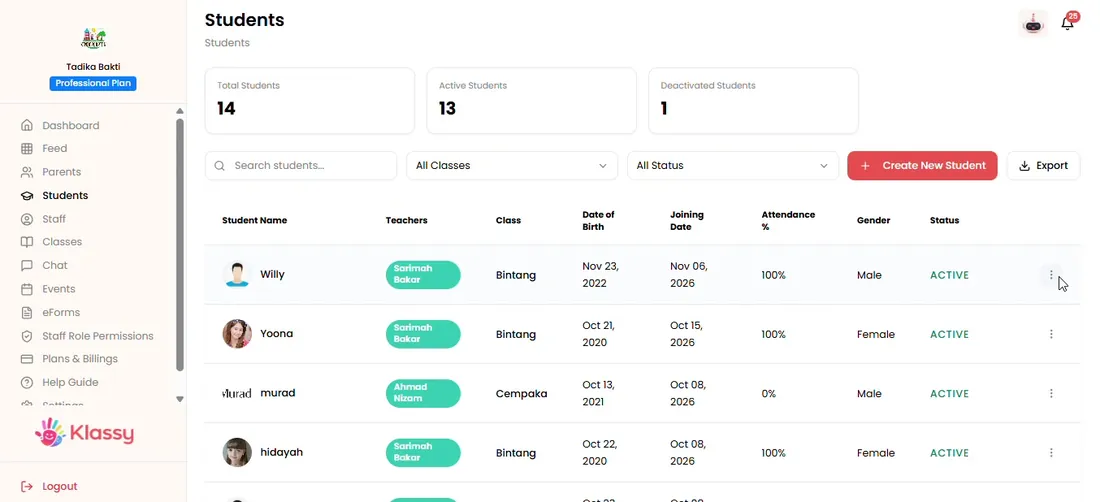
Step 2: Open the three-dot menu (admin panel) Open the attendance history
A calendar shows the child's attendance by day.
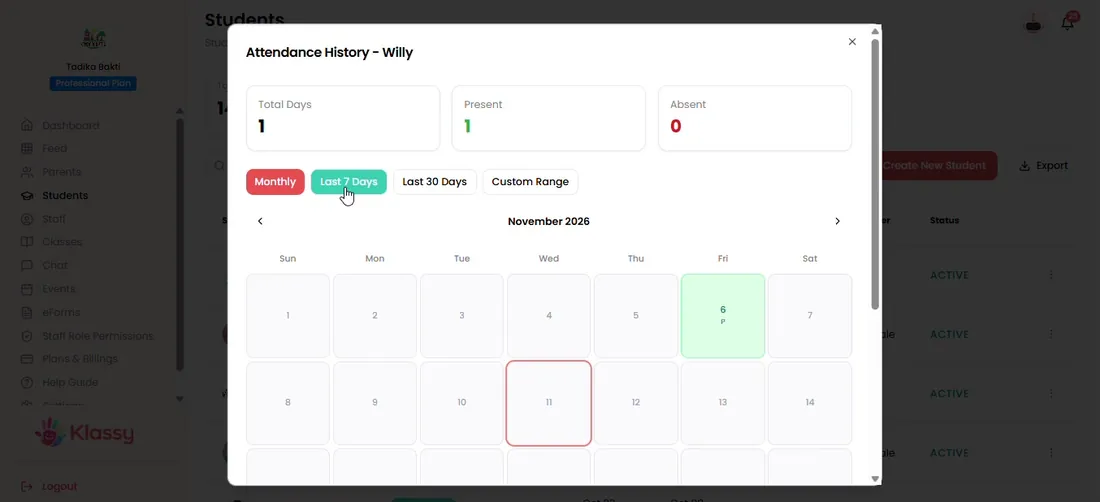
Step 3: Open the attendance history (admin panel) Filter the dates
Choose monthly, last 7 days, last 30 days or a custom range.
Step 4: Filter the dates (admin panel) Check the child's details
Return to the profile to confirm class and other details.
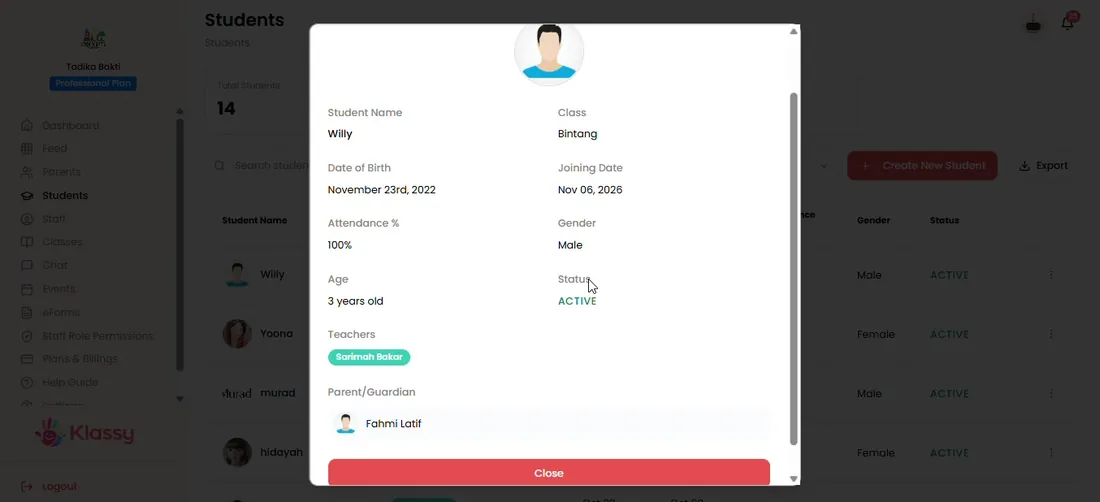
Step 5: Check the child's details (admin panel)
Attendance tracking software with a full history
Every check-in, late arrival and absence recorded by teachers builds the child's history automatically. Admins can answer 'how often was my child absent' in seconds.
What you get with Klassy
- Calendar view of attendance per child
- Filters for month, 7 days, 30 days or custom range
- Built from QR check-ins, no retyping
- Clock-in and clock-out times
Klassy is used by childcare centres, early learning centres, kindergartens, preschools and private schools. It is built in Malaysia and also available for Malaysia, Thailand, Indonesia and Vietnam. See pricing.
Common questions
Where does attendance data come from?
From QR check-ins, manual check-ins and absences recorded by teachers in the teacher app.
Can I look at a custom date range?
Yes. Choose custom range and pick start and end dates.
Can I see today's attendance for the whole school?
Yes. Click Check-ins on the dashboard.
Want this for your school?
Klassy is AI-powered school management software for childcare centres, early learning centres, kindergartens, preschools and private schools. Message the team and we will show you how it fits your school.
Also available for Malaysia, Thailand, Indonesia and Vietnam.
Related guides
More in Attendance and check-in
Browse the Help Centre: For schools For teachers For parents All guides