
How to edit staff roles and deactivate staff who leave
People change roles and leave. This guide shows how to keep staff access accurate in Klassy.
Step by step
Open Staff
See every staff member with role and status.
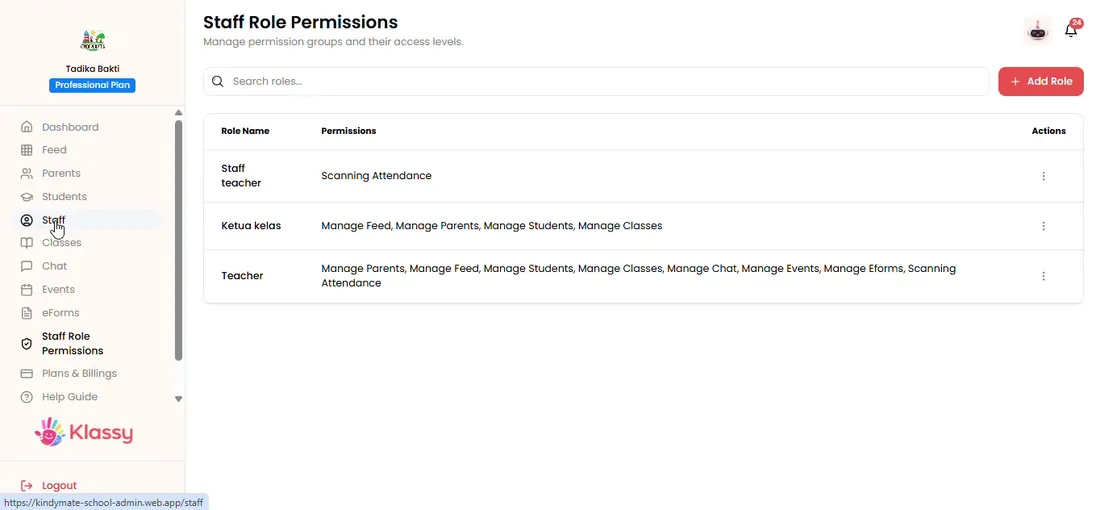
Step 1: Open Staff (admin panel) Open the staff member
Use the menu on the row to edit their details.
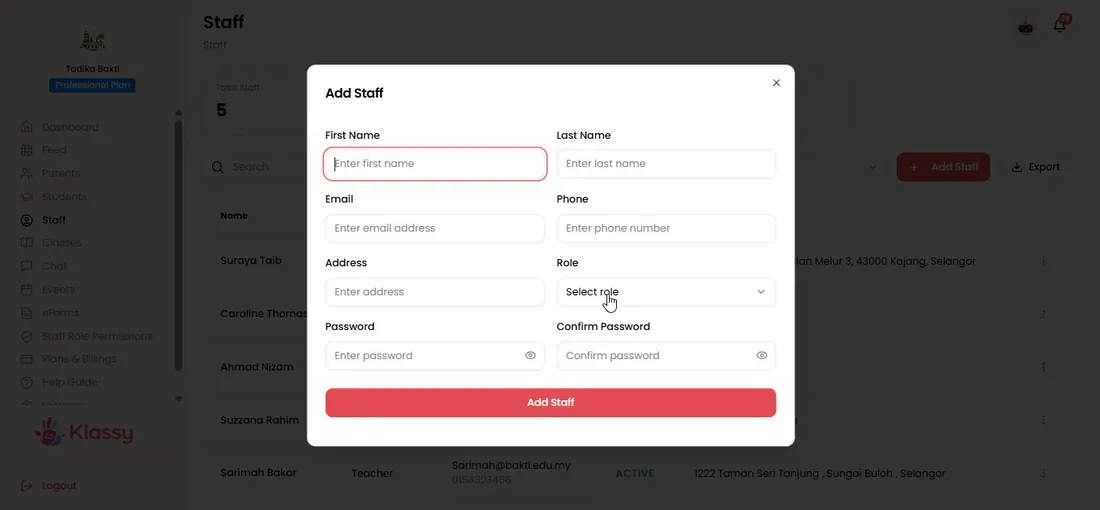
Step 2: Open the staff member (admin panel) Change the role
Pick another role from the dropdown and save. Their access updates to match.
Step 3: Change the role (admin panel) Review role permissions
Open Staff Role Permission to check or change what a role can open.
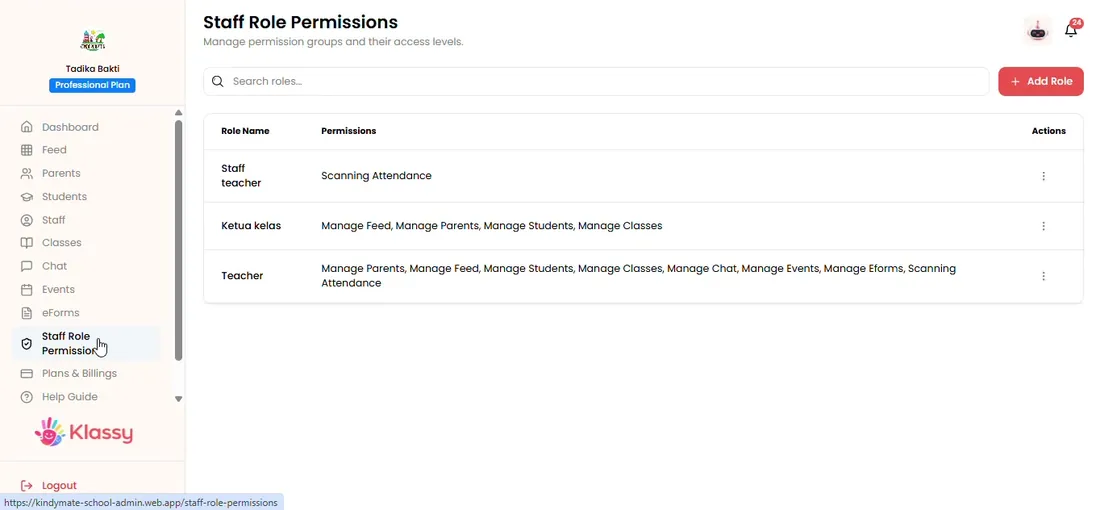
Step 4: Review role permissions (admin panel) Edit a role
Update the modules for a role and every person with that role is updated.
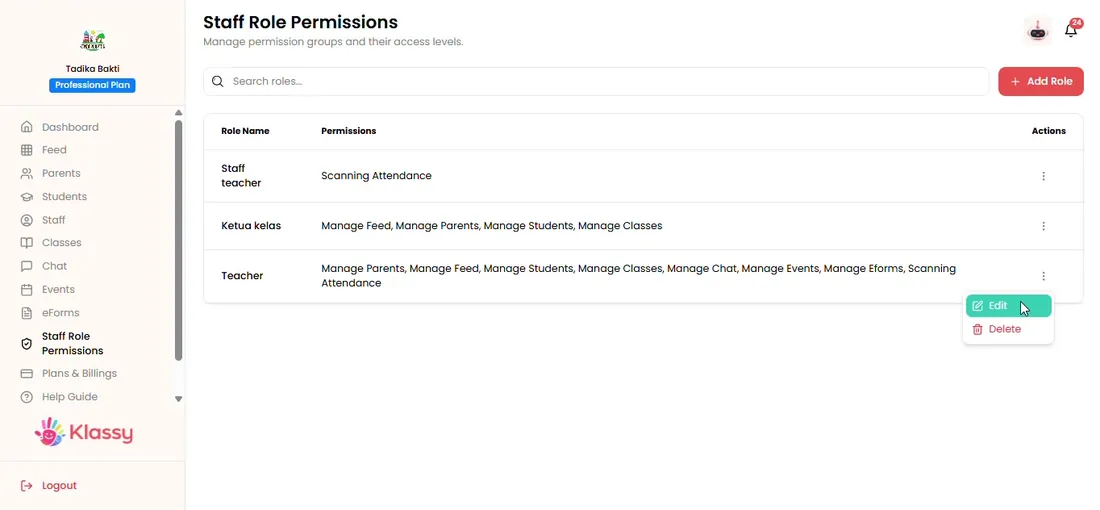
Step 5: Edit a role (admin panel) Deactivate a leaver
Set their status to deactivated. They can no longer sign in and the record stays.
Step 6: Deactivate a leaver (admin panel)
Staff access control for schools
When a teacher leaves, their access should end the same day. Klassy makes that a one-click status change instead of a password hunt.
What you get with Klassy
- Change roles in seconds
- Deactivate leavers immediately
- Per-role module permissions
- Record kept for reference
Klassy is used by childcare centres, early learning centres, kindergartens, preschools and private schools. It is built in Malaysia and also available for Malaysia, Thailand, Indonesia and Vietnam. See pricing.
Common questions
Does deactivating a staff member delete their work?
No. Posts and records stay. The person simply cannot sign in.
Can I give one person two roles?
Each staff member has one role. Create a role with the combined modules if someone needs both.
Who can edit roles?
Anyone whose own role includes Staff Role Permission.
Want this for your school?
Klassy is AI-powered school management software for childcare centres, early learning centres, kindergartens, preschools and private schools. Message the team and we will show you how it fits your school.
Also available for Malaysia, Thailand, Indonesia and Vietnam.
Related guides
More in Students, parents and staff
Browse the Help Centre: For schools For teachers For parents All guides