
How to view, edit and manage student profiles
Every student in Klassy has a profile that brings together their details, attendance history and the posts they appear in. This guide shows how admins find a child quickly and manage their record.
Step by step
Open the Students page
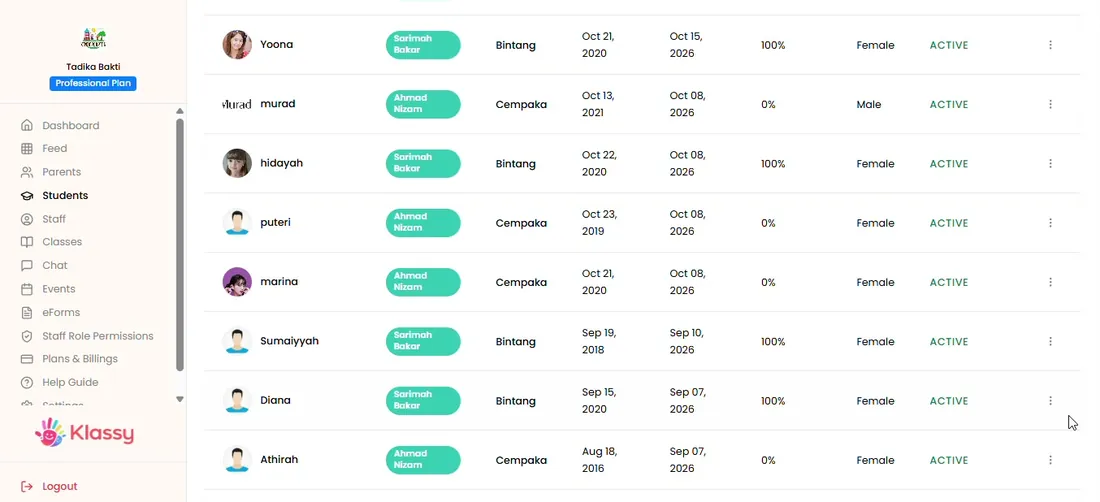
See every student with class, date of birth, joining date, attendance, gender and status.
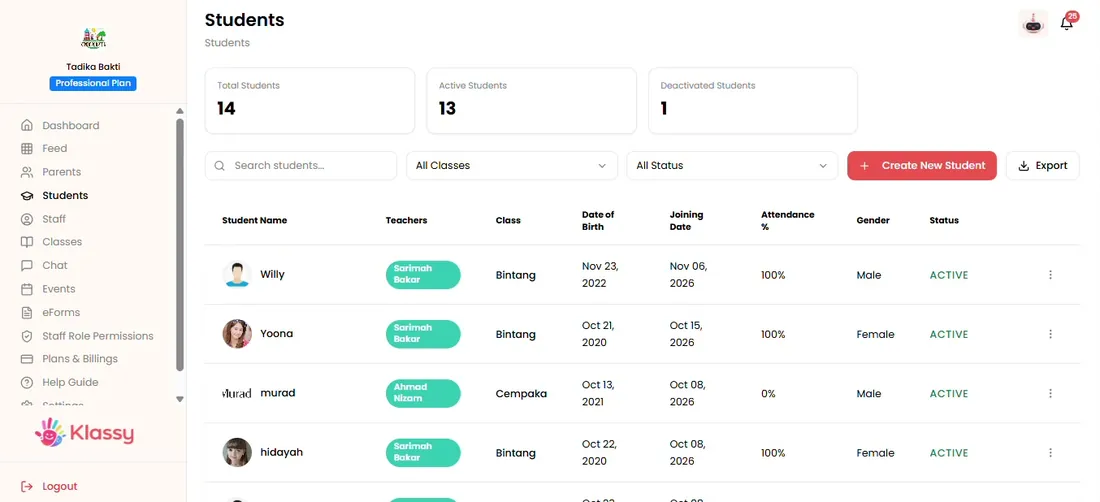
Step 1: Open the Students page (admin panel) Open the three-dot menu
Each row has a menu with View, attendance history, feed, deactivate and remove.
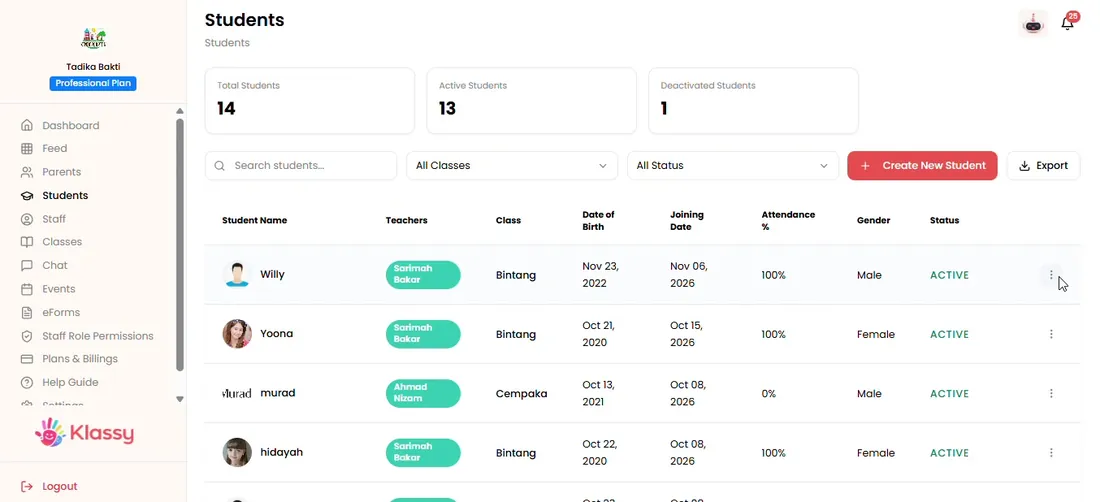
Step 2: Open the three-dot menu (admin panel) View student details
View shows the profile, photo and family details.
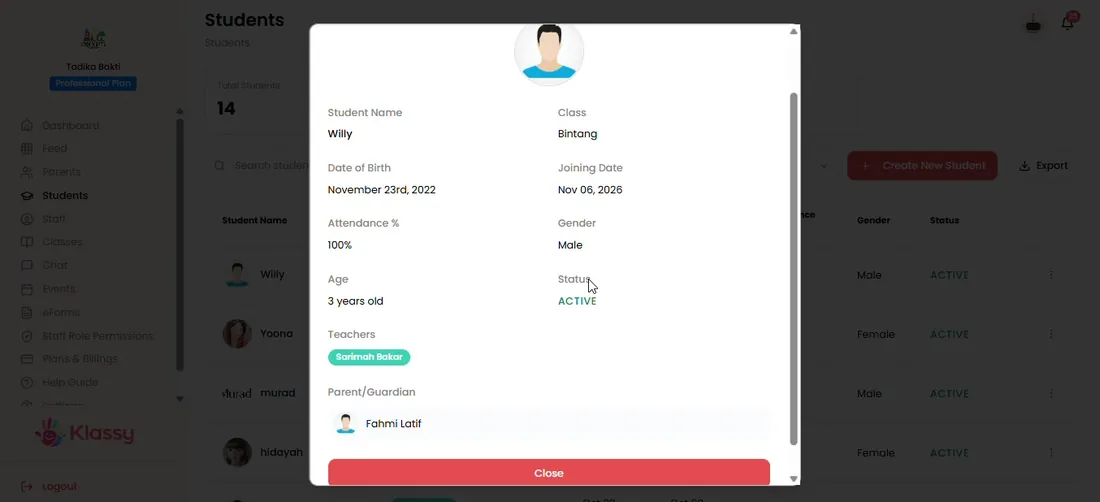
Step 3: View student details (admin panel) Check attendance history
Open the attendance history to see the child's days at school.
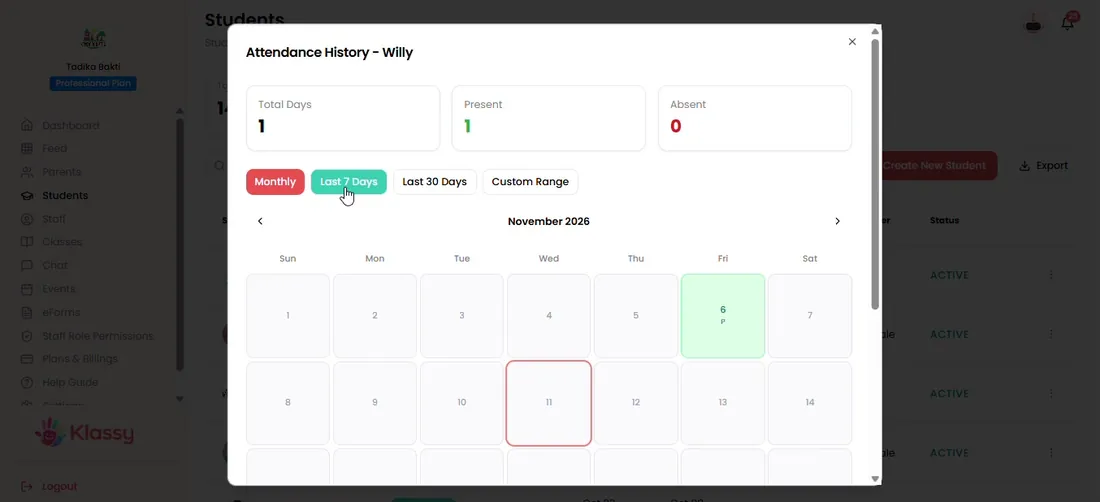
Step 4: Check attendance history (admin panel) See where the child appears in the feed
The feed view lists every post the child is tagged in.
Step 5: See where the child appears in the feed (admin panel) Deactivate or remove
Deactivate to hide a child you may need later. Remove deletes the child permanently.
Step 6: Deactivate or remove (admin panel)
Student information management
Keeping student records in one system saves principals from hunting through paper files and chat groups. In Klassy the same profile powers attendance, feed tagging and health records.
What you get with Klassy
- One profile per child
- Attendance history and feed mentions in one place
- Deactivate without losing the record
- Exportable student list
Klassy is used by childcare centres, early learning centres, kindergartens, preschools and private schools. It is built in Malaysia and also available for Malaysia, Thailand, Indonesia and Vietnam. See pricing.
Common questions
How do I find a student quickly?
Open Students and use the search and filters above the list.
What is the difference between deactivate and remove?
Deactivate hides the student but keeps the record. Remove deletes the student permanently.
Can I see every photo a child appears in?
Yes. Use the feed option in the student's menu to see posts that mention them.
Want this for your school?
Klassy is AI-powered school management software for childcare centres, early learning centres, kindergartens, preschools and private schools. Message the team and we will show you how it fits your school.
Also available for Malaysia, Thailand, Indonesia and Vietnam.
Related guides
More in Students, parents and staff
Browse the Help Centre: For schools For teachers For parents All guides