
Classroom timer for teachers: set a timer with a ring
Timed activities keep a class moving. The Klassy timer is one tap away in the teacher app.
Step by step
Open the class view
From the teacher app home.
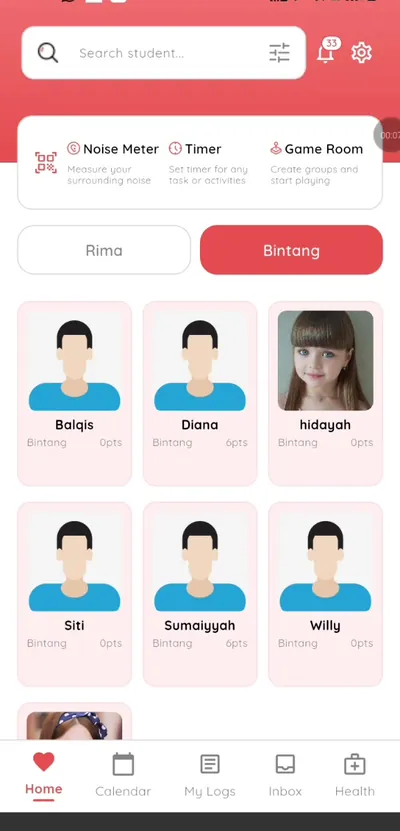
Step 1: Open the class view (teacher app) Tap Timer
It sits at the top of the class screen.
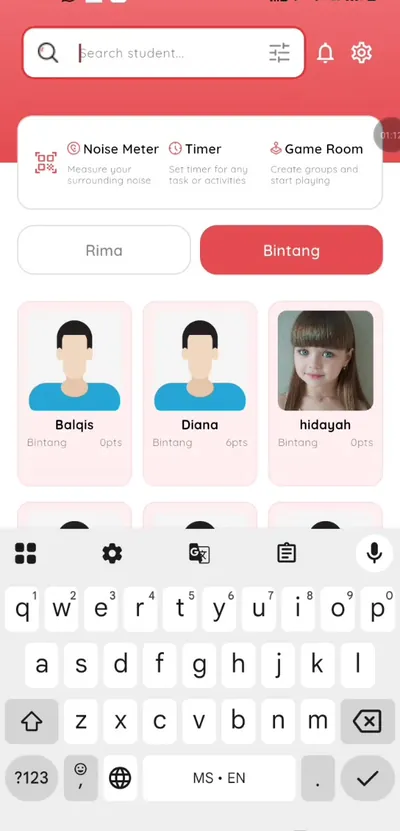
Step 2: Tap Timer (teacher app) Set the time
Choose how long the activity lasts.
Step 3: Set the time (teacher app) Enable the ring
Turn on the ring so you hear when time is up.
Step 4: Enable the ring (teacher app) Pair it with the noise meter
Run a quiet activity with the timer and keep an eye on the room level.
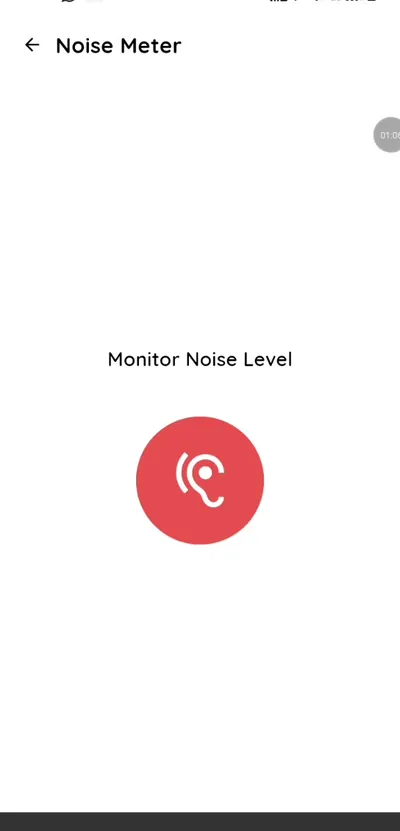
Step 5: Pair it with the noise meter (teacher app) Time group activities
Make groups in the game room, then start the timer for the round.
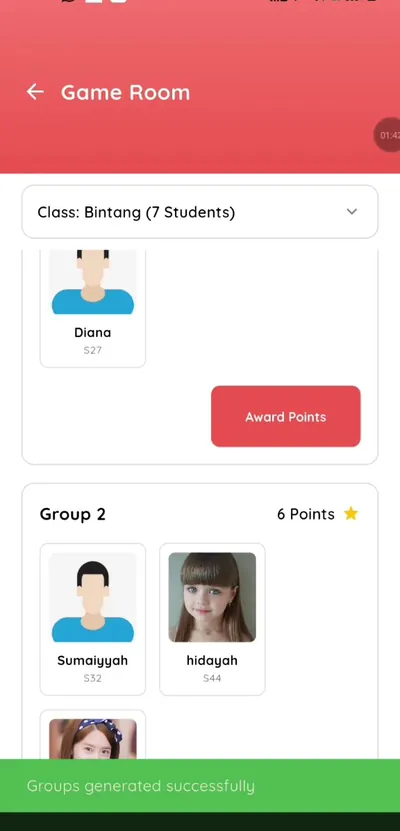
Step 6: Time group activities (teacher app)
A simple timer inside your school app
Fewer apps means less time switching. The timer lives next to attendance.
What you get with Klassy
- One tap from the class view
- Optional ring
- No extra app
Klassy is used by kindergartens, tadika, preschools, childcare centres, tuition centres and private schools. It is built in Malaysia and also available for Australia, Thailand, Indonesia and Vietnam. See pricing.
Common questions
Can the timer ring?
Yes, enable the ring.
Where is it?
Top of the class screen.
Is it free?
Included in the teacher app.
Want this for your school?
Klassy is AI-powered school management software for kindergartens, tadika, preschools, childcare centres, tuition centres and private schools. Message the team and we will show you how it fits your school.
Also available for Australia, Thailand, Indonesia and Vietnam.
Related guides
More in Teacher app and classroom tools
Browse the Help Centre: For schools For teachers For parents All guides