
How to use the Help guide inside the Klassy admin panel
Not every question needs a ticket. The admin panel has a built-in Help guide with short answers.
Step by step
Open Help guide
Find it in the sidebar.
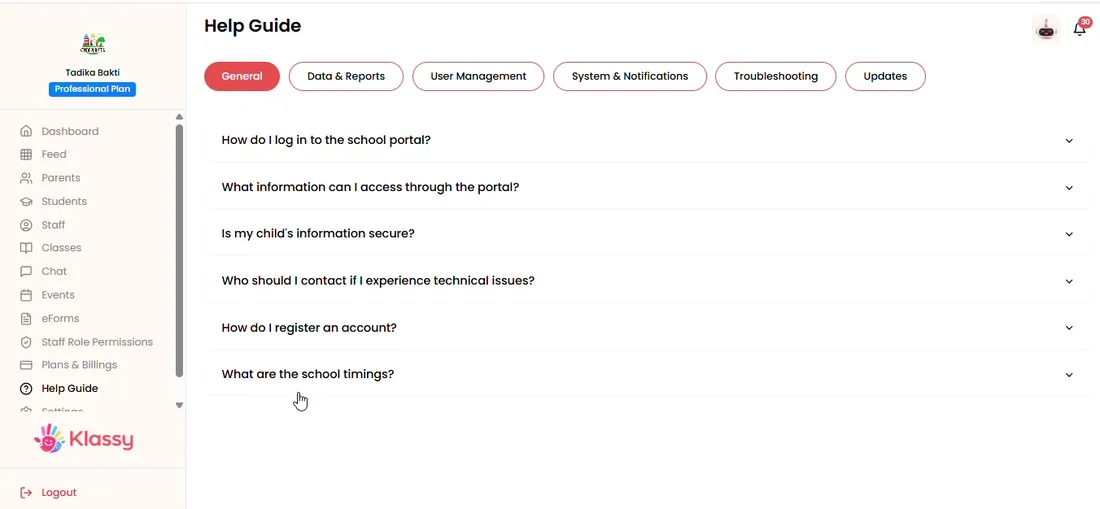
Step 1: Open Help guide (admin panel) Browse topics
Topics are grouped across the top.
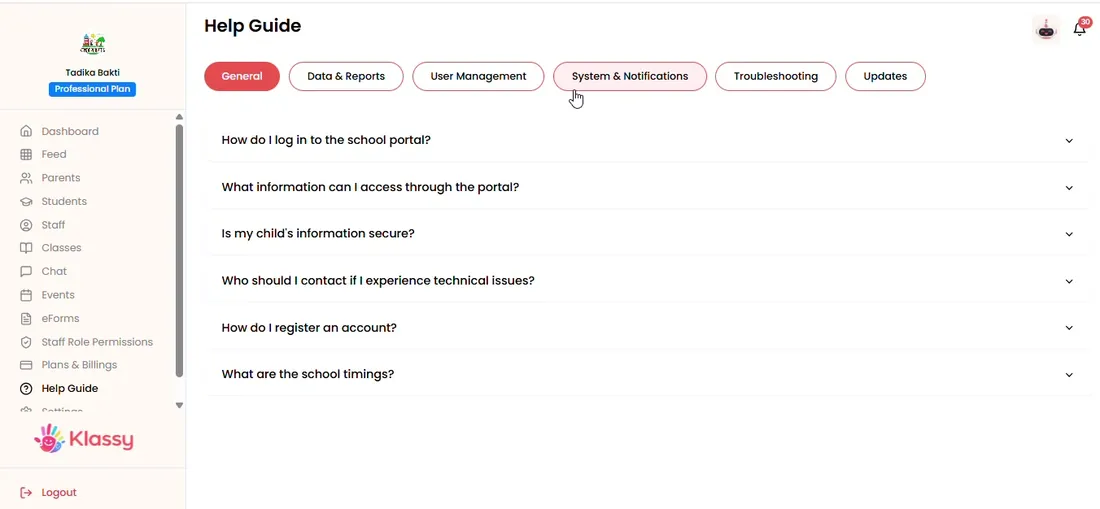
Step 2: Browse topics (admin panel) Open a question
Click a question to read the answer.
Step 3: Open a question (admin panel) Still stuck?
Message the Klassy team on WhatsApp.
Share the right guide with your team
Send colleagues the matching guide from the Klassy Help Centre at klassy.ai/helpcentre.
Self-serve help for school admins
Quick answers keep your team moving and reduce back and forth.
What you get with Klassy
- Built in to the admin panel
- Short answers
- Grouped by topic
- WhatsApp backup
Klassy is used by kindergartens, tadika, preschools, childcare centres, tuition centres and private schools. It is built in Malaysia and also available for Australia, Thailand, Indonesia and Vietnam. See pricing.
Common questions
Where is the Help guide?
In the admin panel sidebar.
Can I contact Klassy for more help?
Yes. Message the team on WhatsApp.
Is there help for teachers and parents?
Yes. See the Help Centre sections for teachers and parents.
Want this for your school?
Klassy is AI-powered school management software for kindergartens, tadika, preschools, childcare centres, tuition centres and private schools. Message the team and we will show you how it fits your school.
Also available for Australia, Thailand, Indonesia and Vietnam.
Related guides
More in Plan, settings and storage
Browse the Help Centre: For schools For teachers For parents All guides