
How to set an RSVP deadline and pax limit, and see who registered
Some events have limited seats. Klassy lets you cap registrations and see who has signed up, so you can plan numbers with confidence.
Step by step
Create or edit an event
Open Events and add or edit the event.
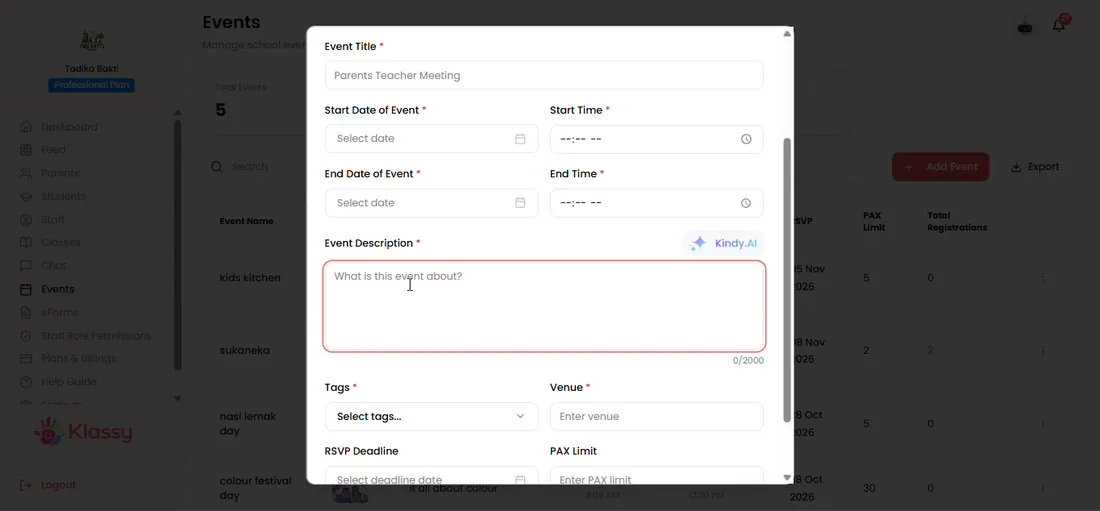
Step 1: Create or edit an event (admin panel) Set the RSVP deadline
Choose the last date parents can register.
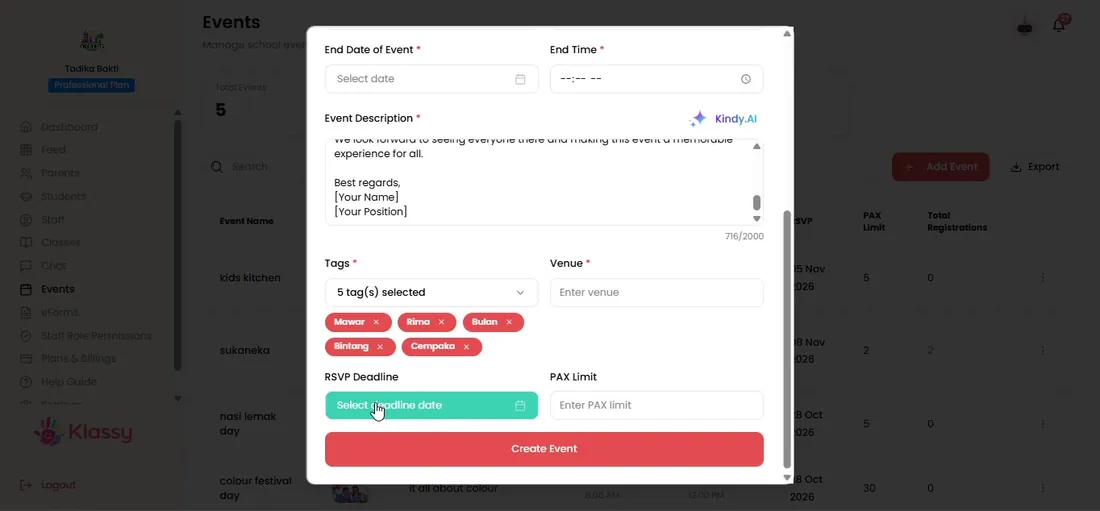
Step 2: Set the RSVP deadline (admin panel) Set the pax limit
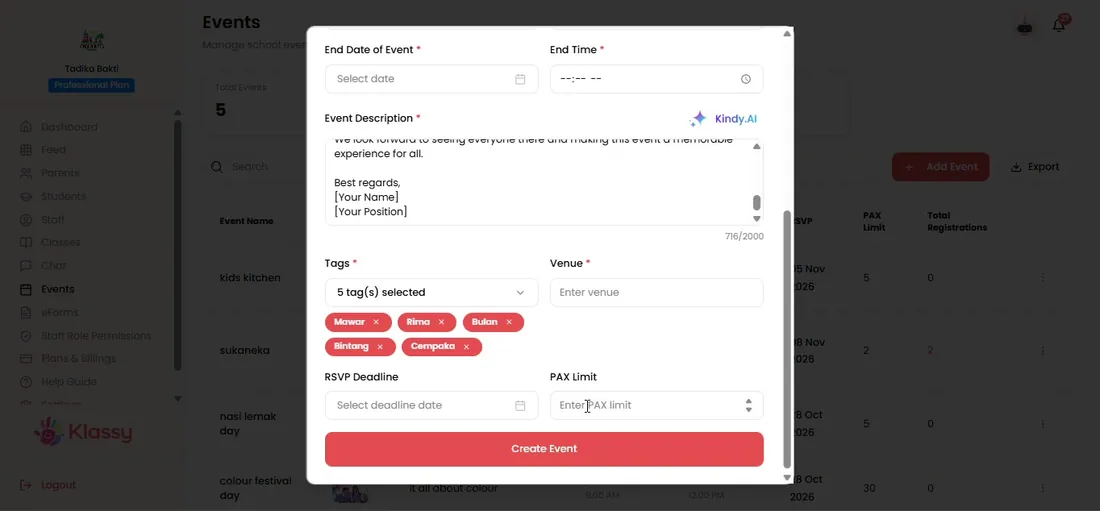
Enter the maximum number of registrations. Leave empty for no limit.
Step 3: Set the pax limit (admin panel) Create the event
Parents can now RSVP in the app.
Step 4: Create the event (admin panel) See the registration count
The events list shows the registered number. It turns red at the pax limit.
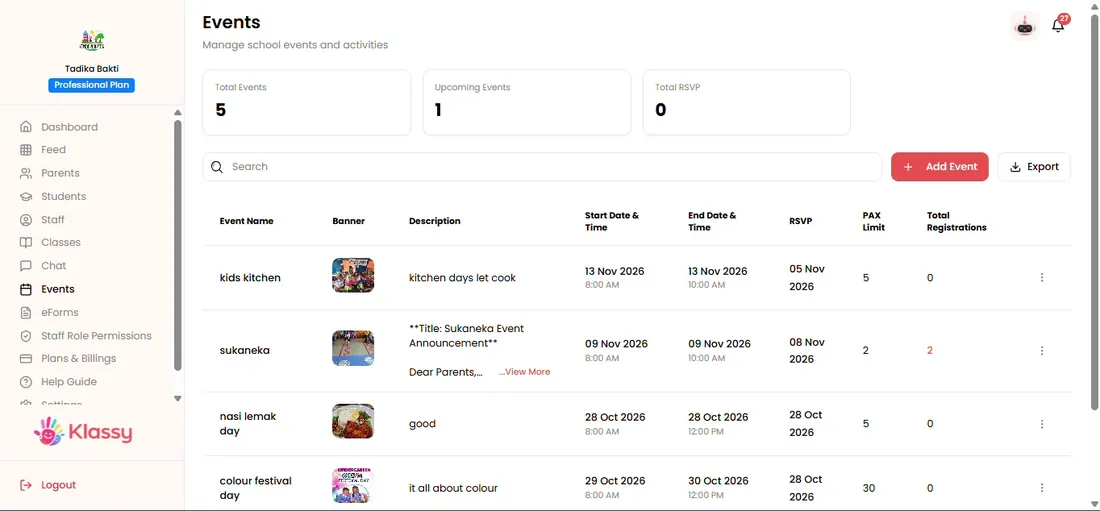
Step 5: See the registration count (admin panel) Open View RSVP
See parent names, emails, phone numbers and check-in times.
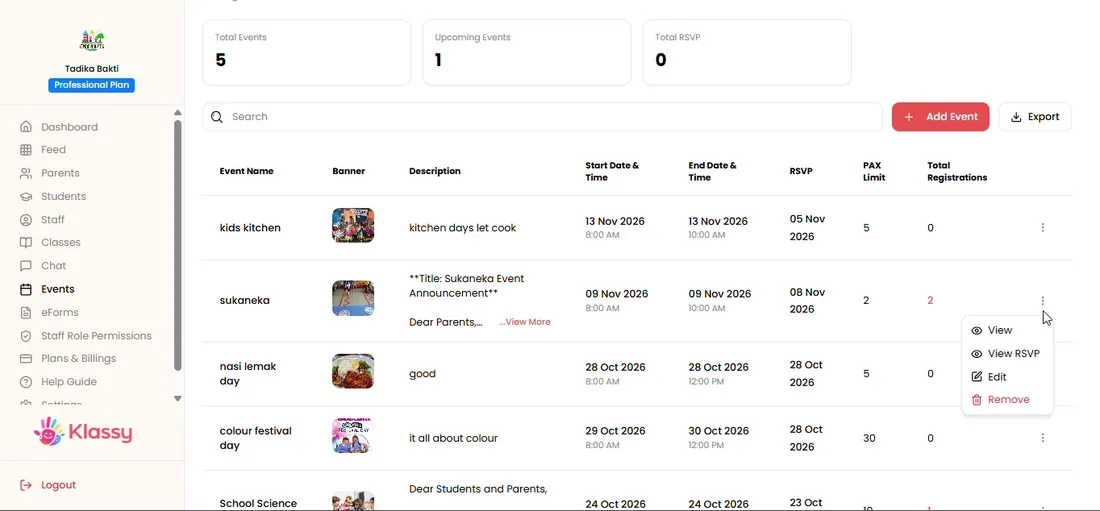
Step 6: Open View RSVP (admin panel)
Manage event capacity without spreadsheets
Counting who is coming is the biggest admin cost of school events. Klassy keeps a live register of registered parents with contact details.
What you get with Klassy
- Optional RSVP deadline
- Optional pax limit
- Live registration count
- Attendee contact details
Klassy is used by childcare centres, early learning centres, kindergartens, preschools and private schools. It is built in Malaysia and also available for Malaysia, Thailand, Indonesia and Vietnam. See pricing.
Common questions
What happens when the pax limit is reached?
The registered number turns red and parents can no longer register.
Can I see who has registered?
Yes. Use View RSVP for names, emails, phone numbers and check-in times.
Can I change the limit later?
Yes. Edit the event and update the limit.
Want this for your school?
Klassy is AI-powered school management software for childcare centres, early learning centres, kindergartens, preschools and private schools. Message the team and we will show you how it fits your school.
Also available for Malaysia, Thailand, Indonesia and Vietnam.
Related guides
More in Events and RSVP
Browse the Help Centre: For schools For teachers For parents All guides