
How to RSVP to school events and add them to your phone calendar
Never miss a school event. See upcoming events, RSVP in one tap and add the date to your phone calendar.
Step by step
Open Calendar
See upcoming and past events.
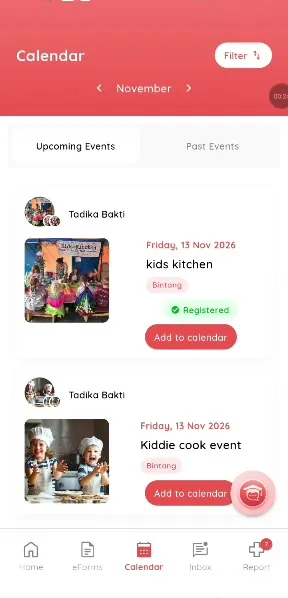
Step 1: Open Calendar (parent app) Tap an event
Read the details.
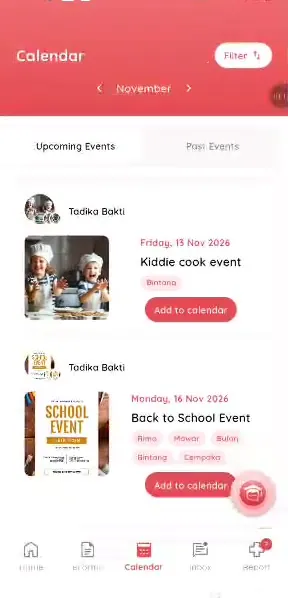
Step 2: Tap an event (parent app) Choose your child
Select who is attending.
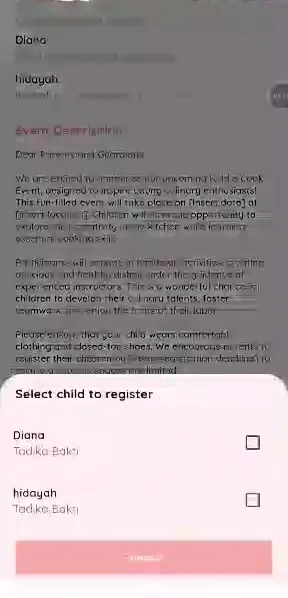
Step 3: Choose your child (parent app) Register
The teacher is notified and the event shows as registered.
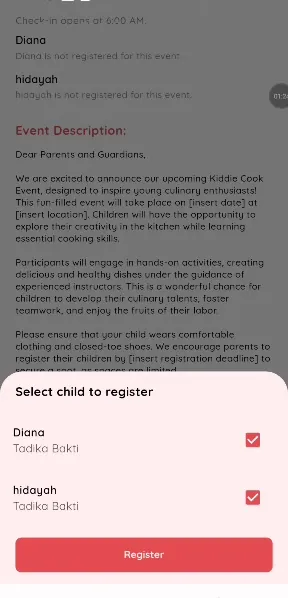
Step 4: Register (parent app) Add to calendar
Tap Add to calendar to save it to your phone.
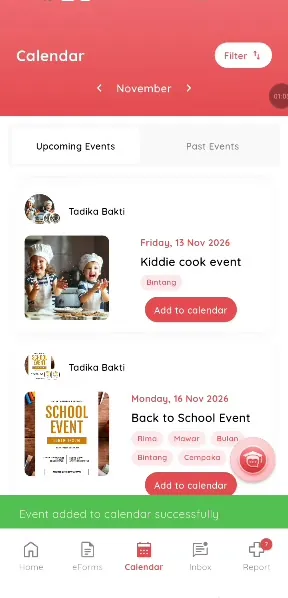
Step 5: Add to calendar (parent app)
An events app for school parents
Parents often miss notices in chats. Klassy puts events in one calendar.
What you get with Klassy
- One tap RSVP
- Add to phone calendar
- Details in one place
Klassy is used by childcare centres, early learning centres, kindergartens, preschools and private schools. It is built in Malaysia and also available for Malaysia, Thailand, Indonesia and Vietnam. See pricing.
Common questions
Do I need to RSVP to every event?
Only to events that ask for it.
Can I RSVP for two children?
Yes.
What if the event is full?
Registration closes when the limit is reached.
Want this for your school?
Klassy is AI-powered school management software for childcare centres, early learning centres, kindergartens, preschools and private schools. Message the team and we will show you how it fits your school.
Also available for Malaysia, Thailand, Indonesia and Vietnam.
Related guides
More in Events and RSVP
Browse the Help Centre: For schools For teachers For parents All guides