
How teachers view and create events in the teacher app calendar
Teachers often organise class events. The teacher app calendar shows upcoming and past events and lets you create new ones.
Step by step
Open My Calendar
See upcoming and past events.
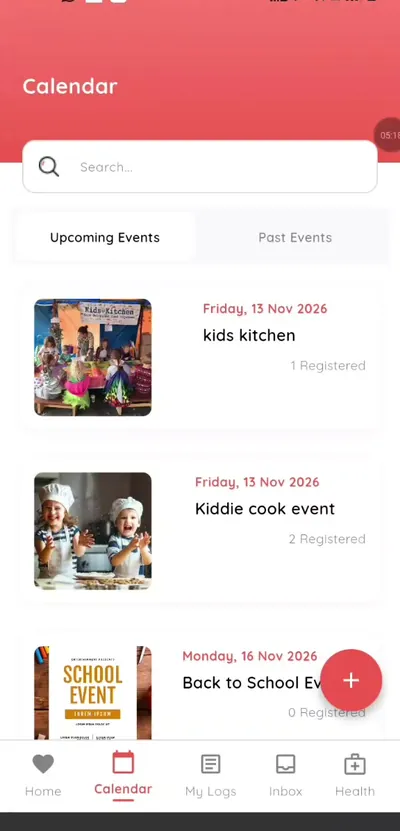
Step 1: Open My Calendar (teacher app) Tap an event
See its details and how many parents registered.
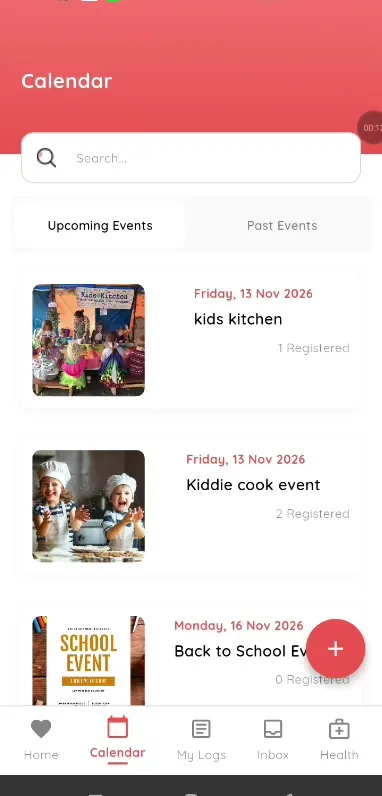
Step 2: Tap an event (teacher app) Create an event
Tap add to start a new event.
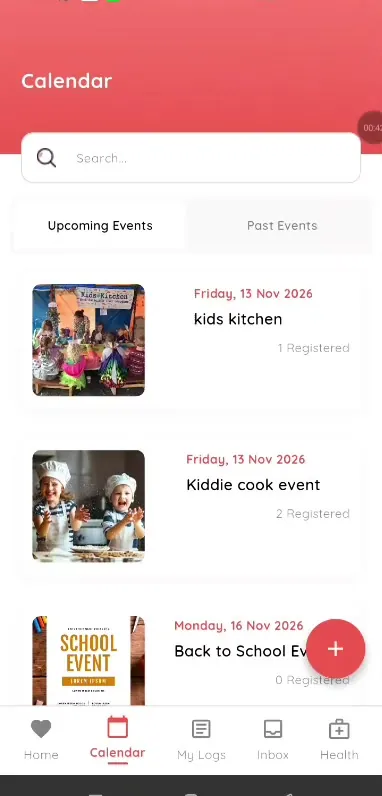
Step 3: Create an event (teacher app) Generate the description with AI
Use AI for the description.
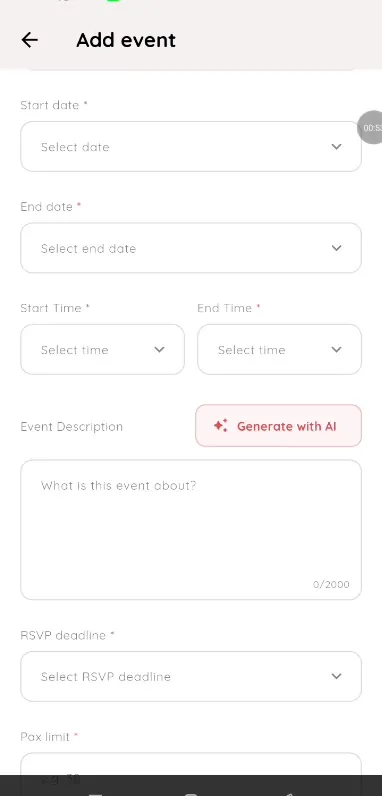
Step 4: Generate the description with AI (teacher app) Set the RSVP details
Add an RSVP deadline and pax limit.
Step 5: Set the RSVP details (teacher app) Choose the class
Select the class and create the event.
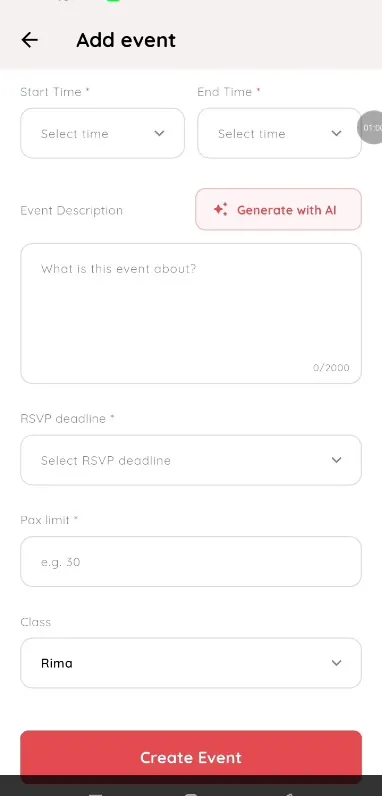
Step 6: Choose the class (teacher app)
Class event planning in the teacher app
Teachers can create and track events without asking the office. Parents RSVP in the app and teachers see the count.
What you get with Klassy
- Calendar of upcoming and past events
- Create events by class
- AI description
- RSVP deadline and pax limit
Klassy is used by childcare centres, early learning centres, kindergartens, preschools and private schools. It is built in Malaysia and also available for Malaysia, Thailand, Indonesia and Vietnam. See pricing.
Common questions
Can teachers create events?
Yes, for their classes.
Where do parents see them?
In the Calendar of the parent app.
Is AI available?
From the Professional plan.
Want this for your school?
Klassy is AI-powered school management software for childcare centres, early learning centres, kindergartens, preschools and private schools. Message the team and we will show you how it fits your school.
Also available for Malaysia, Thailand, Indonesia and Vietnam.
Related guides
More in Events and RSVP
Browse the Help Centre: For schools For teachers For parents All guides