
School event management: how to create events with RSVP
Sports days, concerts and parent briefings all need the same thing: tell the right parents, count the replies. Klassy handles both in one event.
Step by step
Open Events
Cards show total events, upcoming events and total RSVPs.
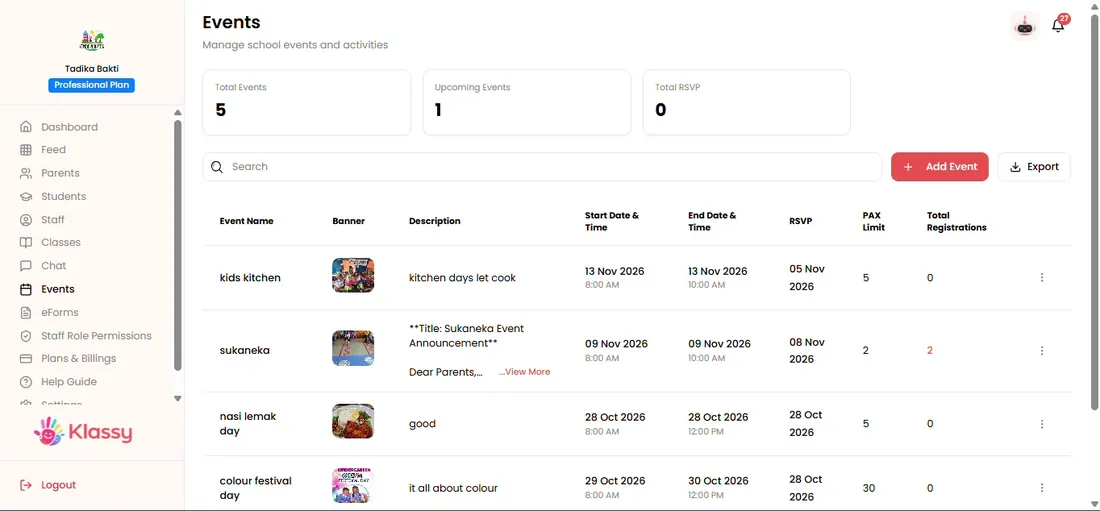
Step 1: Open Events (admin panel) Select Add Event
A form opens. Add a banner image and the event title.
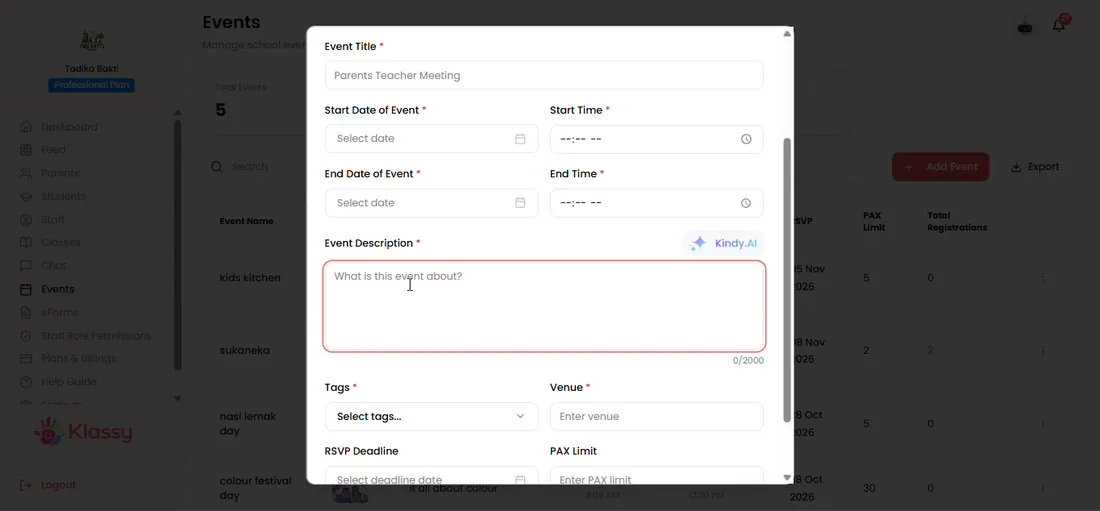
Step 2: Select Add Event (admin panel) Write the description
Type it or use Klassy AI to draft it.
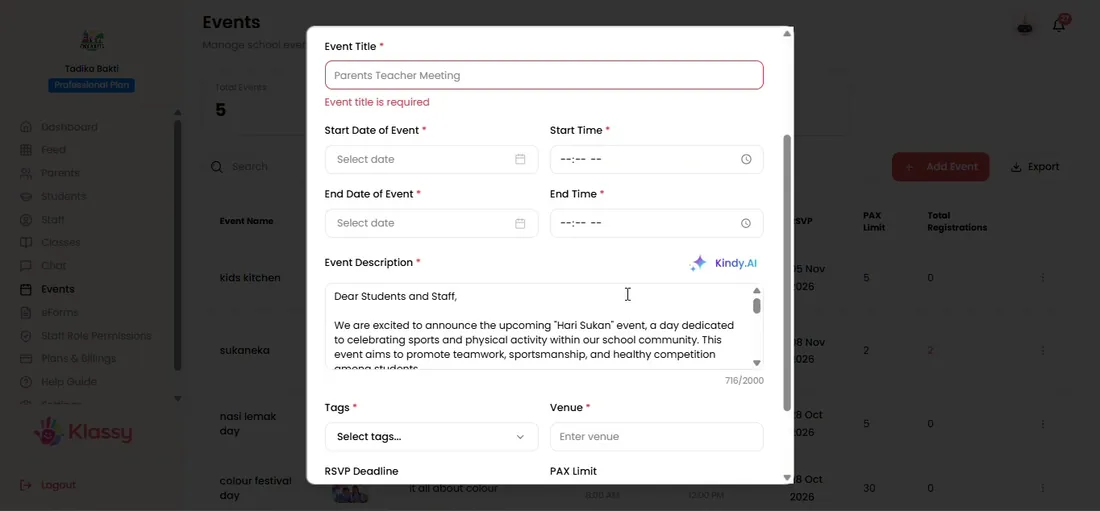
Step 3: Write the description (admin panel) Tag the classes and venue
Tag one class or all classes and enter the venue.
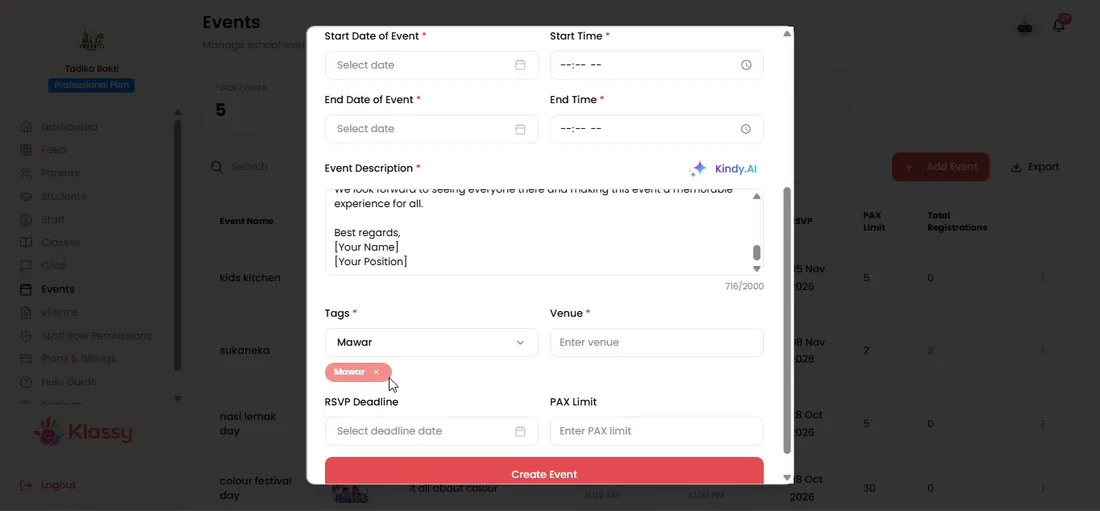
Step 4: Tag the classes and venue (admin panel) Set the RSVP details
Add an optional RSVP deadline and pax limit.
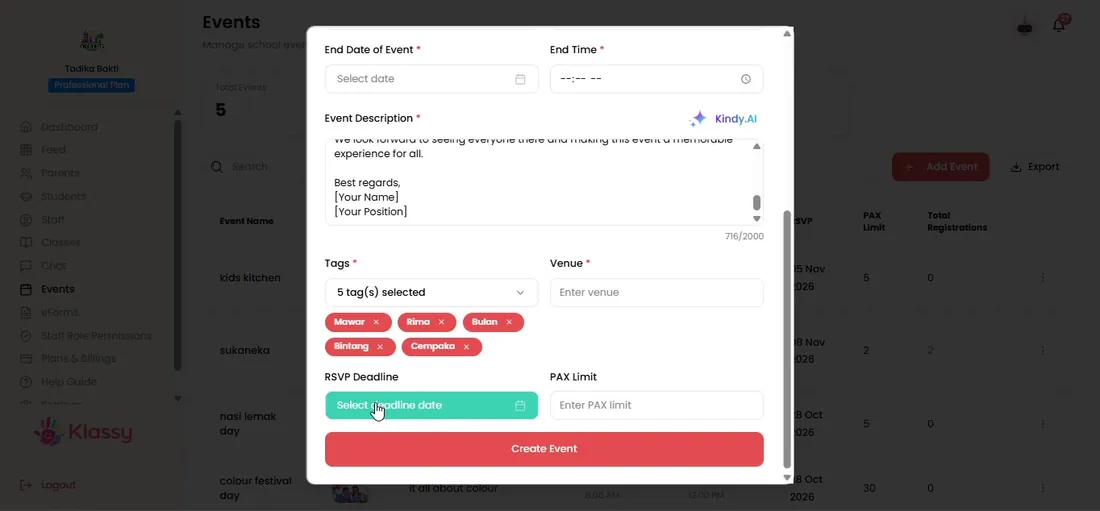
Step 5: Set the RSVP details (admin panel) Create the event
Create it and parents see it in their calendar.
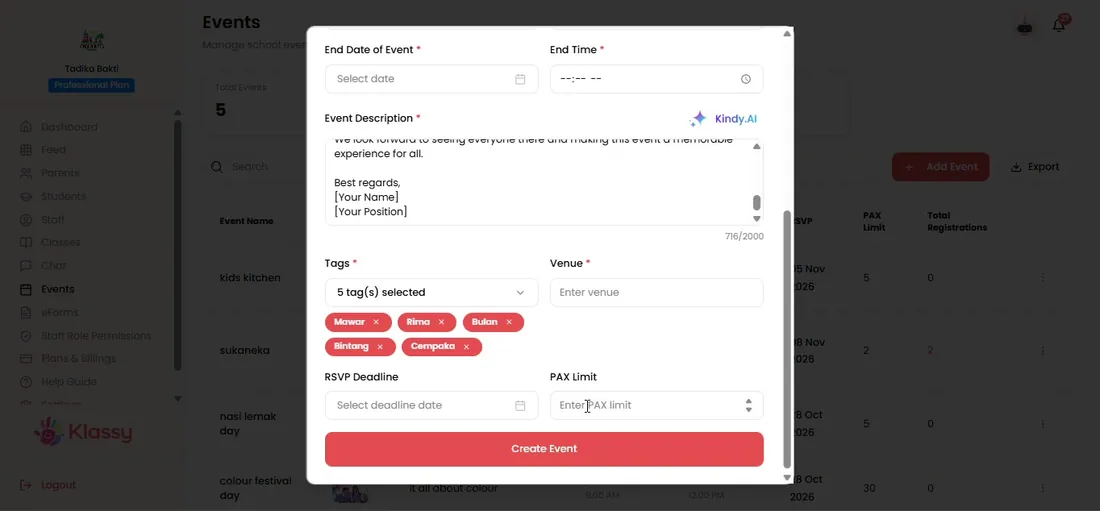
Step 6: Create the event (admin panel) Manage events
Use the menu to view, view RSVP, edit or delete.
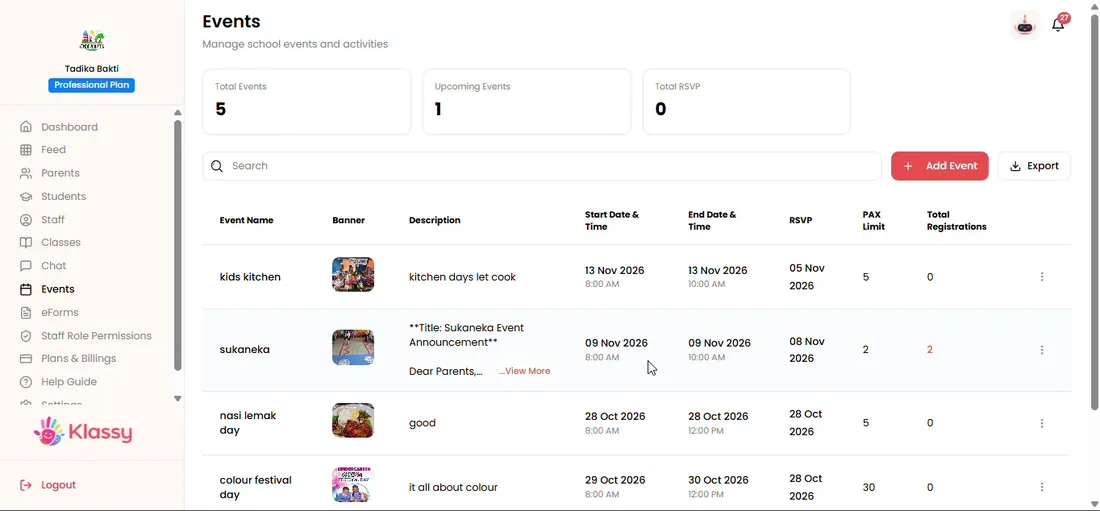
Step 7: Manage events (admin panel)
An events app for schools that counts RSVPs for you
Collecting replies in a chat is slow and error prone. Klassy counts RSVPs live and tells you exactly who registered.
Events can be tagged to one class or the whole school, so parents only see what is relevant.
What you get with Klassy
- Banner image and rich description
- Tag one class or all classes
- RSVP deadline and optional pax limit
- Klassy AI for descriptions
- Parents add events to their calendar
Klassy is used by childcare centres, early learning centres, kindergartens, preschools and private schools. It is built in Malaysia and also available for Malaysia, Thailand, Indonesia and Vietnam. See pricing.
Common questions
Do all events need RSVP?
No. Events without RSVP simply show details to parents.
Can I limit the number of attendees?
Yes. Set a pax limit. Leave it empty for no limit.
Who sees the event?
Parents of the tagged class, or every parent if you tag all classes.
Want this for your school?
Klassy is AI-powered school management software for childcare centres, early learning centres, kindergartens, preschools and private schools. Message the team and we will show you how it fits your school.
Also available for Malaysia, Thailand, Indonesia and Vietnam.
Related guides
Browse the Help Centre: For schools For teachers For parents All guides